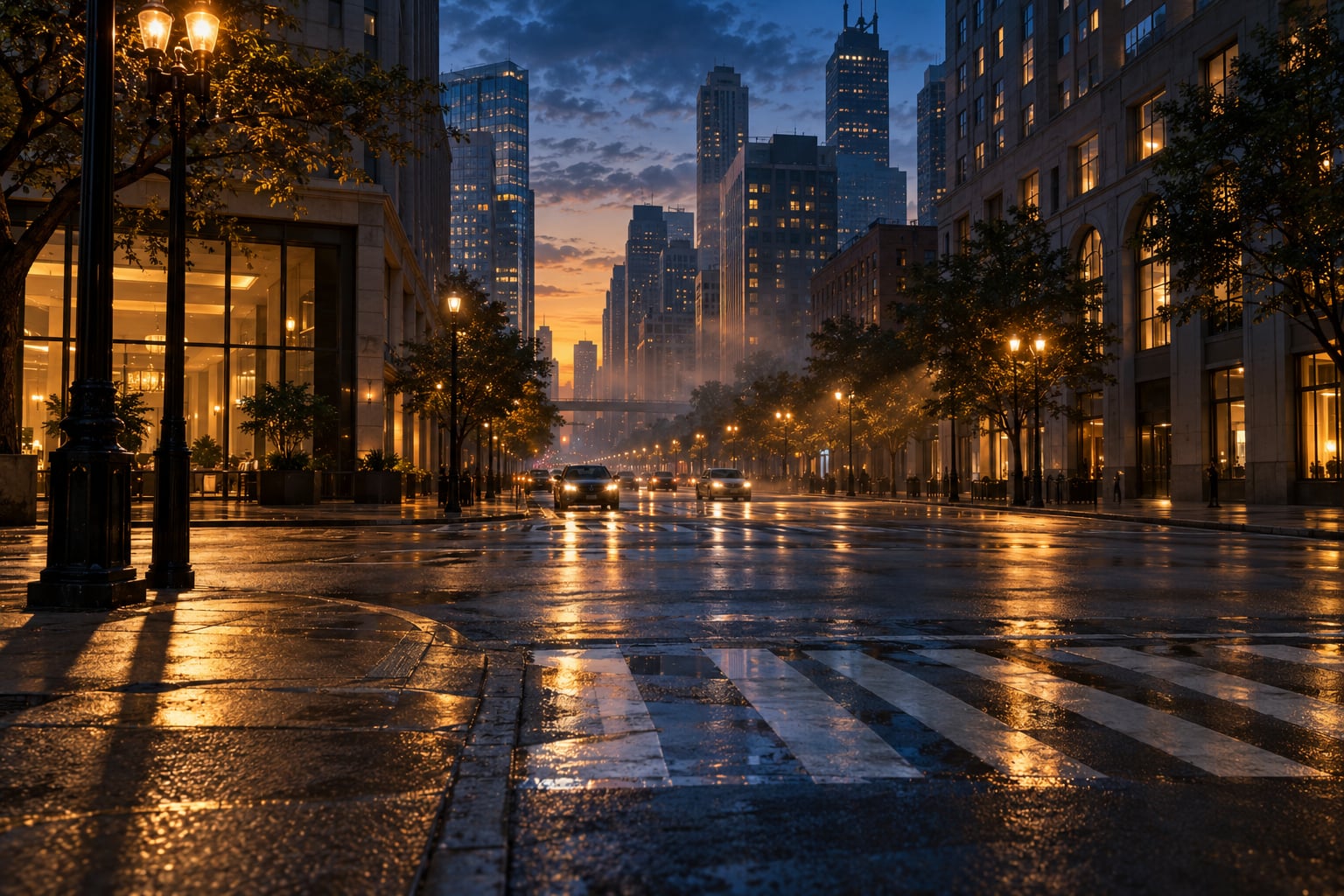
Open world lighting went from mostly precomputed and fixed to dynamic, real-time systems that recompute shadows, reflections and bounce light every frame. That shift is why a 2007 city feels flat at noon while a 2026 game can throw orange indirect light off a brick wall onto the pavement beside it. Here is what actually changed, era by era, and what it means for the mods you run tonight.
Table of Contents
- What Is a Lighting Engine in an Open World Game?
- How Lighting Engines Changed Open World Visuals
- From Lightmaps and Vertex Lighting to Real-Time Global Illumination
- How Real-Time Lighting Improves Cities, Roads, and Interiors
- What Role Do Shadows, Reflections, and Volumetric Light Play?
- How Weather and Day-Night Cycles Changed Through Better Lighting
- How Modern Lighting Engines Affect PC and Android Mods
- Lighting Engines vs Graphics Presets: What Should Modders Change?
- Frequently Asked Questions
- What is a lighting engine in a video game?
- Did GTA games use the same lighting engine throughout their history?
- Does ray tracing make an open world look better automatically?
- Are ENB and other graphics presets the same as a lighting engine?
- What is the best way to improve lighting without tanking performance?
- Can lighting effects in PC open-world games be recreated on Android?
- Conclusion
What Is a Lighting Engine in an Open World Game?
A lighting engine is the part of a game engine that decides where light comes from, how it falls on a surface, and what happens to it after it lands. It is not the same thing as the rendering engine, which is the whole pipeline that draws polygons, textures and effects. Lighting is one stage inside it.
It is also not the same thing as a graphics preset. The preset is a named bundle of settings; the lighting engine is the code doing the work. You can switch a preset in ten seconds, but you cannot switch engines at all.
For an open world specifically, a lighting engine produces six things:
- Sun and sky direction, including how colour temperature shifts across a day/night cycle
- Shadows, from hard-edged to soft and contact-accurate
- Direct light from point, spot, area and emissive sources like headlights and shop signs
- Indirect light, where a bounce off one surface lights another
- Reflections on wet asphalt, glass, water and metal
- Volumetric effects, meaning light visible in the air itself as shafts and fog
Open worlds are walked through rather than driven past, so lighting carries more weight than it does in a linear corridor level. It is what tells you where a doorway is, whether that alley is safe, and what time it feels like.
How Lighting Engines Changed Open World Visuals
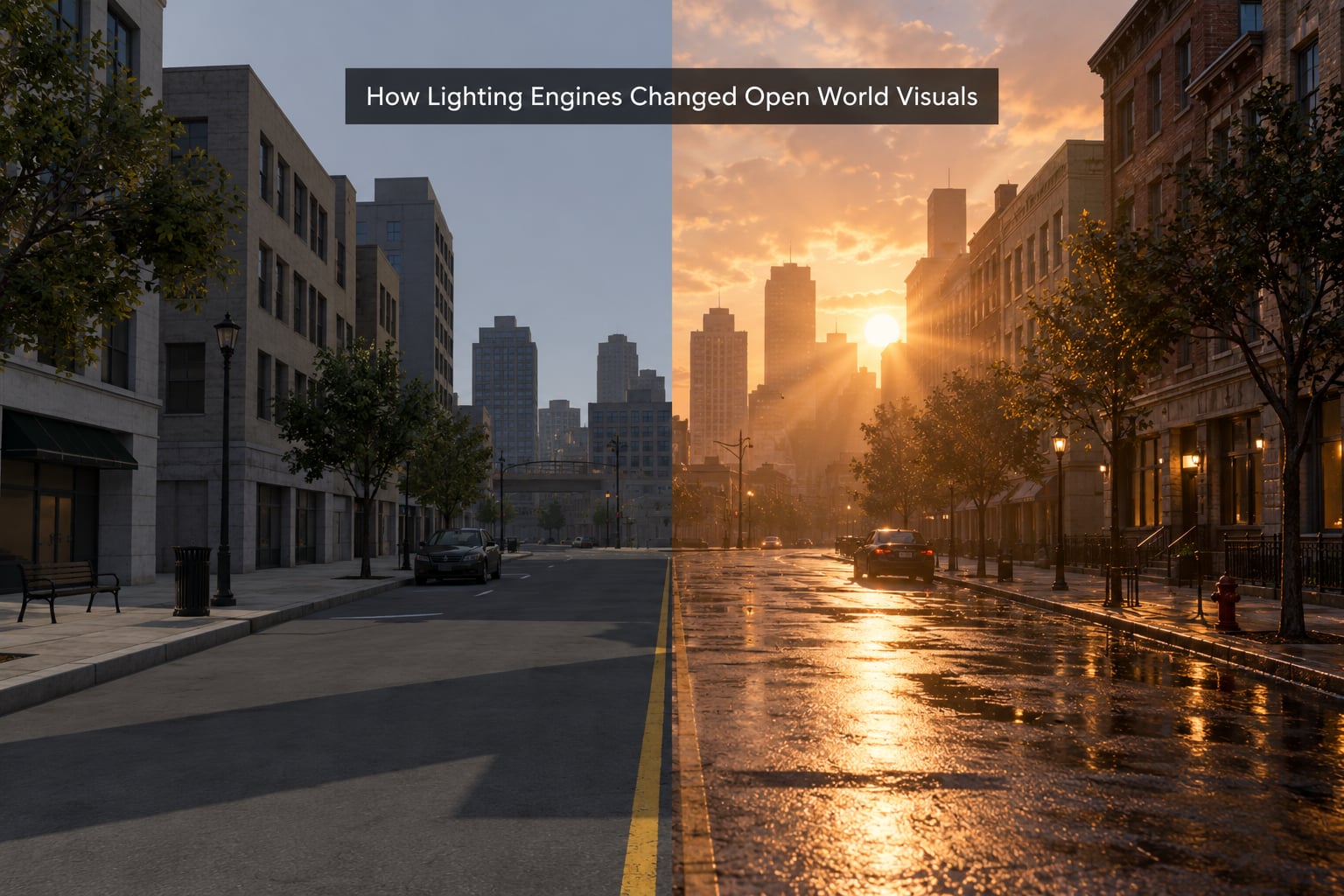
The short answer: open world visuals moved from light that was computed once and stored, toward light that is computed live. Early 3D worlds mostly shaded geometry per-vertex or per-face with a fixed formula. Then per-pixel dynamic lighting landed, then deferred rendering let studios handle far more lights at once, then middleware added believable indirect light, and hardware ray tracing finally made the expensive version affordable on a console.
How lighting engines changed open world visuals across key eras
| Era | Lighting approach | What it looked like | Limit |
|---|---|---|---|
| Pre-1997, fixed function | Gouraud and Phong shading, baked vertex colours | Flat, uniform, lighting that never changed while you played | No moving shadows at all |
| Late 1990s to early 2000s | Baked lightmaps plus per-pixel dynamic lights | Good ambient mood, but a shadow could not follow you around | Lightmaps froze the time of day |
| 2004 to 2008, per-pixel dynamic | Per-pixel dynamic lights, dynamic shadows, baked indirect bounce | Doom 3 style dynamic point lights; cities started to feel lit rather than painted | Few lights, and open worlds were mostly still baked |
| 2007 to 2012, deferred rendering | Deferred shading with many simultaneous lights, screen-space reflections | GTA IV and Assassin’s Creed era streets with headlights, wet roads and readable night scenes | Heavy geometry cost, weaker on Switch-era mobile hardware |
| 2010 to 2017, GI middleware | Enlighten and Lightmass style dynamic global illumination, Nvidia volumetric lighting code inside Creation Engine | Moving sun, cloud shadows, god rays through trees | Indirect light was often faked, and it flattens out when tuned wrong |
| 2018 to 2020, hardware ray tracing | Nvidia Turing and GeForce RTX, ray-traced reflections and shadows, DLSS upscaling | True mirror-like reflections and consistent soft shadow edges | Rasterisation plus tracing still missed most indirect light |
| 2021 to 2026, dynamic GI | Lumen voxel and software ray tracing, Nanite geometry, screen-space global illumination | Bounce light that changes as you move, no bake required | Expensive without upscalers or aggressive settings |
The row people miss is the last one. Most coverage of open world lighting stops in 2019 and says ray tracing is coming. The bigger shift since then is not the ray tracing itself, it is that indirect light stopped being baked or faked.
From Lightmaps and Vertex Lighting to Real-Time Global Illumination
Global illumination is light that has bounced. It is the reason a room with one window does not have a hard bright rectangle and pitch black corners, and it is the single biggest reason modern open worlds look different from old ones.
Early engines solved this by precomputing it into textures called lightmaps. A lightmap stores the colour and intensity of the indirect light for every point on a surface, baked once during level building. It looks decent and costs almost nothing at runtime, which is exactly why huge open worlds used it.
The catch is that a lightmap is a photograph of one moment. Change the time of day and the whole thing is wrong. That is the technical reason older open worlds tend to look flat, and the reason players often blame textures instead.
There is a second catch nobody sees. Re-baking an entire open world at modern fidelity would need terabytes of lightmap data, which is why re-releasing an old game with new lighting is so rare. Players on r/raytracing make exactly this point when they argue that a modern remake of an older map is not a texture upgrade.
| Approach | How indirect light is produced | Fidelity | Cost at runtime |
|---|---|---|---|
| Vertex lighting | Colour stored per vertex, interpolated across the triangle | Very low, banding on large surfaces | Almost free |
| Baked lightmap | Precomputed into a texture, loaded per room | Good, but frozen in time | Very cheap, heavy storage |
| Light probe | Precomputed lighting sampled from a few grid points, blended at runtime | Moderate, can leak across walls | Cheap |
| Dynamic global illumination | Recomputed at runtime from a simplified representation of the world | Good, responds to moving sources | Moderate to high |
| Screen-space global illumination | Reads the current frame buffer to estimate bounce | Patchy, misses off-screen surfaces | Moderate, cheap on paper |
| Voxel or software ray tracing | Traces a coarse 3D representation, or traces real paths with denoising | Highest, and it changes as you play | High without hardware support |
That also explains a common forum observation. Users on r/unrealengine report disabling static lighting and using only movable lights, then seeing barely any difference. Most of the indirect look in a default scene is coming from the baked and probe layers, not the dynamic one.
How Real-Time Lighting Improves Cities, Roads, and Interiors
The visible gain is that light reacts to where you are. Move behind a building and that long sunlit shadow edge slides across the street in real time instead of being painted into the geometry.
Wet roads are the clearest demonstration. Screen-space reflections take the frame you just rendered, find matching pixels, and mirror them onto the road, so headlights smear across puddles as you drive. Twenty years ago that was a painted texture with a scrolling mask, and it slid around under you the moment you changed speed.
Headlights stopped being props. With enough dynamic lights and deferred shading, every car throws real light onto the wall in front of it, which changes how a night drive feels. Interiors gained colour bleed, where a red sign or a campfire genuinely tints the stone floor near it.
Readability improved too. Contact shadows under crates and railings tell you where an object actually sits. When ambient light is too strong, that grounding disappears and everything looks pasted on.
What Role Do Shadows, Reflections, and Volumetric Light Play?
Each of these is a separate technique with a separate price. Players tend to treat them as one quality slider, and they are not.
| Technique | What it is | What you notice | Cost and gating factor |
|---|---|---|---|
| Shadow map | Depth map from the light’s point of view, compared against scene depth | Where shadows fall and how sharp their edges are | Resolution and distance sliders; cheap at low settings |
| Ambient occlusion | Darkening in creases and contact points | Grounding under objects, definition in corners | Very cheap, often baked per-vertex |
| Screen-space reflections | Mirrors the already-rendered frame | Reflections on wet roads, glass and metal | Fails on off-screen objects; resolution-dependent |
| Ray-traced reflections | Traces real rays against scene geometry | Correct reflections, including off-screen and rough surfaces | Needs RTX-class hardware; costs frame rate |
| Volumetric lighting | Light scattering through participating media like fog or dust | God rays, shafts through trees, glowing tunnels | Tied to base resolution in several Bethesda titles |
| Dynamic global illumination | Runtime bounce light | Colour bleeding, soft fill, changing mood | Settings from low to full; scales with view distance |
One detail worth knowing: in several Creation Engine titles the volumetric lighting code from Nvidia ties quality directly to your rendering resolution. Drop resolution for performance and the god rays get chunkier, because the effect is sampled at the base buffer, not the upscaled output.
How Weather and Day-Night Cycles Changed Through Better Lighting
Early open worlds swapped a brightness value and a skybox colour. The sun stood in the same spot all day, shadows never moved, and rain was a particle effect on top.
Once the sun became a dynamic directional light that follows a real arc, everything downstream improved with it. Cloud shadows drift across the ground. Shadows lengthen at midday and stretch out at dawn. The colour temperature of the light shifts warm at sunrise and blue at night, and interior lights fade up as the exterior fades down.
Rain became a lighting event rather than a texture. Wetness raises reflectivity, so streets mirror neon; puddles form in low spots; fog thickens distant geometry and cuts the draw distance, which is an old level-design trick revived with better tools.
There is a debate underneath all of this. A thread on r/FuckTAA argues that older dynamic lighting looked more dramatic, and that years of ambient-heavy settings have flattened contrast. The counter-argument holds up better: older games had contrast because they had fewer lights, not better lighting design.
How Modern Lighting Engines Affect PC and Android Mods
For modders, the useful split is between what the official build exposes and what third-party tools layer on top.
Official options come from the engine and the graphics menu: shadow quality, shadow distance, reflection mode, volumetric toggles, global illumination quality, and upscalers like DLSS or AMD FSR. These are supported, they survive updates better than most mods, and they are the first thing to touch.
ENB presets sit in a different category. ENB is an external post-processing and lighting framework that replaces how the game composites light, adds bloom and tone mapping, and can override in-engine settings. That is a genuine lighting change rather than a filter, which is why the same map can look like two different games depending on the preset.
The trade-off is honesty about what you gain. A preset cannot conjure a hardware ray tracing unit, and it cannot undo an engine that bakes its lightmaps. What it can do is remap the light it already receives into something more atmospheric.
On Android the picture is narrower. Mobile open worlds generally ship with reduced shadow resolution, no volumetric lighting, and simple or baked global illumination, because phone GPUs are fighting for battery and thermals. Ports of desktop open worlds usually cut volumetric effects and ray tracing first, then shadow resolution, then reflection quality.
Lighting Engines vs Graphics Presets: What Should Modders Change?
A preset is a saved set of slider positions. A lighting engine is the code that fills those sliders. Swapping a preset changes how an engine’s output looks, never what the engine is capable of.
That distinction matters when a forum thread recommends a setting your hardware cannot deliver. On machines without hardware ray tracing, the ray-traced option is either absent or falls back to a much cheaper approximation, so raising it does nothing.
My testing order, one variable at a time:
- Set rendering resolution and upscaling first. Everything else samples from that buffer.
- Turn shadows up one step, then shadow distance. Watch contact shadows, not just distant ones.
- Choose a reflection mode. Screen-space is nearly free; ray-traced is not.
- Adjust global illumination quality last, since it is usually the most expensive setting on the menu.
- Record frame time at each step rather than trusting the average, which hides stutter.
If you want a like-for-like comparison, pick one viewpoint, screenshot from the same angle each time, and change only one setting between shots. Most of the perceived improvement in lighting mods comes from resolution, not from the lighting itself.
Frequently Asked Questions
What is a lighting engine in a video game?
A lighting engine is the part of a game engine that calculates where light comes from, how it strikes a surface, and how it bounces off it. It produces sun direction, shadows, reflections, indirect light, and effects like god rays. A graphics preset is only a saved set of settings for that engine, not the engine itself.
Did GTA games use the same lighting engine throughout their history?
No. Grand Theft Auto III and Vice City era titles relied on baked lighting and simple per-pixel effects, so the sun did not move. Grand Theft Auto IV introduced deferred rendering and dynamic light. Grand Theft Auto V added a full day/night cycle with dynamic skies, and its later PC and console releases received a ray-traced lighting pass on top of the same engine.
Does ray tracing make an open world look better automatically?
No. Ray tracing improves reflections and shadow accuracy, but indirect bounce light is what most players actually notice. A title with strong baked lighting and no ray tracing can look better than a poorly tuned ray-traced one. It also costs frame rate, so the visual gain depends entirely on how the lighting was authored.
Are ENB and other graphics presets the same as a lighting engine?
No. ENB is an external post-processing and lighting framework that remaps the light the game already computes, adding bloom, tone mapping and its own lighting model. A preset inside the graphics menu only changes slider positions on the engine you already have. Neither can add hardware features your GPU does not support.
What is the best way to improve lighting without tanking performance?
Raise rendering resolution first, because most lighting effects sample from that buffer, then step shadows up one notch at a time. Leave reflections on the screen-space option and add global illumination quality last. Change one setting per screenshot from the same viewpoint so you know what actually moved.
Can lighting effects in PC open-world games be recreated on Android?
Partly. Volumetric light shafts and ray-traced reflections are usually the first things cut on mobile ports, along with shadow resolution and global illumination range. Presets and upscalers help, but they cannot add a hardware ray tracing unit. Most phone ports scale lighting down heavily to protect battery life and thermals.
Conclusion
Open world lighting went from light computed once and stored, to light recomputed every frame. Baked lightmaps made huge maps affordable, deferred rendering filled them with dynamic lights, middleware added believable bounce, and hardware ray tracing with dynamic global illumination finally made the expensive version run in real time.
Start where the engine gives you control: set your rendering resolution, then compare shadow, reflection and global illumination settings one at a time from the same viewpoint, recording the frame time each time. That single habit tells you more about your map than any preset screenshot.