To use cheat codes with a controller, plug the pad in, make sure the game window has focus, and press the game’s cheat sequence as buttons instead of keys: face buttons, shoulder buttons and D-pad directions in the order shown on the cheat list. On PC, the same job is done through the game’s built-in console, a mapped controller shortcut or an on-screen keyboard. Most silent failures come down to using the analog stick instead of the D-pad, or entering the code while the game is paused.
Console ports of games have supported button cheats for a long time, and the method has barely changed in twenty years. What has changed is the platform spread: the same technique now works across PS4, PS5, Xbox One and Xbox Series X|S, and on PC with a pad, where the trick is getting text into the game without a keyboard.
Everything below assumes single player. Multiplayer rules are covered near the end, and they matter more than most cheat pages admit.
Table of Contents
- 1What You Need
- 2Confirm you own the right version of the game
- 3Know your PC platform and launcher
- 4Have a controller Windows already recognizes
- 5Keep a keyboard within reach
- 6Know what your cheat needs to be doing right now
- 7Step-by-Step
- 8Confirm That the Game Supports Cheat Codes
- 9Connect and Configure the Controller
- 10Open the Cheat Console With a Controller
- 11Map Buttons or Use a Virtual Keyboard
- 12Read PlayStation Symbols as Xbox Letters
- 13Enter and Activate Cheat Codes With a Controller
- 14Use the In-Game Phone When a Code Has No Combo
- 15Notes for Current Consoles and Third-Party Pads
- 16Verify That the Cheat Worked
- 17Common Mistakes
- 18Frequently Asked Questions
- 19Can I use cheat codes with a controller in GTA V?
- 20Which PC games let me enter console commands with a controller?
- 21Do I need a PlayStation or Xbox controller for PC cheat codes?
- 22Why does my controller work in the menu but not in the cheat console?
- 23Can I use cheats in GTA Online or other multiplayer modes?
- 24What is the easiest way to type cheat codes without a keyboard?
- 25Conclusion
What You Need
Before you press a single button, four things need to line up.
Confirm you own the right version of the game
Cheat support is per platform and sometimes per edition. A PC copy has no use for PlayStation symbols, and a next-gen edition can drop a feature an older port still had.
Know your PC platform and launcher
Where the game was installed changes the tools. Steam, Epic and GOG each handle controller input differently, and mods that add a console usually only exist for the store version people own. Say which store you bought it from before you look for a command list.
Have a controller Windows already recognizes
Most pads work over a USB cable or Bluetooth without extra software, and Windows usually maps the face buttons and D-pad correctly. Third-party and accessibility pads work too, but their layout can differ from a DualSense or Xbox pad, so the buttons listed on a cheat page may sit somewhere else.
Keep a keyboard within reach
Some cheat consoles take typed text and a controller button cannot produce every character. An on-screen keyboard or a virtual controller keyboard covers that gap without giving up your pad.
Know what your cheat needs to be doing right now
Several button cheats only fire when your character is on foot, out of a vehicle, standing, or holding a weapon. Read the requirement line under the code before you start.
Step-by-Step
Confirm That the Game Supports Cheat Codes
Not every game has cheats, and not every cheat works the same way. Some games ship a developer console that accepts text commands. Some use fixed button sequences during normal play. A few need a trainer or a mod to add anything at all.
GTA V is a good example of the mixed case. Story mode on PS4, PS5, Xbox One and Xbox Series X|S uses button combinations, and the in-game phone takes 1-999 numbers. GTA Online is a separate, competitive mode with its own restrictions. On PC, the button combos and phone codes still work in story mode, but there is no built-in developer console window to type commands into.
Only use code lists you trust. Random cheat sites run scripts and trainers with full access to your system, and a code list needs none of that.
Connect and Configure the Controller
Plug the controller into the PC with a USB cable or pair it over Bluetooth, then check that the game sees it. Test it in a menu first: if a button highlight moves, input is working.
Two details cause most of the trouble. The first is focus: the game window has to be the active window, not your browser or a chat app. The second is the difference between your D-pad and your left thumbstick. Cheat sequences almost always use the D-pad. A GameFAQs thread on the old Bully codes asks the question plain players are still asking, are you supposed to use the D-pad or the thumb pad, and the answer is the D-pad. A drifting analog stick produces nothing at all.
Third-party pads and remapping devices add one more wrinkle: their default layout can swap the face buttons or move the D-pad. Check the device profile in your launcher before assuming the game is at fault.
Open the Cheat Console With a Controller
PC games that support text cheats usually open their console with a single key, commonly the tilde or backquote key above the number row. That key is not on a controller, so you have three options.
- Rebind the console key to a button or button combination in the game options, then press it from the pad.
- Use your launcher or overlay to map a key to a face button, shoulder button or a D-pad direction.
- Rely on the game’s own gamepad support for its console, where the console can already be opened with a controller shortcut such as a click on both face buttons or a combination that includes the directional pad.
The method differs per game, so check the control layout screen for the binding rather than guessing. Half the games that support controller cheats already ship a controller shortcut for the console.
Map Buttons or Use a Virtual Keyboard
If the console wants typed text, you need a keyboard that the game accepts. Steam Input can place a keyboard on your pad, and the same idea exists in other launchers and overlays. The Windows on-screen keyboard also works, and many games will take input from it.
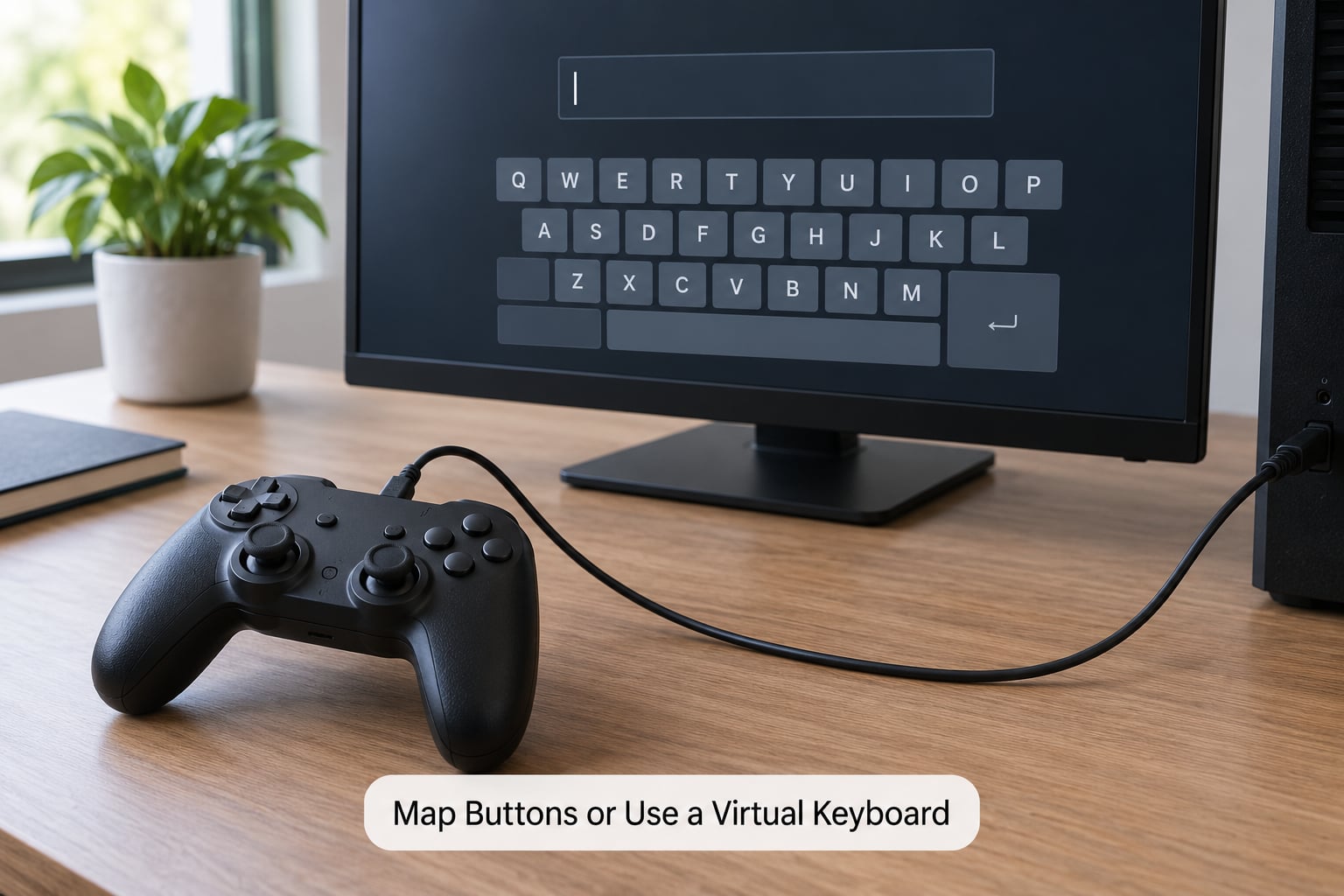
Remapping also solves the layout problem. If your pad puts a key where the cheat list shows a different symbol, remap that control to the symbol the list expects, and you can follow any code list without translating it in your head.
Read PlayStation Symbols as Xbox Letters
This is where most attempts go wrong, because guides are written for one platform and read on another. The four face buttons do not share names across the two pads, and the shape is the only reliable clue: the symbol’s shape matches the Xbox letter underneath it.
| PlayStation symbol | Xbox button | What it looks like | Where it sits |
|---|---|---|---|
| Cross | X | Same on both pads | Left face button |
| Circle | B | Round shape | Right face button, bottom |
| Square | Y | Four equal sides | Left face button, bottom |
| Triangle | A | Three points | Right face button, top |
| Triangle and Circle together | A and B together | Two-button press | Right side |
| D-pad | D-pad | Cross-shaped pad | Below the left face buttons, not the thumbstick |
| L1 and R1 | LB and RB | Small upper shoulder buttons | Top edge |
| L2 and R2 | LT and RT | Trigger buttons | Front edge |
| Options | Menu / Windows | Small flat button | Rear or centre |
| Share / PS button | Share / View | Small flat button | Rear or centre |
Sequences written for the PS2 and PS3 era carry over unchanged to PS4, PS5 and Xbox, because the symbols only changed in name and logo, not position. A code written as up, right, Circle, Circle, left, down reads as up, right, B, B, left, down on an Xbox pad.
Enter and Activate Cheat Codes With a Controller
Read the sequence the way the game wrote it, then translate it if the two platforms disagree. Enter the sequence while the game is running, not paused. Press the buttons in the order given, at a steady pace rather than as fast as you can. Longer sequences, usually eight to twelve buttons, need a moment between presses to register.
Button combos toggle. They are not saved anywhere, so you press the same sequence again to turn the effect off, and again to bring it back after you reload a save. A few codes have no button combo at all and only work through the in-game phone, which is the clearest example being vehicle spawns in GTA V.
Use the In-Game Phone When a Code Has No Combo
Some cheats were never given a button sequence, either because the combination would have collided with something else or because they needed a longer entry. Those are dialed instead.
- Pull up the in-game phone during gameplay, the same one you use for calls and messages.
- Open the dial pad and type the 1-999 number exactly as written, including the leading 1 and the 999.
- Press the call button to submit it, then hang up. A redial entry also stores recent numbers, so a second attempt is quicker.
- Walk out and away from the phone. Many of these codes spawn something nearby rather than on top of you.
The phone route is the only option for those specific cheats, so if a guide lists a code as phone only, do not go looking for buttons that will never work.
Notes for Current Consoles and Third-Party Pads
On PS5 and Xbox Series X|S the process is identical to the older consoles, because the pad layout and the game’s input handling did not change. The menu layout moved between generations, so screenshots in an older guide can point at the wrong screen even when the sequence itself is right.
Trophies and achievements are the real difference between generations. Cheats have long been excluded from trophy and award progress in the big open world titles, so enabling one can lock you out of rewards you wanted. Check the game’s own warning before you start.
Third-party, arcade-style and accessibility controllers all work on PC and console, but their default mapping can differ. An arcade stick has no D-pad at all, and a pad with a single stick in the middle will not reproduce a directional sequence until you remap it. Remap the directions to the D-pad or use a game that accepts directional input from a stick.
Verify That the Cheat Worked
There is usually no error message either way, so confirm it yourself.
- Look for a short on-screen confirmation when the code registers.
- Watch for the visible change, such as a wanted level flashing on, health refilling or a new object appearing.
- Toggle the effect off and on again, so you know the full sequence works in both directions.
- Remember that most cheats last for the session only and do not follow a save or reload.
Common Mistakes
Codes fail silently, so work down this list in order of how often each cause comes up.
- You used the analog stick instead of the D-pad. Button sequences register on the directional pad, not on the thumbstick. Push the full direction and feel the click.
- The game was paused or a menu was open. Most codes need live gameplay. Close the pause menu and try again on foot.
- You followed a PlayStation code on an Xbox pad. Translate the symbols: Circle to B, X to X, Square to Y, Triangle to A.
- You copied the code from a different platform. A PC console command or a 1-999 phone number cannot be pressed as buttons.
- The character was in a vehicle, or not holding what the code needs. Weapon and vehicle spawns have their own requirements, such as standing outdoors or being in a car.
- The window did not have focus. Alt-tab or click back into the game before every attempt. This one is easy to miss after reading the code in another tab.
- You typed too fast. On longer sequences, space the presses out slightly.
- You expected the cheat to persist. It does not. Re-enter it after loading a save.
- You were in an online mode. Cheats are disabled or restricted in most competitive multiplayer.
- Your pad is a third-party or remapped device. Check its profile so the symbols on screen match the cheat list.
Frequently Asked Questions
Can I use cheat codes with a controller in GTA V?
Yes, in story mode. PS4, PS5, Xbox One and Xbox Series X|S players enter button combinations during normal gameplay, or dial 1-999 numbers on the in-game phone. Use the D-pad for directions, translate PlayStation symbols when you are on Xbox, and note that codes are not saved, so you press the sequence again to toggle them off. GTA Online does not work the same way.
Which PC games let me enter console commands with a controller?
Titles with a built-in developer console are the best candidates, and several accept gamepad input in that console or can have it rebound, including Skyrim, Fallout 4 and The Witcher 3. Others need a mod that adds a console, such as most Java edition Minecraft setups. Games built purely around button combos, like the GTA stories, need no console at all since the sequence is the code.
Do I need a PlayStation or Xbox controller for PC cheat codes?
No. Windows treats most XInput and DirectInput pads as a standard controller, so a DualSense, an Xbox pad, a third-party pad or an accessibility controller all work. What matters is that Windows recognizes it and that the button layout matches the guide. If a cheat list uses PlayStation symbols, translate them to Xbox letters first.
Why does my controller work in the menu but not in the cheat console?
Two usual reasons. The console was opened with a keyboard shortcut the game expects you to press from the pad, so rebind it to a button or shoulder combination. Or the console needs text input and your pad cannot type, so open a virtual keyboard through your launcher or use the Windows on-screen keyboard and let the game read input from it.
Can I use cheats in GTA Online or other multiplayer modes?
Not officially. GTA Online is competitive and its mode does not support the story mode button cheats. Other online games go further and ban accounts for using trainers or external tools, because those give an unfair advantage rather than a developer-designed toggle. Use cheats in single player story mode, and keep them out of anything with other real people in it.
What is the easiest way to type cheat codes without a keyboard?
Use a virtual controller keyboard from your launcher or overlay, which puts an on-screen keyboard on the pad itself and keeps your hands on the controller. If your game only accepts physical keyboard input, the Windows on-screen keyboard works as well. For button combo codes you need no typing at all, which is why the console button cheats are easier on a controller than text commands.
Conclusion
Start with the version check, because a wrong platform or edition wastes everything after it. Then connect the pad, test it in a menu, click into the game window so it has focus, and open or rebind the cheat console. Once the console is on the pad or a virtual keyboard is ready, entering a controller cheat code is just the sequence itself. If it fails, work the checklist above in order, and remember that cheats live for one session and stay out of multiplayer.