To roll back a GPU driver that broke your mods, download the older driver package first, wipe the current one with Display Driver Uninstaller (DDU) in Safe Mode, then install the old package and restart. The whole job takes about 20 minutes, and it never touches your game files or your mods.
A driver update can change how your card talks to a game in ways your mod never anticipated. ReShade, ENB, SweetFX and most mod loaders hook into the graphics pipeline, and a fresh driver build can move the ground out from under them. You get a crash to desktop, a black screen on launch, frame rates that fall off a cliff, or a shader preset that quietly stopped applying at all.
Two things are worth knowing before you touch anything. Installing the old version straight over the new one is not a rollback, because the new driver’s files, registry entries and settings stay in place and the old package often refuses to overwrite them. And a rollback is not a mod repair job. It puts the graphics pipeline back where your mod was known to work, and after that you still have to work out whether the mod itself needs attention.
If the trouble started the same week Windows Update or your vendor app quietly pushed a new driver, treat the driver as the suspect until you have ruled it out. That is usually faster than re-downloading your entire mod list one file at a time, which is what a lot of players end up doing on the ModThe Sims boards.
Table of Contents
- 1What You Need
- 2Step-by-Step: How to Roll Back a GPU Driver That Broke Your Mods
- 31. Confirm the driver is the problem, not the mod
- 42. Try the fast path in Device Manager first
- 53. Get the older driver and wipe the current one with DDU
- 64. Restart Windows and test the game
- 75. Reapply settings and stop the auto-updater from undoing it
- 8Common Mistakes
- 9Frequently Asked Questions
- 10Will rolling back my GPU driver delete my mods?
- 11Which GPU driver version should I roll back to?
- 12Why is the Roll Back Driver button greyed out?
- 13Can I use Windows Update to get the older driver?
- 14Should I uninstall the current driver before installing the older one?
- 15What if my mods still crash after the rollback?
- 16Conclusion
What You Need
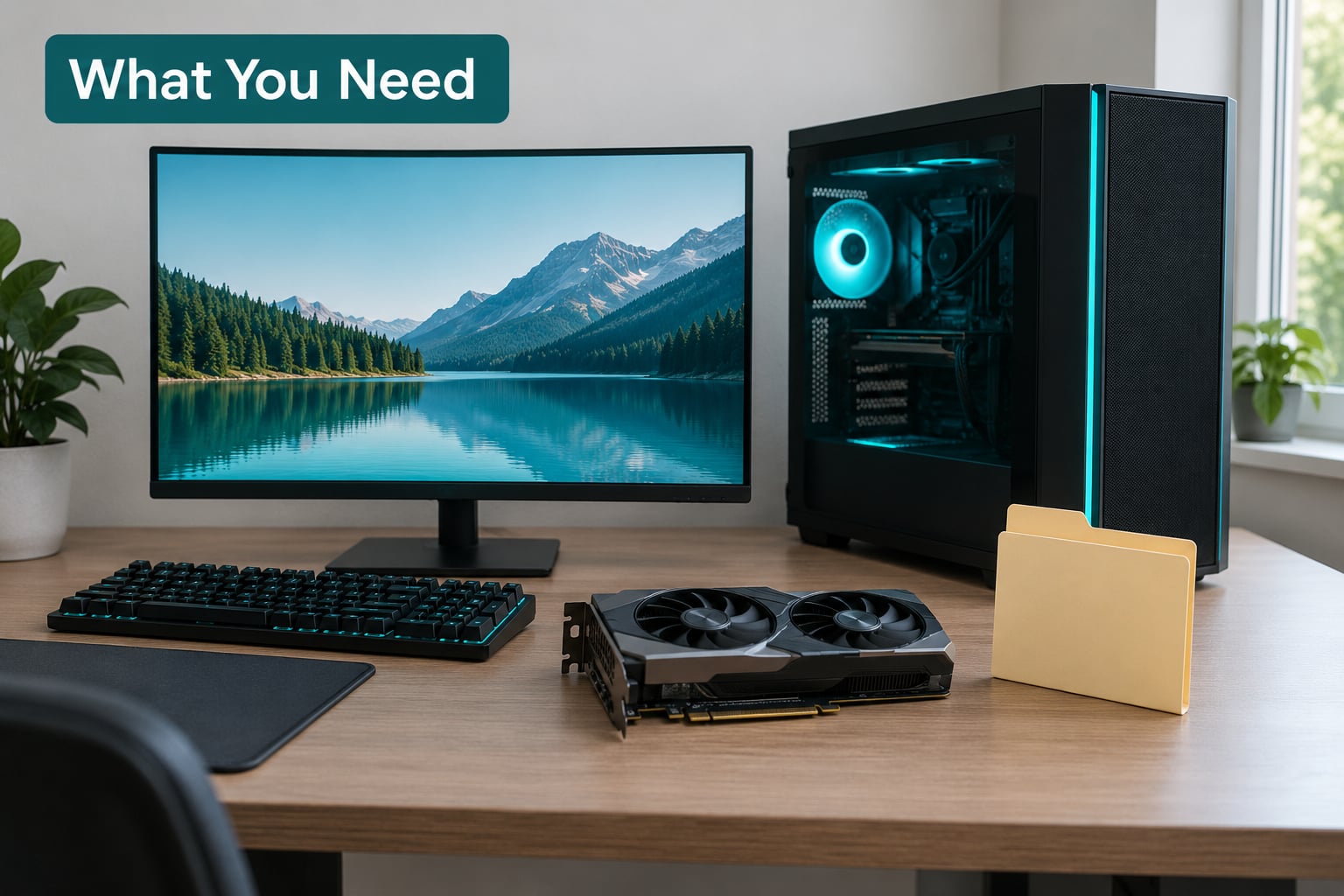
Before you download anything, sort out these five things. Missing one of them is how a rollback turns into a two-hour evening.
- An account with administrator rights. Driver changes and Safe Mode both need it. If your modding account is a standard account, switch to the admin one before starting.
- A steady internet connection and the old driver already on disk. Download the exact version you are going back to before you remove anything. After a full wipe your card shows as a basic display adapter, and you do not want to be hunting for installers at that point.
- A system restore point. Right-click This PC, go to Properties, open System Protection, and create one. It takes about a minute and it gives you an exit if the reinstall goes sideways.
- Display Driver Uninstaller (DDU) by Wagnardsoft, or the Guru3D mirror of it, extracted to the root of your C: drive, something like
C:DDU. Not the Desktop, not Documents, not a folder with a long name. Safe Mode skips almost everything in your user profile, and a copy parked there simply will not load. - Your mod list and graphics settings, written down. Note your resolution, refresh rate and quality preset, and which shader injector you were running if any. A rollback resets some of that.
One warning for dual-GPU machines. If you are running a dedicated card alongside integrated graphics, move your monitor cable to the motherboard port before you start. After the DDU wipe your display can vanish entirely otherwise, and a black screen with no signal is a miserable thing to debug blind.
Take a screenshot of your NVIDIA Control Panel or AMD Adrenalin settings while you are here. Per-game profiles you have spent an evening tuning do not always survive a driver change, and rebuilding them from memory is a chore.
Step-by-Step: How to Roll Back a GPU Driver That Broke Your Mods
1. Confirm the driver is the problem, not the mod
Start with a three-minute isolation test, because rolling back a driver that was never the cause wastes your whole evening. Move your mods folder out of the game directory temporarily, renaming it so the game runs vanilla, then launch the game.
If it runs fine without your mods but crashes with them, the driver changed something your mod depends on, and the rollback is the right move. If it still crashes with no mods loaded at all, the problem is elsewhere and a new driver will not fix it.
Second test: if you run ReShade, ENB or SweetFX, disable it completely and play for five minutes. Shader injectors are the first thing a new driver breaks, and a Crash to Desktop on launch is often the injector rather than the mod.
This is not hypothetical. A Fallout 4 player on the Nexus Mods forums could not get the game to start at all after a graphics card upgrade and a fresh NVIDIA driver, until they deleted the ReShade files. Another player over on r/vtolvr had ReShade working for days before the game broke, and reinstalling both ReShade and the game changed nothing.
Third test: open the Reliability Monitor, which you reach by pressing the Windows key, typing the letters perfmon, and running the Reliability Monitor app. Look for the faulting application at the moment of the crash. Seeing a video driver fault such as VIDEO_TDR_FAILURE, a driver timeout or a LiveKernelEvent points at the driver. Seeing the game’s own executable faulting every time points back at the mod.
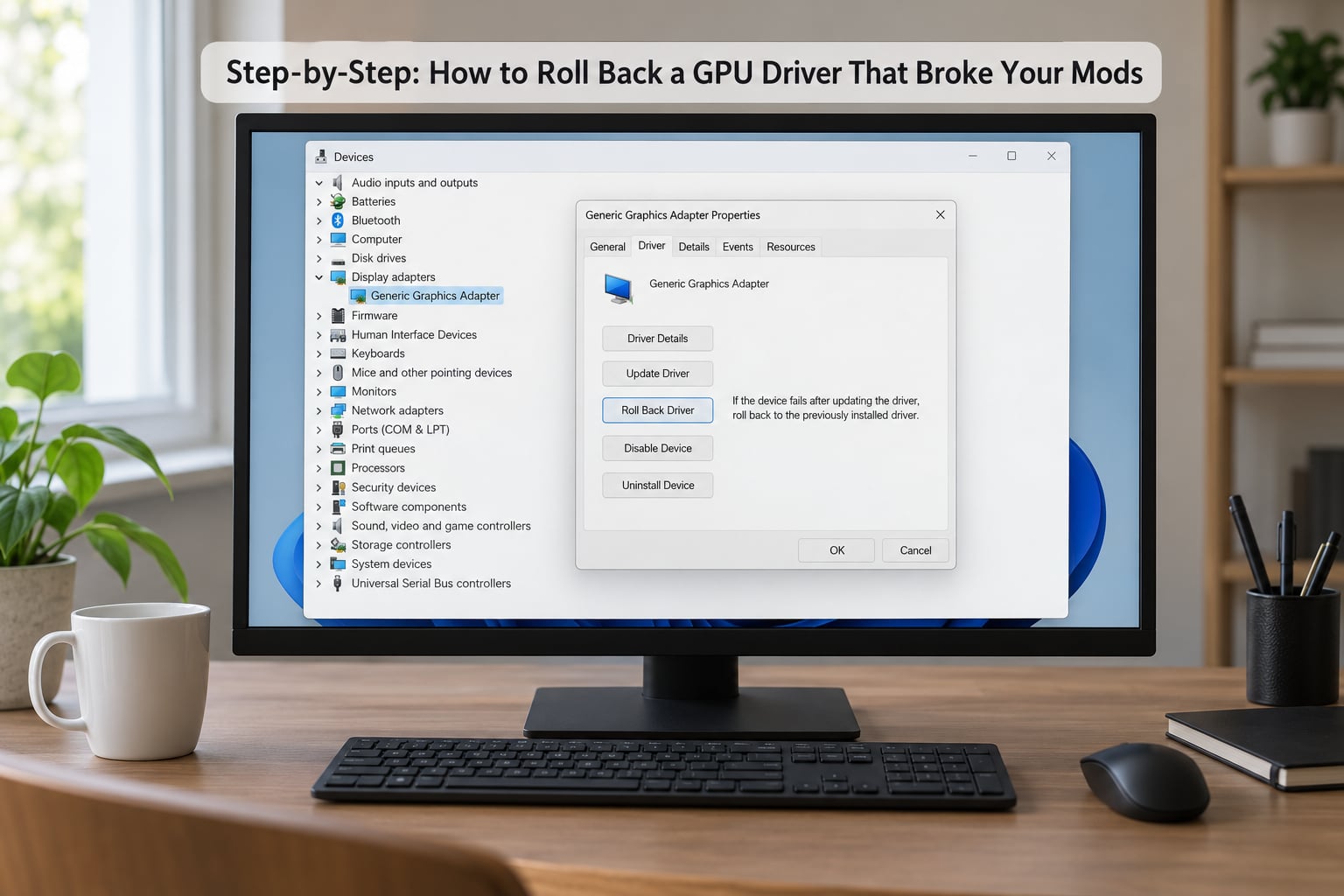
Then write down the version you are on, because you will need to name it later. Press the Windows key, type device manager, open it, expand Display adapters, right-click your graphics card and choose Properties. On the Driver tab, the date and version number sit near the top, and the Details tab gives you the full driver model and file version.
Version numbers are how you talk about this problem precisely. A mod author on GitHub tracked a Minecraft mod crash back to one specific NVIDIA release, 526.47, and Steam players on a heavily modded title say rolling back the NVIDIA driver fixed their stability.
2. Try the fast path in Device Manager first
Windows has a built-in rollback button, and it costs about thirty seconds to try. Press the Windows key plus X, choose Device Manager, expand Display adapters, right-click your graphics card, choose Properties, then open the Driver tab. If the Roll Back Driver button is active, click it, let Windows work, and restart. That is the whole fast path, and it is genuinely all some people need.
More often than not the button is greyed out. Windows keeps a copy of the previous driver only in some install situations, and driver packages installed through Windows Update, the Microsoft Store or certain vendor app workflows do not always leave a usable predecessor behind. There is no trick to force that button back to life. When it is greyed out, stop fighting it and use the manual path.
One more quick check before you move on. In Device Manager, right-click the adapter and choose Update driver, then Browse my computer for drivers. If you have an extracted copy of the old driver on disk, Windows can sometimes install it directly. It is worth thirty seconds because it sometimes works, and when it does not it has changed nothing.
3. Get the older driver and wipe the current one with DDU
Find the exact older version first, because the newest download button on the vendor site will never give it to you. On NVIDIA, use the driver finder in the NVIDIA App or the drivers section of the NVIDIA site and step back through the branch until you reach the release from before things went wrong. Stay on the Game Ready Driver branch if that is what you were already running.
On AMD, the AMD Software: Adrenalin Edition page keeps a list of previous releases per card, so pick the version that predates the problem. On Intel, the Intel Driver and Support Assistant or the Intel Graphics driver download page has the older builds too.
If you are torn between versions, go back one release from the broken one rather than jumping a year. Marvel Rivals players on the Steam hub talked themselves back to an older NVIDIA build, 566.36, to get stability back, which is the same instinct: the closest known-good version, not the most distant one.
One branch note. A Game Ready Driver is tuned for gaming and gets new features first. A Studio Driver is validated against content creation workloads and is the calmer choice for a heavily modded setup. A Pro driver is not what you want at home.
Now remove the current driver properly. Close everything, open the DDU folder on your C: drive, and run the tool. Set Device type to GPU, set Select device to your brand, pick Clean and restart (Highly recommended), and let it do its work.
Safe Mode matters here: in Safe Mode Windows loads almost no third-party drivers, so DDU can actually delete the files it is trying to delete. Outside Safe Mode, residual driver files and settings survive an uninstall, and they are exactly what causes the half-fixed, still-crashing result that makes people give up on this technique.
When your PC restarts, expect a rough-looking desktop: a Microsoft Basic Display Adapter in place of your real card, a resolution stuck around 800×600, and a second monitor not being detected. That state is normal after a DDU wipe and it is temporary. Plenty of players assume they have bricked their machine here, and plenty abandon a rollback at exactly this point.
Install your downloaded driver. On NVIDIA, run the package, choose Custom (Advanced) installation, tick Perform a clean installation, and follow the prompts. On AMD, run the Adrenalin installer, choose the driver type you want, and let it complete before restarting. On Intel, run the installer and accept the defaults, then restart once more and let Windows finish setting up the device.
Verify it worked by reopening Device Manager. Under Display adapters, your real card name should be listed again rather than the Microsoft Basic Display Adapter. If the basic adapter is still showing, the install did not take and you need to repeat the wipe.
4. Restart Windows and test the game
Launch the modded game the way you normally would, with your full mod list, and give it a proper session rather than a two-minute check. Crashes often show up ten minutes in, when a shader compiles or a new area streams in, so the first minute proves very little.
Then compare against what you remember. If you had a rough frame rate before the driver landed and you are back to it, you are done. If the game runs but ReShade or ENB is not applying, that is a separate repair, and the next paragraph covers it. If it still crashes exactly as it did before the rollback, keep notes and move to the next section rather than rolling back a second time.
Test with the same save, the same scene and roughly the same time of day, because a mod that is fine in daylight and stuttering at night is a different problem entirely from a driver fault. Comparing across conditions is how people talk themselves into reinstalling mods that were never broken.
Note what you observe rather than how you feel about it. Open the driver frame timing overlay with the vendor hotkey, or compare average and 1 percent lows in the same spot, and write both numbers down before and after. Drivers change scheduler behaviour and default latency settings, and a rollback can restore crashes without restoring the exact frame pacing you had months ago, particularly on cards that were not new when the older driver shipped.
If the game now runs but a specific mod is misbehaving where it used to be fine, that is useful information, not a failed rollback. It means the driver is no longer the variable and you can stop re-running this procedure. Go back to the mod, check its page for an update written after your old driver date, and look at whether it depends on a framework version you have not refreshed.
5. Reapply settings and stop the auto-updater from undoing it
Do not assume the rollback restored your graphics settings. A driver swap resets things like colour output, sharpening and some per-game profiles, and any custom resolution you had set is often gone. Go back into the control panel and put your resolution, refresh rate and quality preset back where you had them, then reapply any profile that matters.
If a shader injector is involved, rebuild its state too. Reinstall ReShade or reapply the ENB after the driver change rather than assuming the old files are still valid, and clear the game’s shader cache so stale compiled files do not fight the restored driver. In Steam, deleting the shadercache folder in the game’s compatibility data directory is the standard move and forces everything to recompile once, which is slower the first launch and correct afterwards.
Finally, block the thing that started this. In the NVIDIA App or GeForce Experience, turn off automatic driver downloads. In AMD Software: Adrenalin Edition, switch the update check to notify you rather than install silently. In Windows, open Settings, then Windows Update, then Advanced options, and look under Optional updates for the display driver entry and tick Do not check for updates for this device. Setting the connection to metered also stops Windows Update replacing your display adapter driver behind your back.
This is the step people skip, and it is the reason some rollbacks seem to work for a week and then fail again with no explanation. The driver you just removed comes straight back, silently, and everyone assumes the rollback never took.
Common Mistakes
Roll Back Driver is greyed out. Windows has no stored previous package for your adapter, which is normal when the current driver arrived through Windows Update or a vendor app. Skip it. Download the older version yourself and install it after a DDU wipe.
DDU will not launch in Safe Mode. You extracted it to the Desktop or to Documents. Safe Mode does not load items from your user profile, so move the folder to the root of your C: drive and run the tool again.
You are sitting at 800×600 on a Microsoft Basic Display Adapter and you think the PC is broken. It is not. That is the expected state between the wipe and the reinstall. Finish installing your saved driver and the resolution and the real card name come back.
The screen goes black after the wipe. On a dual-GPU machine, the display was attached to the card that no longer has a driver. Move the cable to the motherboard’s integrated graphics port, finish the install, then move it back.
The old installer runs over the new one and nothing improves. That is an overwrite, not a rollback. Residual driver files and settings are still present. Wipe the driver with DDU in Safe Mode and install the old package on a clean system.
The crash comes back a few days later. An auto-updater reinstalled the driver you removed. Block updates in the NVIDIA App, in Adrenalin, and in Windows Update’s optional updates, then re-check the version number in Device Manager.
You changed three things in one session. Rolling back the driver, deleting ReShade, removing a mod and clearing the cache at once tells you nothing about what actually fixed it. Change one variable at a time, and write down what you did. Half-diagnosing a modded setup is how people end up reinstalling a whole load order that was fine the day before.
The driver is installed but the game still looks wrong. A rollback fixes the pipeline, not the settings, and a shader injector can be pointing at files built for the old driver. Reapply the ENB or Reinstall ReShade, clear the shadercache folder, and give the game one long session before drawing any conclusion. If a single mod still misbehaves, move it out of the load order and test again on its own.
Your frame rate is lower than it was, with no crashes. Some newer driver builds ship with different default power and latency behaviour, and a rollback does not always restore your old frame pacing. Before you chase it further, check your in-game frame limit and your driver profile settings, because a cap left over from testing a mod is a common cause.
You are on a Steam Deck or playing through Proton. The Windows driver versions in this guide do not apply there. On Linux the equivalent move is switching between recent Mesa or AMD driver branches and clearing the shader cache for the title, and on the Deck the system manages updates for you in SteamOS. Test the game in Desktop Mode first, because the Deck’s own graphics driver stack is a separate thing entirely.
One caveat worth stating plainly. Older drivers are stable but they are also older software, and the further back you go the more time has passed for security fixes. That is another argument for rolling back one release rather than a whole year, and for turning off the auto-updater temporarily rather than switching it off for good.
Frequently Asked Questions
Will rolling back my GPU driver delete my mods?
No. A GPU driver rollback changes the graphics driver only. Your game folder, mod files, load order configuration and saves stay exactly where they are. The one thing to watch is shader-injecting mods such as ReShade and ENB, which may stop applying and need to be reinstalled or re-applied after the driver change.
Which GPU driver version should I roll back to?
Choose the last version that worked before the crashes, black screens or stutter began, not the oldest one you can find. Going back one release from the broken build is usually enough. Download it from the vendor’s archive rather than the current download button, and prefer the same branch you were already using.
Why is the Roll Back Driver button greyed out?
Windows only offers that button when it kept a usable copy of the previous driver package, and it often did not, especially if the current driver came from Windows Update or a vendor app. There is no way to force it. Download the older driver yourself, wipe the current one with Display Driver Uninstaller in Safe Mode, and install the old package.
Can I use Windows Update to get the older driver?
Windows Update may offer a fallback display driver, but it will not reliably give you the exact older version you need, and it may hand you a different branch entirely. For mod troubleshooting, the vendor archive is the better source because you can pick one specific numbered release, confirm it is signed, and install exactly that.
Should I uninstall the current driver before installing the older one?
Usually not by hand. Create a restore point, then use the normal installer with the clean installation option, and escalate to Display Driver Uninstaller in Safe Mode if the simple install does not fix the problem. Uninstalling from Apps and Features often leaves residual files behind, which is what causes a rollback to appear not to work.
What if my mods still crash after the rollback?
The driver was probably not the only cause. Restore your mods one at a time rather than all at once, check the game’s official requirements, and confirm the mod loader and any dependencies such as Script Hooker or OpenIV are present and current. If a shader injector is involved, reinstall it and clear the shader cache, since those files are tied to the driver version.
Conclusion
Confirm it is the driver first. Run the game with your mods folder moved aside, check the Reliability Monitor for a video driver fault, and note the version number in Device Manager. Then create a restore point, download the last version that worked, wipe the current one with Display Driver Uninstaller in Safe Mode, install the old package, and block the auto-updater so it cannot put the bad driver back. That is the whole job, and it costs about twenty minutes.