Adding a car to the traffic spawn list means writing its model name into the vehicle list file that a traffic script reads, one line per car, then saving and reloading. The whole job takes about 15 minutes on PC if your add-on is already installed, and the hard part is typing the right name: the one inside the mod’s vehicles.rpf, not the folder the mod shipped in.
Get that one detail wrong and the game gives you no error at all. The entry simply sits there, the car never appears, and most people assume the traffic script is broken. That silent failure is why this guide leads with the model name check before it touches anything else.
This is for the PC singleplayer build. If you are running FiveM or a private roleplay server, the traffic list is a server-side config instead, and I cover that at the end.
Last verified October 2026 on the Legacy PC build with OpenIV. Menu names in OpenIV shift between versions, so check the folder names rather than my wording.
Table of Contents
- 1What You Need
- 2Step-by-Step: How to Add a Car to the Traffic Spawn List
- 3Install the Vehicle Files in the Correct Location
- 4Create or Choose a Traffic Spawn Entry
- 5Add the Car to the Traffic Spawn List
- 6Test the Custom Car in Traffic
- 7Common Mistakes and Why Your Car Never Appears
- 8The model name is wrong or mistyped
- 9The car spawns with a trainer but not in traffic
- 10The entry is in a zone you never drive through
- 11Two traffic scripts are running
- 12Spawn density is too high for the car
- 13The script itself is not loading
- 14OpenIV cannot find the game folder
- 15Post-2020 DLC cars and the Enhanced build
- 16Police and emergency cars get a civilian driver
- 17Random events stopped happening
- 18Frequently Asked Questions
- 19Should I type the mod folder name or the vehicle model name in the traffic spawn list?
- 20How do I add 20 add-on cars to traffic at once?
- 21Why does my add-on car never appear in traffic even though it works with a trainer?
- 22Can I add custom cars to ambient traffic on a FiveM or roleplay server?
- 23How do I stop custom cars from crashing the game when several spawn together?
- 24How do I remove a traffic script and undo my changes?
- 25Conclusion
What You Need
Three things, and one of them is a habit rather than a tool: back up the files you are about to touch. GTA V’s folder structure is unforgiving, and a script that replaces a vanilla file is a bad day if you have nothing to restore from.
- An installed add-on car. If you can spawn it with a trainer or Simple Trainer but it never shows up on the road, that is exactly the symptom this guide fixes.
- OpenIV, pointed at your GTA V game folder. You only need it to read the model name, but you will also use it to check that the add-on landed in the right place.
- A traffic script. Traffic Spawner reads an INI settings file, while Added Traffic uses an XML list with a separate GUI settings tool. Either works, and the steps below note where they differ. Pick one. Running two at once gives you duplicate cars and conflicting spawns.
- The script’s dependencies. ScriptHookV, Script Hook V .NET, the Visual C++ Redistributable x64, and the .NET Framework version listed in the script’s requirements. Missing dependencies produce a script that never loads, which looks identical to a car that never spawns.
- A backup. Copy the file you are about to edit to your desktop. Name it with a different extension so a half-finished edit never gets mistaken for the original.
You do not need any of this for consoles. The game folder, OpenIV and ScriptHookV are PC-only, so this method does not carry over to PlayStation or Xbox.
Step-by-Step: How to Add a Car to the Traffic Spawn List
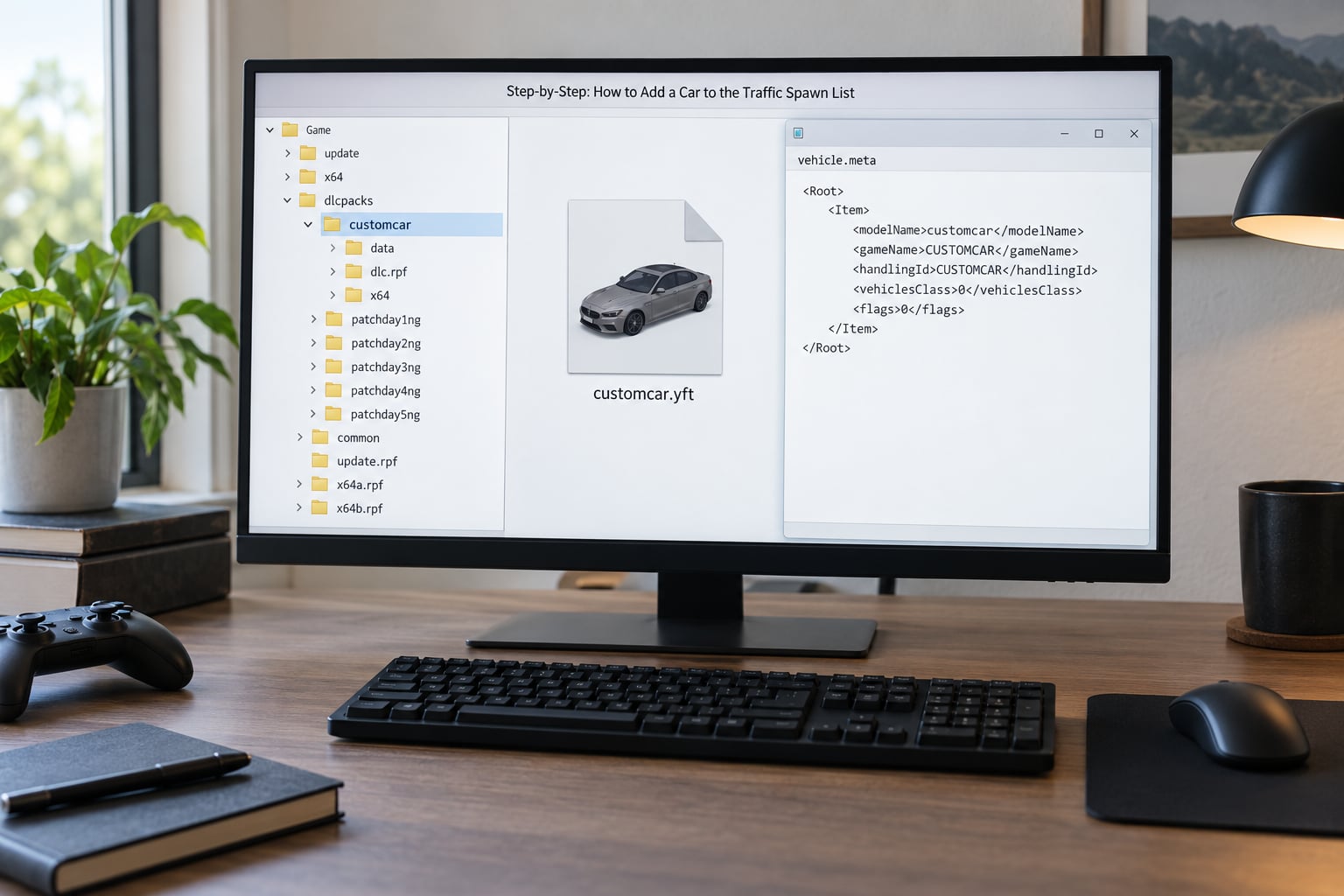
Install the Vehicle Files in the Correct Location
Before any list editing, confirm the add-on is installed as a DLC pack rather than as loose replacement files. In OpenIV, navigate to the add-on vehicle folder and check that you can reach this path:
modsupdatex64dlcpacks<mod name>dlc.rpfx64vehicles.rpf
Two paths get confused constantly, and they are not interchangeable. updatex64dlcpacks is where add-on DLC packs sit. x64dlcpacks is where official game packs live, and mods placed there can break the game. If your mod folder is sitting under the x64dlcpacks branch, move it up one level to updatex64dlcpacks.
Then confirm updatedlclist.xml contains a line pointing at that pack, with the dlcpack: prefix intact:
<Item>dlcpack:modname</Item>
A pack that is not registered in dlclist.xml will not load, and the game will never see the car. That is a separate failure from the list entry, so check it now rather than debugging later.
Create or Choose a Traffic Spawn Entry
Now open the file your traffic script reads. This is where most tutorials hand-wave, so here are the concrete cases.
Traffic Spawner (INI): the settings file sits in your Scripts folder and holds groups of vanilla model names, one per line. You edit an existing group rather than creating a file.
Added Traffic (XML): the list lives in AddedTraffic.xml, and the mod ships a separate .NET settings tool that writes the XML for you. Opening the XML directly is fine if you keep the tag structure intact.
Open the list file and you will see groups. Groups matter because they control where a car appears: a group tied to a zone or road type only spawns where that group is active. Add your car to the group that matches the district you actually drive through, otherwise you will swear the entry is broken while the car sits quietly in a zone you never visit.
Look for the group naming pattern the file already uses and follow it. Inventing a new group name that the script does not recognise gives you an entry that is parsed as nothing.
Add the Car to the Traffic Spawn List
This is the step that decides whether your evening goes well. Open the list file and locate the vehicle name inside vehicles.rpf, not in the mod folder name or the download page title.
| What you are looking at | Exact path | What to copy |
|---|---|---|
| Add-on car files | updatex64dlcpacks<mod name> | Nothing. The folder name is not usable here. |
| Vehicle model names | updatex64dlcpacks<mod name>dlc.rpfx64vehicles.rpf | The vehicle file name, exactly as shown |
| Official DLC car | x64dlcpackspatchday3ngx64vehicles.rpf | The DLC vehicle file name, lower case |
| Vanilla car | Same folder, an existing entry | Match that spelling and capitalisation |
Names are case-sensitive and have no spaces. A mod whose folder is nissan_gtr_pack can perfectly well ship a model called supra, and only supra will ever work. Copy the name rather than retyping it, then paste it onto its own line inside the group you chose.
Set the spawn chance while you are there. The number is a relative weight, not a percentage of cars you will see: the script picks a model at random using these weights, so a value of 10 makes your car roughly ten times more likely to be chosen than an entry with a value of 1. That is not a promise of how often you will see it in a given minute of driving.
| Field | What it controls | Sensible starting value |
|---|---|---|
| Model name | Which vehicle the script creates | Copied from vehicles.rpf, lower case |
| Spawn chance | Relative weight when the script picks a car | Start at 1, raise to 5 if it never shows |
| Despawn distance | How far away a car is recycled once off screen | Script default, unchanged |
| Upgrade chance | How often the car gets mods fitted | 0 for a clean, unmarked build |
| Colour chance | How often a random colour is applied | Leave off if you want one fixed paint job |
| Zone or group | Where on the map the car is allowed to appear | Match the district you drive most |
Neither of the two big traffic mods documents these fields in public; both hand you off to a readme. That table is the part people actually want, so use it as a starting point rather than a finished spec. Save the file in the format it opened as: INI stays INI, XML stays well-formed XML, and a renamed extension is a car that never spawns.
Check your edit for a stray space at the end of the model name or a missing closing tag. The game will not complain about either.
Test the Custom Car in Traffic
Restart the game. A fresh launch is the reliable test, because a script that reads its list at startup will not always pick up a file you changed while the game was open.
Pick a straight, busy road away from your save position. Sit in one spot for a couple of minutes and watch oncoming lanes rather than driving, since traffic behind you passes too fast to identify. A spawn chance of 1 in a quiet area can take a while.
Confirm three things: your car appears, it has a driver in it, and ordinary traffic still flows normally around it. That last check matters more than it sounds. If every van on the road has turned into your car, your spawn chance is far too high for the group size, and drop it back down.
Common Mistakes and Why Your Car Never Appears
Work down this list in order, because each step rules out a bigger problem than the one after it.
The model name is wrong or mistyped
By far the most common cause. Reopen vehicles.rpf and compare character by character, including capitalisation. Many people type the mod folder name here and get silence.
The car spawns with a trainer but not in traffic
That confirms the add-on itself is fine and points straight at the list entry, the script’s group, or a spawn chance set too low to be visible.
The entry is in a zone you never drive through
Move it into a general-purpose group and test again before changing anything else.
Two traffic scripts are running
Remove all but one. Conflicting scripts produce duplicated spawns, odd behaviour and a log full of entries that make no sense.
Spawn density is too high for the car
Several detailed custom cars loading in the same spot at once can overload the engine and cause textures to break, stutter or a hard crash at a specific location. Users report this on busy junctions. Lower the spawn chance, keep the density settings modest, and use the despawn distance so cars recycle instead of accumulating.
The script itself is not loading
Check that ScriptHookV, Script Hook V .NET, the Visual C++ Redistributable x64 and the right .NET Framework version are all present. A script that fails to start produces no list and no cars.
OpenIV cannot find the game folder
If OpenIV reports that the folder does not contain a GTA5.exe, you are pointed one level too deep or too shallow. It wants the folder that directly contains GTA5.exe, usually SteamsteamappscommonGrand Theft Auto V. Pick the folder in the OpenIV settings window rather than typing the path.
Post-2020 DLC cars and the Enhanced build
Newer DLC packs and the Enhanced edition are not always picked up by older traffic scripts. A lot of the widely used scripts have not been maintained for a while, so check the mod page for a recent comment confirming the current game build before you spend an evening on an entry that was never going to work.
Police and emergency cars get a civilian driver
This is expected. The script spawns a generic pedestrian driver model and does not switch to a uniform based on the vehicle. If you need officers in the seats, that is a separate script that handles the ped models.
Random events stopped happening
Usually unrelated to the vehicle list. Aggressive population and spawn density edits, or another script managing the same systems, are the usual cause. Dial the density settings back to their defaults and restart.
Frequently Asked Questions
Should I type the mod folder name or the vehicle model name in the traffic spawn list?
Type the model name found inside the mod’s vehicles.rpf, not the folder name. The path is modsu005cupdateu005cx64u005cdlcpacksu005cu0026lt;mod nameu0026gt;u005cdlc.rpfu005cx64u005cvehicles.rpf, and the vehicle file name shown there is the only string the script recognises. Names are case-sensitive and contain no spaces. A folder name in the list produces no error and no car.
How do I add 20 add-on cars to traffic at once?
Paste all the model names into the same group, one per line, then set each spawn chance individually. Set them all to 1 first so the traffic mix stays close to normal, save, and only then raise the weight on the cars you actually want to see often. Adding twenty high-detail cars at full weight in one district is a reliable way to make the engine stutter.
Why does my add-on car never appear in traffic even though it works with a trainer?
A trainer spawns a model directly by name, so a working trainer only proves the add-on files are correct. If traffic never shows it, the problem is the list entry: a wrong or mistyped model name, a car sitting in a zone you never drive through, a spawn chance of 1 in a quiet area, or a traffic script that is not running at all.
Can I add custom cars to ambient traffic on a FiveM or roleplay server?
On a server there is no client-side vehicle list, because traffic is handled server-side. You register the add-on vehicle in the server’s streamed resource folder, then reference the model name in the server’s vehicle list configuration so the game can create it. Details differ between server frameworks, so follow the documentation for the specific one you run.
How do I stop custom cars from crashing the game when several spawn together?
Lower the spawn chance, keep the script’s density settings near their defaults, and set a despawn distance so cars recycle once they are off screen. Several high-poly custom cars loading at the same junction can overwhelm the engine, causing broken textures, frame drops or crashes at a specific spot. Spreading cars across groups and zones reduces the load at any one point.
How do I remove a traffic script and undo my changes?
Delete the script from your Scripts folder, remove the ini or xml settings file, and delete ScriptHookV and Script Hook V .NET if nothing else uses them. Any game file the script replaced should be restored from your backup, or verified with OpenIV. Then run the original setup so the folder structure is checked and repaired.
Conclusion
Start here: open dlc.rpfx64vehicles.rpf in OpenIV and copy the exact model name of the car you want in traffic. Everything else in this process is straightforward once that string is correct, and nothing works without it.
Before you test, run through this short list. The add-on sits under updatex64dlcpacks rather than x64dlcpacks. Its pack is registered in updatedlclist.xml. The model name is copied from inside vehicles.rpf, in lower case, with no trailing space. The entry is in a group that covers somewhere you actually drive. Only one traffic script is running. Spawn chance starts low, around 1.
Keep a copy of the original settings file on your desktop before you edit. If the car never appears, that backup is what turns a long guessing game into a two-minute comparison.