Learning how to fix a corrupted savegame file in a GTA title starts with one rule: copy the entire save folder somewhere safe before you change a single thing. Most corrupted saves are recoverable because the game only lost the write it was in the middle of, and an older autosave, a manual save, or the game’s own backup folder usually holds an intact copy.
Sometimes it is not recoverable, and no guide can talk its way around that. If the file sitting in your save folder is 0 KB, or opens in a text editor and shows nothing but null values, the data is gone and the only fix is finding a different copy. That verdict takes about a minute to reach, which is why it comes before any repair steps here.
Below is the order I would use myself, and the one most forum advice gets wrong. Popular recovery threads tend to open with “uninstall and delete everything,” which can destroy the exact save you are trying to rescue. Everything below is reversible until the marked last-resort section.
Last updated October 2026. Paths below change between game versions and storefronts, so treat them as typical and confirm yours before you move files.
Table of Contents
- 1What You Need
- 2Step-by-Step: How to Fix a Corrupted Savegame File
- 31. Close the Game and Back Up Every Save
- 42. Locate the Correct GTA Save Folder
- 53. Check Whether the Save File Is Missing or Damaged
- 64. Restore the Newest Working Backup
- 75. Test the Save Without Mods
- 86. Repair the Save or Recreate the Affected Slot
- 97. Prevent the Save From Corrupting Again
- 10Common Mistakes
- 11Frequently Asked Questions
- 12Can a corrupted savegame file be repaired?
- 13Is there a way to roll back Steam Cloud saves?
- 14How do I find my GTA save files on Windows 11?
- 15How can I fix corrupted files in Windows 11?
- 16Should I reinstall the game to fix a corrupted save?
- 17Can I recover a GTA save on console or mobile?
- 18Conclusion
What You Need
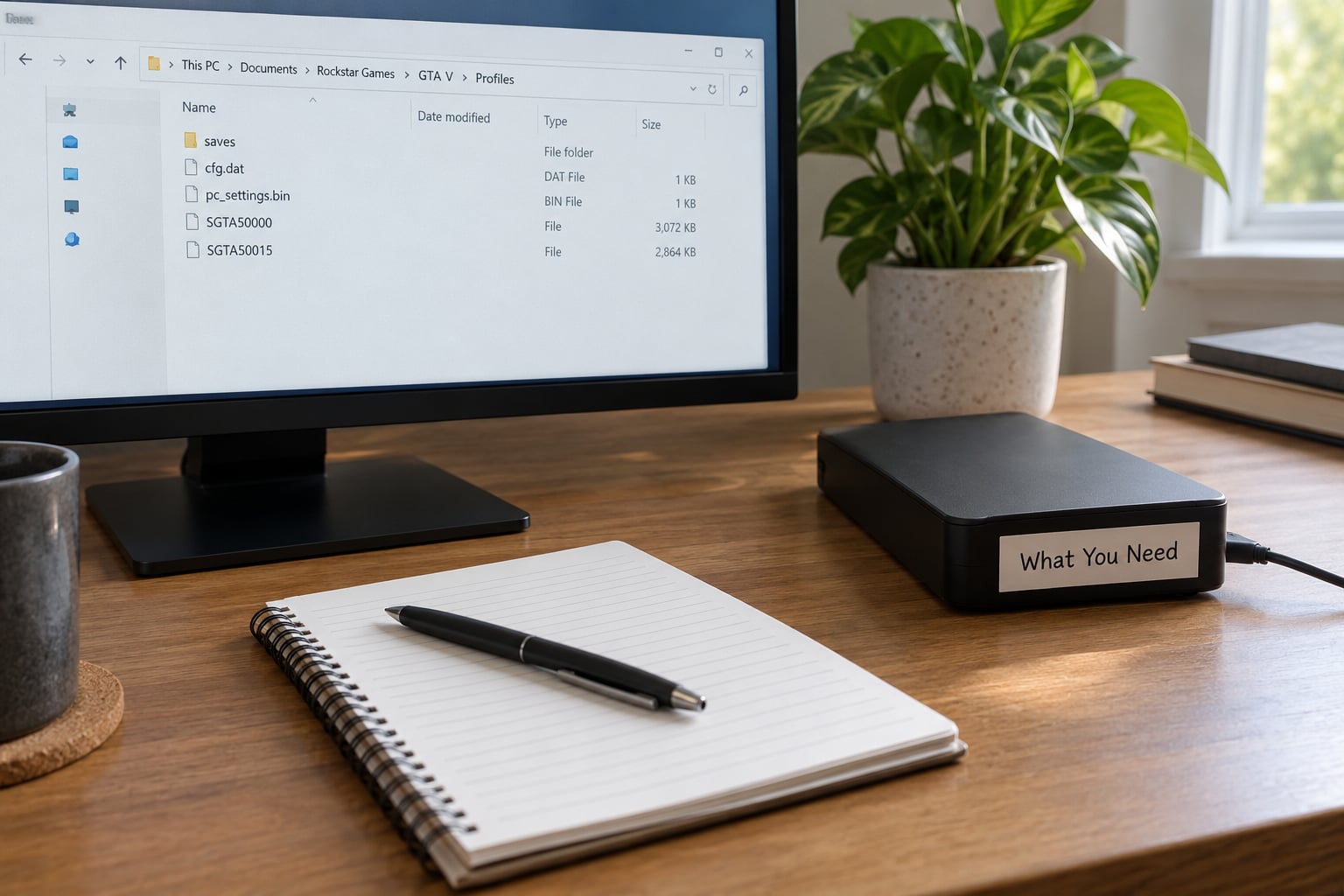
You need very little, but the small things matter more than people expect.
- A backup destination outside the game folder. An external drive is best, a second folder on the same drive is acceptable. Not the game folder itself.
- The exact GTA title and edition. GTA III, Vice City, San Andreas, GTA IV and GTA V all store saves differently, and a San Andreas Definitive Edition save will not open in the original release.
- The platform and storefront. Steam, Epic, Rockstar’s own launcher, GOG, console or mobile each keep saves somewhere different.
- Your mod and DLC list. If the save worked before you installed something, write down what that something was before you touch the folder.
- A file manager with hidden folders visible. On Windows that is View, then Show, then Hidden items. GTA III, Vice City and San Andreas keep their saves in plain sight, but several other Rockstar titles use AppData.
- A plain text editor. Notepad works. Notepad++ shows null bytes and control characters more clearly, which matters for the triage check in step 3.
One thing to add if you have never done this before: turn on View, Show, Hidden items in Explorer before you start hunting. A large share of “my save is missing” threads turn out to be a save sitting in an AppData folder the player never knew existed.
Step-by-Step: How to Fix a Corrupted Savegame File
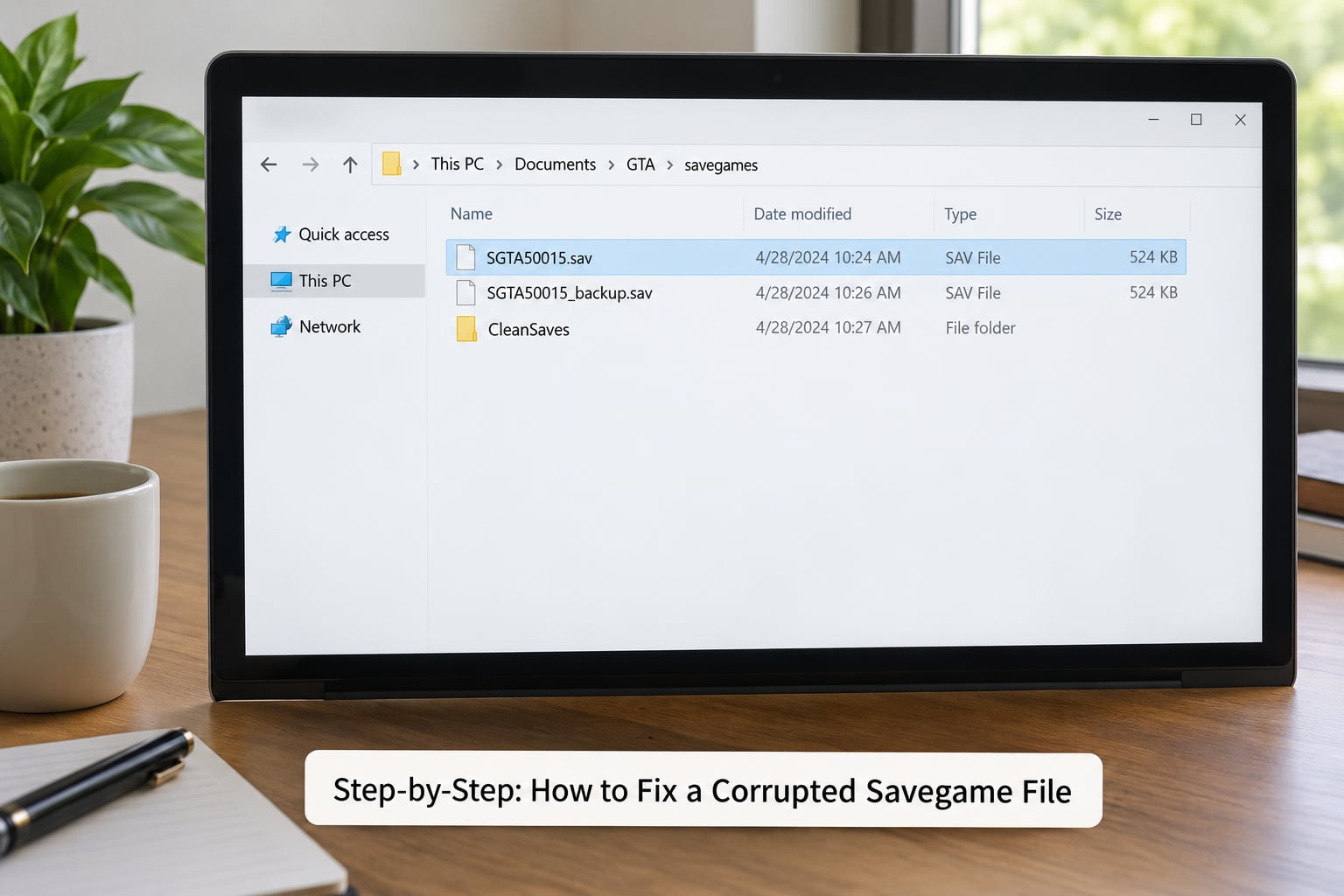
1. Close the Game and Back Up Every Save
Fully exit the game, including the launcher and any background process still holding the file. Then copy the entire save folder to your backup location, all slots, not just the broken one.
Check the copy opens correctly before you continue. A backup you have never verified is a hope, not a backup.
2. Locate the Correct GTA Save Folder
Find the folder with the in-game save menu first if you can. If that is unavailable, Steam users go to Library, right-click the game, Manage, then Browse local files, and follow the path from there. That route survives renames and moves that hardcoded paths do not.
Typical Windows locations:
| GTA game | Typical Windows save path | What lives there |
|---|---|---|
| GTA III | DocumentsRockstar GamesGTA3GTA3 saveData | Numbered save slots, plus config files |
| GTA Vice City | DocumentsRockstar GamesGTA Vice CityGTA Vice City saveData | Save slots and settings files |
| GTA San Andreas | DocumentsRockstar GamesGTA San Andreas (older builds use a saveData folder inside it) | Save data, sometimes split by region or edition |
| GTA IV | DocumentsRockstar GamesGTA IVSaveData | Text-based .sav files per slot |
| GTA V | DocumentsRockstar GamesGTA VSaved Games | SGTA#####.sav slot files, sometimes under a user profile subfolder |
Rockstar has moved GTA V saves between locations across launches, which is why the Saved Games folder is the place to check first there. Some players also find an older copy under AppDataLocalRockstar Games, and a leftover copy there is often the good one.
Console saves live somewhere you cannot browse. On Xbox Series X|S, PS5 and Switch you work through system settings and cloud backups instead, which is why a console recovery is shorter than a PC one.
3. Check Whether the Save File Is Missing or Damaged
Now diagnose before you repair. Right-click the save file and read the size, the modified date and whether it is empty. A working GTA V slot file is a large binary blob, not a few bytes, so an empty-looking file is the tell.
The triage test comes from an archived Starbound community tutorial that is still the most useful diagnostic on this topic: open the file in a text editor. If it contains only null values and no readable structure, the file is unrecoverable and no repair tool will change that.
- 0 KB or a few bytes: the write failed completely. Look for another copy.
- Readable text, wrong contents: the header may be intact, so an earlier copy or manual re-save is plausible.
- Timestamp older than you expect: the autosave that was supposed to run never happened. Run out of disk space once and this becomes the normal cause.
- Slot missing entirely: different problem, and not corruption. Look for a renamed or .bak file before assuming loss.
While you are in the folder, check for a companion backup folder. Several Rockstar-era titles and many modded setups keep a separate folder next to the main saves with Backup in the name, holding an earlier snapshot. Players have fixed corrupt saves with nothing else.
4. Restore the Newest Working Backup
Copy the most recent known-good save over the damaged one, and rename the damaged file rather than deleting it. Keeping the broken file lets you confirm the cause later and costs nothing.
Match the filename and format exactly. A .sav dropped in from another slot or another edition will not load, and a wrong filename is the most common reason a restore “does nothing”.
If you know which autosave should be current, some games read a small pointer file that says so. A Crusader Kings III player on the Paradox Interactive forum found that copying last_save.ck3 to a renamed duplicate made the game re-detect the newest autosave instead of refusing to load. The same idea applies where a title keeps an index alongside its slots.
5. Test the Save Without Mods
Launch the base game with no mods and no custom config, then try loading the restored slot. If it loads, you have found the cause even if not the culprit: something in the mod set is writing save data the game cannot read back.
If you use a manager like Vortex or MO2, work from a clean profile rather than disabling mods one by one. Users who fixed this in the Steam community usually did a full reset to default and removed the last installed mod rather than bisecting, which is faster when you have no idea which file is at fault.
Careful with clean game files too. Verifying integrity of game files in Steam repairs assets, not saves, and it can restore default settings in some titles, so back up the folder before you use it.
6. Repair the Save or Recreate the Affected Slot
Some titles ship with automatic save recovery. Look for a recovery or repair option in the load menu first, because it can rebuild the index around a valid slot file without touching your progress.
If there is no repair option, the honest fallback is to start from a clean default save and rebuild. Load an older manual save and continue from it, accepting the hours between that save and the corruption. That loss is usually one evening, not a hundred hours.
On Windows, there is one more tool worth trying before you give up: right-click the save file, open Properties, go to the Previous Versions tab, pick a version dated before the crash, and click Restore. A Reddit user in r/Battlefield recovered a pre-crash save this way with no third-party software. It depends on System Protection being turned on beforehand, so it is not something you can rely on the day it is needed.
Last resort territory starts here. A reinstall of the game folder alone, keeping the save folder, is what worked for players in r/classicfallout and is safer than a full wipe. A full uninstall with all game data deleted is the step most guides lead with and the one most likely to take your saves with it, so do it only after a verified backup exists somewhere the uninstall cannot touch.
7. Prevent the Save From Corrupting Again
Keep multiple dated backups. One copy is a single point of failure, which is the whole reason people end up here.
Do not edit save files while the game is open. The game rewrites the file on save and on exit, and your edits disappear or turn into a malformed write.
Install only mods you trust, and update the game cleanly rather than skipping an update and returning months later. A patch that changes the save format will not read an older file, and there is no in-game way to roll a game version back.
If cloud sync is what re-corrupts the file, turn it off for that game until you have a verified-good save in place. One Steam community user set enableSteamCloud to 0 in the game’s config file to stop the cloud overwriting a working local copy, then ran a scripted backup instead. Keep a copy of any config file you edit.
Turn off auto-save and save manually for a few sessions if corruption is recurring mid-playthrough. Several players found that manual saving slowed the problem rather than fixing it, but it stops you losing an entire session to one bad write.
Common Mistakes
These are the errors that turn a repairable save into a lost one.
| Symptom | Likely cause | First fix to try |
|---|---|---|
| Error message on loading any slot | Interrupted write or truncated file | Restore the newest backup copy, renamed not overwritten |
| Save loads, then progress is rolled back | Cloud sync replaced the local file | Disable cloud for the game, compare timestamps, keep the newer intact copy |
| Game crashes on the load screen | Mod writing data the base game cannot read | Launch with no mods and a clean profile |
| Save worked before a patch | Format change in the update | Use an older manual save, or Previous Versions on Windows |
| Slot has vanished | Renamed, .bak, or moved to AppData | Show hidden folders and search the Rockstar Games folder by date |
| Broken again days after a fix | Cloud re-synced the bad copy over the repair | Leave cloud off until the save is confirmed good, then re-enable |
The worst mistake is deleting the whole save folder. If only one slot is damaged, the other slots hold the answer, and dragging the folder to the recycle bin removes every piece of evidence at once.
The second worst is trusting a restore guide that says to reinstall first without warning. One Skyrim recovery thread from 2013 that still ranks today opens with a full uninstall and deleting everything from the program folder. That advice works for some people, and it also destroys the saves of the people for whom it does not.
Third, renaming a restored file to something convenient. Save loaders match on filename and extension, so a renamed SGTA file becomes a slot the game never sees.
Fourth, expecting a 0 KB file to be repaired. Empty is empty. Spend your effort on locating another copy instead.
Fifth, testing a repair while mods are still installed, then concluding the repair failed.
Sixth, and this one catches people a second time: fixing the save and leaving cloud sync on. The cloud hands back the broken copy on the next launch and the whole thing starts over. This is why the fix reads as temporary in so many threads.
Frequently Asked Questions
Can a corrupted savegame file be repaired?
Sometimes. A corrupted save is often an interrupted write rather than destroyed data, so it is recoverable when an earlier copy exists: a manual save, a rolling autosave, the game’s own backup folder, Steam Cloud version history or Windows Previous Versions. It is unrecoverable when the only file you have is 0 KB or contains nothing but null values. Check the file before spending an hour on repairs.
Is there a way to roll back Steam Cloud saves?
Not through the Steam interface, because Steam Cloud is a sync rather than a versioned backup. Roll back manually: disable Steam Cloud for the game, copy both the local and the cloud file to separate folders, compare their timestamps and sizes, keep the newest intact copy, remove the broken one, then re-enable sync once the save loads.
How do I find my GTA save files on Windows 11?
Use the in-game save menu if it shows a path, or Steam, Library, right-click the game, Manage, Browse local files. Otherwise look in Documentsu005cRockstar Games, where GTA IV uses a SaveData folder and GTA V usually uses Saved Games. Turn on View, Show, Hidden items first, and check AppDatau005cLocalu005cRockstar Games for an older leftover copy.
How can I fix corrupted files in Windows 11?
For a save file, right-click it, open Properties, go to the Previous Versions tab, choose a version from before the crash, and click Restore. That uses Windows shadow copies and needs no third-party tool, but it only works if System Protection was enabled beforehand. For the drive itself, run Check Disk and System File Checker from an elevated command prompt.
Should I reinstall the game to fix a corrupted save?
Rarely, and never first. Reinstalling fixes game assets rather than save data, so Verify integrity of game files is the right tool for a bad install, not a bad save. If you do reinstall, uninstall and delete only the game folder while keeping the save folder, and keep a verified backup somewhere the uninstall cannot reach.
Can I recover a GTA save on console or mobile?
On Xbox Series X|S, PS5 and Switch you have no file access, so recovery means the platform’s own systems. Update the console software, restart it fully, rebuild the local cache, and check whether a cloud backup of an earlier save state exists. Mobile is worse: saves sit in app-private storage with no user-facing path, so clearing app data loses them permanently.
Conclusion
Stop launching the game. Copy the whole save folder to a drive the game cannot write to. Then open the suspect file and decide in a minute whether you are looking at an empty file or a damaged one, because that answer determines everything after it.
If another copy exists, restore the newest one, test it with mods off and cloud sync off, and only once it loads cleanly should you turn sync back on. If the file is 0 KB and you have no backup, the progress in that slot is gone, and knowing that in the first minute is better than three hours of copying files that were never going to work.