Most cars in Grand Theft Auto are real production models wearing fictional names, simplified badges and edited bodywork, and the real car behind an in-game vehicle is almost always recoverable. The trick is working through a fixed order: read the model’s own files first, check a reference database second, match visual clues third, and only use reverse image search when the rest comes up short. Give it about fifteen minutes and no more, and the whole thing becomes repeatable rather than guesswork.
I’ve spent a lot of hours going back and forth between game files and reference photos for this. The method below works the same for a stock Bravado, a hand-built replace in OpenIV, and a model someone uploaded for a San Andreas or Vice City Android port. The menus differ by platform, but the logic never does.
Table of Contents
- 1What You Need
- 2Step-by-Step: How to Identify the Real Car Behind a Game Vehicle
- 31. Confirm the Game, Platform, and Vehicle Name
- 42. Inspect the Model to Identify the Real Car Without Guessing
- 53. Read the Vehicle Files and Mod Metadata
- 64. Compare the Details with Reliable References
- 75. Verify Year, Generation, Trim, and Special Versions
- 86. Confirm the Identification
- 9Common Mistakes
- 10Frequently Asked Questions
- 11Can the in-game vehicle name tell me the real car behind a GTA vehicle?
- 12How do I identify a fictional vehicle that is based on no real car?
- 13What is the easiest way to identify a GTA replace-mod car?
- 14Why is the real car in a mod different from its file or download name?
- 15Can I identify GTA vehicles on console or Android without extracting game files?
- 16Conclusion
What You Need
Start by writing down the exact game, platform and edition you are on. A San Andreas Definitive Edition vehicle, a GTA IV model and a GTA V model can share a name and have nothing in common underneath, so this one line of housekeeping saves hours later.
Then gather four things:
- A vehicle-mod tool or code viewer. On PC, OpenIV is the standard for browsing game data, and any text editor will do for reading config files. For older titles a .dff viewer or the built-in CodeWalker for GTA IV era files helps.
- Reference sources. Manufacturer catalogs, official specification pages, period-correct photographs and a GTA vehicle database you can actually search.
- Image search. Reverse image search on a clean, high-resolution screenshot is the last resort, not the first move.
- An in-game trainer, optionally. Trainers show spawn names instantly, which turns a five-minute hunt into a five-second one.
A code viewer matters more than it sounds. On console and mobile you will usually work from screenshots and in-game names only, so plan on the visual half of the method carrying more weight there.
Step-by-Step: How to Identify the Real Car Behind a Game Vehicle
Six stages, run in order. The order matters because each stage narrows the field for the next one, and running them backwards is how people end up staring at a grille for twenty minutes and announcing a completely wrong car.
1. Confirm the Game, Platform, and Vehicle Name
Record the game, the platform, the edition and the in-game vehicle name before you search anything. The same fictional name can point at different real cars in different games, especially where one studio’s car was re-used or converted for an older title.
Read the name in the game’s own vehicle list where possible, not from a wiki page, because wiki pages sometimes describe the base model while you are looking at a tuned or DLC variant. If a mod is installed, note that too, because the in-game name may now be a leftover from the car the mod replaced.
2. Inspect the Model to Identify the Real Car Without Guessing
Open a photo mode or photo mode equivalent, or take a burst of screenshots, and capture the car from four angles: dead front, dead rear, one clean side profile and a three-quarter view. A neutral angle matters more than a dramatic one, since a front shot flattens the greenhouse and hides how the roof actually flows into the boot.
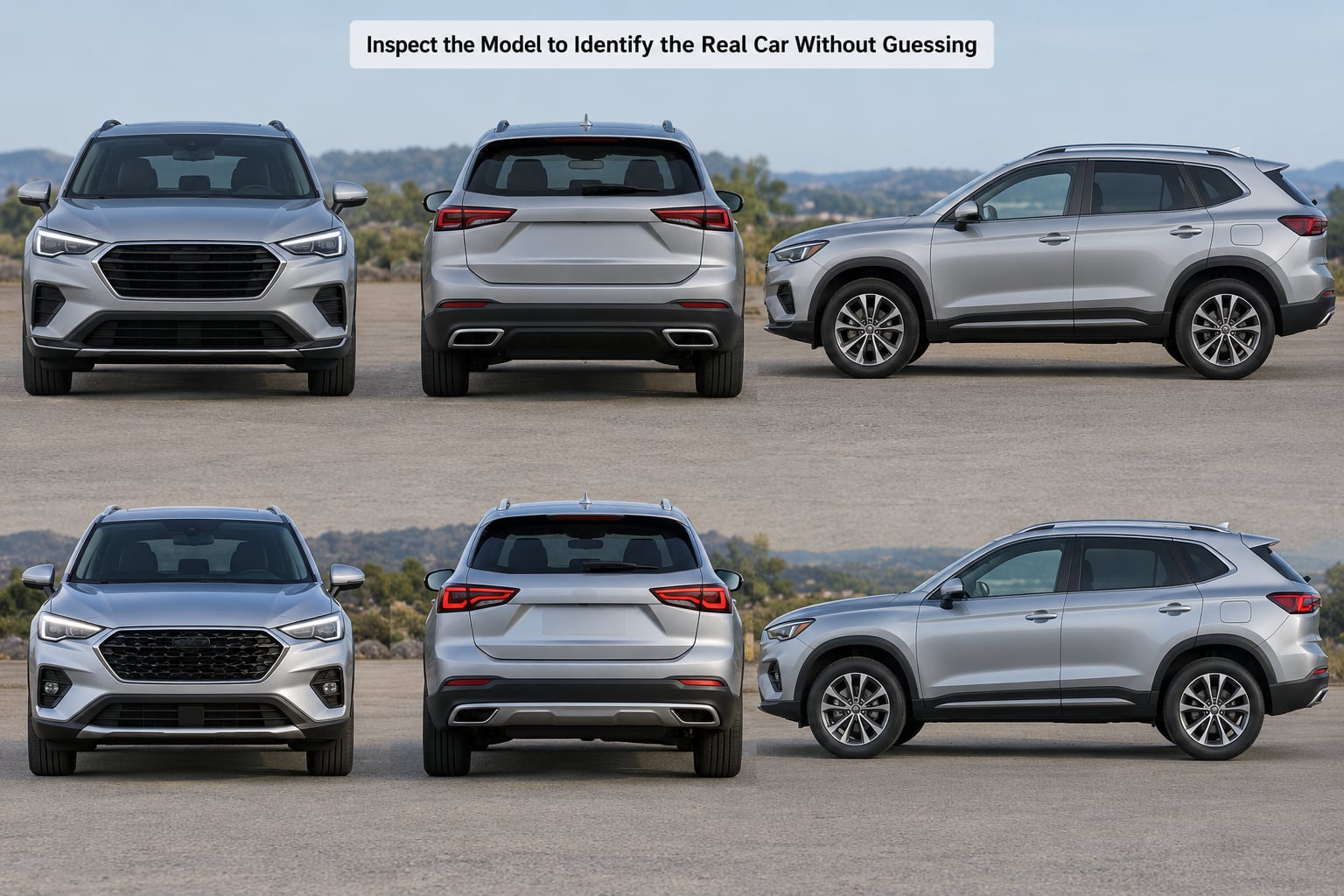
Then read the car rather than judging it in one glance. The order that works best for me starts with silhouette, because proportions narrow the field faster than any detail: is it a long-hood fastback, a short two-door notchback, an estate, a pickup, a wedge supercar or a van? Cab-forward designs and long dash-to-axle proportions are the most useful silhouettes, because few unrelated cars share them.
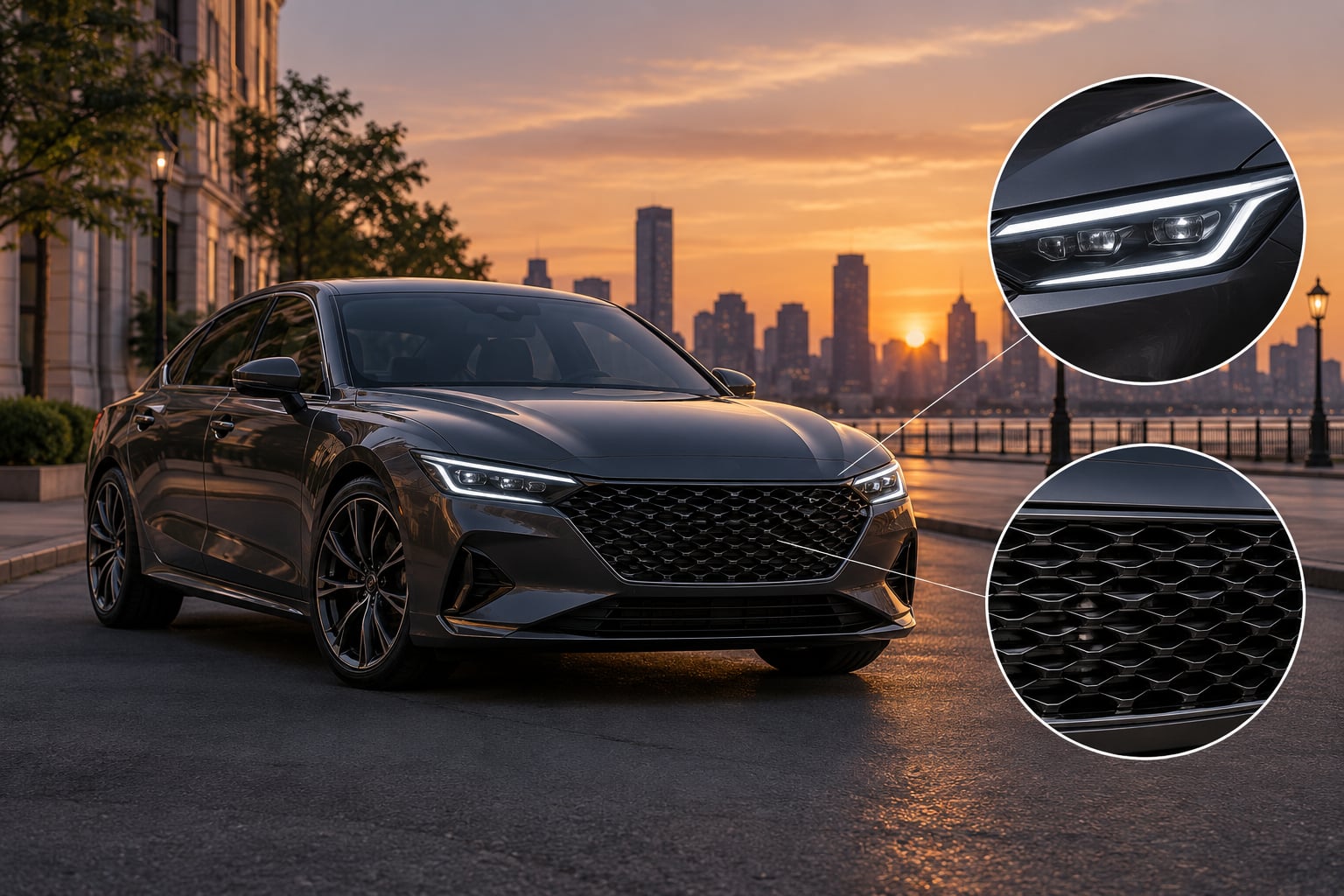
Next comes lighting, which is the most reliable single clue in games. Headlight shape, internal graphics, whether lamps pop up, and whether the tail treatment is a full-width bar, a pair of round units or a thin horizontal strip will tell you more than any badge ever will. Games often simplify internal lamp detail, so match the outline and placement, not the specific bulb layout.
Grille and front fascia come next: shape, mesh pattern, how many lamps sit beneath it, and whether the bonnet has a power bulge, vents or a shut line. After that, the wheels and stance, then the exhaust and diffuser layout, then any badge, emblem or plate frame detail. Interior shape counts too, if the model has one, since a dashboard can survive a body kit untouched.
The three clues that resolve most cars in a single pass are silhouette, headlight shape and badge shape. Get those three into a shortlist and you usually have two or three candidates, not thirty.
3. Read the Vehicle Files and Mod Metadata
This is the fastest route on PC and the one most readers never try. Game data stores the model’s own name, and for replace mods the mod folder usually names the donor car outright. The fictional in-game name is a cosmetic layer; the file name usually is not.
In GTA V, browse to the vehicles data folder with OpenIV and look at the model names inside the model folders, then open the metadata that binds models to names. For a custom add-on, the replace folder or the mod’s own readme will often state exactly which real car the model is based on.
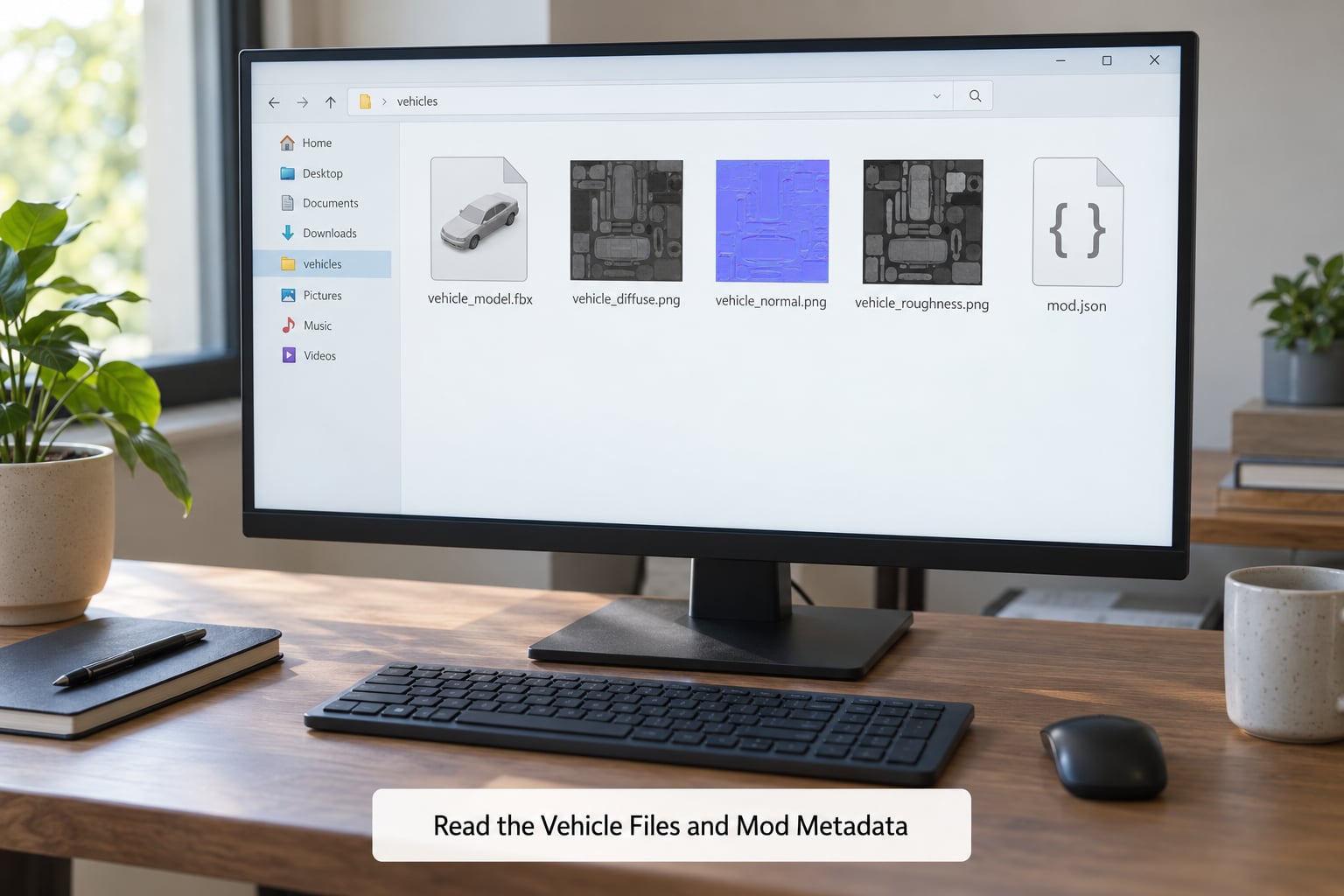
For older titles the same principle holds with different file types. GTA III, Vice City and San Andreas use geometry and texture dictionary files, and the game’s vehicle list still exposes spawn names, which is where a trainer pays off. GTA IV era files pair a header file with streamed model files, and a viewer will show you the same naming pattern. Read the file names before you open anything in a 3D viewer, because a file listing answers the question in seconds.
Two warnings. Texture file names sometimes name a donor car that the modder changed, and some packs are re-textured versions of a different model entirely, so treat file names as strong evidence rather than proof. And on console, where the data lives on an encrypted drive, you simply cannot do this part.
4. Compare the Details with Reliable References
Now take your shortlist and check it against manufacturer catalogs, official specification pages and period-correct photographs. Catalog photos are studio-lit and clean, which makes them the best source for grille and lamp shape, and they usually list trim, wheel options and engine variants in the same page.
Use a GTA vehicle database for the model-level answer, since it maps a specific in-game vehicle to its real-life counterpart rather than just a brand. The Internet Game Cars Database is the most-cited one in the modding community, and community wiki pages fill in the gaps for individual games.
Account for how the game has altered the car. Games routinely lengthen bonnets, shrink overhangs, widen arches and simplify badges, and those changes are deliberate, not modelling errors. Judge the car against a period photograph of the real model rather than against a showroom shot of a facelift that arrived years later.
5. Verify Year, Generation, Trim, and Special Versions
Naming the model family is only halfway done. A model that spans decades can look nearly identical across several generations, so pin down the generation, the year range, the body style and any special edition the car is wearing.
Generation-specific cues do most of this work: a different lamp graphic, a changed grille aperture, a revised quarter window or a wheel design that only appeared on a later face. Body style matters as much as year, because a coupe and a hatchback of the same generation are different cars to anybody who wants the real one. Trim and special versions are usually visible in the wheels, the exhaust, the badging or a body kit, and rally and tuner editions in games are almost always a real limited-production car in disguise.
6. Confirm the Identification
Before you commit to a name, check that your candidate agrees with itself across independent channels. The file or spawn name, the silhouette, the lighting signature, the wheel design and at least one credible reference source should all point the same way.
If they disagree, something in your evidence is wrong, and the usual culprits are a mod replacing the model, a low-resolution texture hiding the real lamp shape, or a wiki page describing a different edition. When everything lines up, record the confidence rather than pretending to certainty.
| Tier | What it means | Example of the evidence |
|---|---|---|
| Exact | One real car, matching across files, visuals and references | File name, lamp shape, grille and wheel design all agree on a single model |
| Close inspiration | One real car with cosmetic changes by the developer | Body and lamps match, but proportions and wheels were altered in game |
| Mashup | Two or more real cars blended into one fictional design | The front end of one car with the rear of another and no matching real model |
| Unknown | Not enough unbranded evidence to name a car | Original design with no donor, or a texture pack that removed the identifying details |
Plenty of famous in-game cars land in that mashup tier rather than the exact one, and saying so is more useful than forcing a single-model answer that the evidence does not support.
Common Mistakes
Matching on the grille alone. One truck and one sports car can share a grille shape. Always require at least two independent clues before naming a car, and never let a badge colour be one of them.
Confusing generations. A car’s name covers decades of styling. Check the lamp graphic and grille aperture against the specific year range rather than the model name alone, because this is the most common wrong answer in forum threads.
Overlooking fictional designs. Not every in-game car has a real donor. Some are built from two cars, some are original, and a mashup has no correct single answer. Recognising that early saves a lot of fruitless searching.
Trusting copied mod names. Download titles and readme files get copied between packs and go stale. The file name inside the mod is better evidence than the name on the download page, and both are worse than the geometry itself.
Judging from low-resolution textures. At small on-screen sizes, lamp internals and badges disappear entirely. Zoom in, take a photo mode shot, and look at the model in a viewer before you conclude that a car has no visible identifying features.
Treating a lore label as a model name. In-game brand names, trim names and vehicle class labels are deliberately fictional and frequently shared across several real marques. They are a starting point for the search, never the answer.
One more habit worth keeping: when your search returns nothing at all, stop searching for the name and start searching for the clue. A screenshot cropped to the rear three-quarter, with badges edited out, has a much better chance than the same shot with the fictional logo still in frame.
Frequently Asked Questions
Can the in-game vehicle name tell me the real car behind a GTA vehicle?
No. GTA vehicle names and fictional marques are deliberately invented, and one name can cover several real manufacturers, so a search on the in-game name alone usually returns nothing useful. Treat it as a label for finding the car in-game, then use the file or spawn name, the visual clues and a reference database to work out the real model.
How do I identify a fictional vehicle that is based on no real car?
You cannot, and that is a valid answer. Many in-game cars blend the front end of one real car with the rear of another, and some are original designs with no donor at all. Confirm that by checking the file or spawn name for a manufacturer string, then comparing nose and tail against separate real cars. If no single model matches, record it as a mashup rather than a guess.
What is the easiest way to identify a GTA replace-mod car?
Open the mod folder and read the model file names, which almost always name the donor vehicle even when the in-game name does not. Then confirm with a screenshot comparison against a reference image. Folder names, readme files and textures are faster to check than the model itself, so start there before you load anything into a viewer.
Why is the real car in a mod different from its file or download name?
Download titles get reused and copied across packs, and some re-textured mods keep the folder name of the car they replaced rather than the one they contain. That is why a database lookup can confidently return the wrong model. Verify with the geometry and lighting details, not the name, and treat file names as strong evidence rather than proof.
Can I identify GTA vehicles on console or Android without extracting game files?
Yes, but only through the visual half of the method. Console data sits on an encrypted drive and most mobile ports give no usable file access, so you rely on capture angles, lighting, wheels and proportion, plus a reference database. Where a build exposes loose files, checking the vehicle list or a trainer spawn name is the quickest route available.
Conclusion
Write down the game, platform and in-game vehicle name first, because everything downstream depends on that being right. Then open the vehicle’s files, read the model naming, and turn the car in photo mode for front, rear and side captures before you compare a single lamp shape against a reference photo. If the model is a mashup, say so and name both donors.
Once you have a result, record the confidence tier alongside the name. Two independent clues agreeing is the minimum I trust, and three is where I stop worrying about being wrong.