Vehicle despawning is an engine cleanup routine: when a car sits too far from your character, outside a loaded part of the map, or is replaced by a duplicate of itself, the game deletes it from memory. To protect your in-game cars from despawning, save manually, park inside a real garage or lockup, clear out duplicate models, and keep a backup save you can test changes on.
That works across PC, console and Android, but the details change between games. GTA V modders deal with add-on cars and script dependency errors. GTA IV and San Andreas players lose vehicles to story mission resets. Cities: Skylines players get the opposite problem, where traffic refuses to clean up. Here is the repeatable process, and the checks that tell you whether it actually worked.
Everything about modding here applies to single-player. Persistence scripts, trainers and config edits carry no effect in GTA Online, and using them there risks your account. Survival server rules are set by the server owner, not by your client.
Last updated: October 2026
Table of Contents
- 1What You Need
- 2Step-by-Step
- 3Step 1: Save the Game in a Safe Location
- 4Step 2: Move the Car to a Permanent Garage or Locked Location
- 5Step 3: Check the Vehicle’s Mod or Addon Configuration
- 6Step 4: Remove Nearby Duplicates and Unused Vehicles
- 7Step 5: Reload the Save and Test the Vehicle
- 8Step 6: Keep a Separate Backup Save
- 9Common Mistakes
- 10Tips for Long-Term Vehicle Protection
- 11Frequently Asked Questions
- 12Why does my car keep disappearing in GTA V story mode?
- 13Where can I store a vehicle in GTA V so it stays there?
- 14Do add-on cars despawn more often than original cars?
- 15Why do all my saved cars spawn in one pile?
- 16How do I delete saved cars without reinstalling a persistence script?
- 17Can I stop cars despawning on PS4 or PS5?
- 18Conclusion
What You Need
Gather this before you start changing anything. Half of the “my car vanished” cases turn out to be a save or a file path problem, not a despawn problem at all.
- The exact game and version. GTA V story mode, GTA IV, San Andreas, Vice City, GTA III, Cities: Skylines or a survival server. Write down the version or build number, because a persistence script that worked on an older patch can stop working entirely after an update.
- Your platform. PC, PS4, PS5 or Android. PC is the only platform with Script Hook and mod loaders, so the script route simply does not exist on console.
- At least two free save slots. One for play, one for the backup you test on.
- The save folder location. For GTA V on PC it sits in the Rockstar Games folder under the current user profile. Knowing the exact path saves a lot of guessing.
- A storage spot the game treats as permanent. A private garage, a lockup, an apartment parking space or an impound lot.
- Mod tools, only if you use them. OpenIV for replacing files, ScriptHookVDotNet for scripts, and NativeUI if the script depends on a menu. A folder browser is enough if you are on console.
- A copied save folder. Duplicate the whole save before touching any mod. It is a few seconds of work and it is the only thing standing between you and losing a collection.
Step-by-Step
Work through these in order. Each one gives you a specific check, so you can tell whether that step worked before moving to the next.
Step 1: Save the Game in a Safe Location
Despawned vehicles are only recoverable if the save still remembers them. Autosaves rotate, and many players lose hours of collection because the autosave slot had already been overwritten by the time they noticed.
Make a clean manual save while you are standing next to the car. In GTA V, open the pause menu, go to Game, then Save, and confirm the overwrite prompt. Repeat the process for the older titles through their own pause screens, and on Android through the in-game menu rather than a background close.
To confirm the save captured the car, load that slot back in and walk to where you parked. If the vehicle is there and drivable, the save is clean and every later test is meaningful. If it is already gone at this point, the problem is not despawning.
Step 2: Move the Car to a Permanent Garage or Locked Location
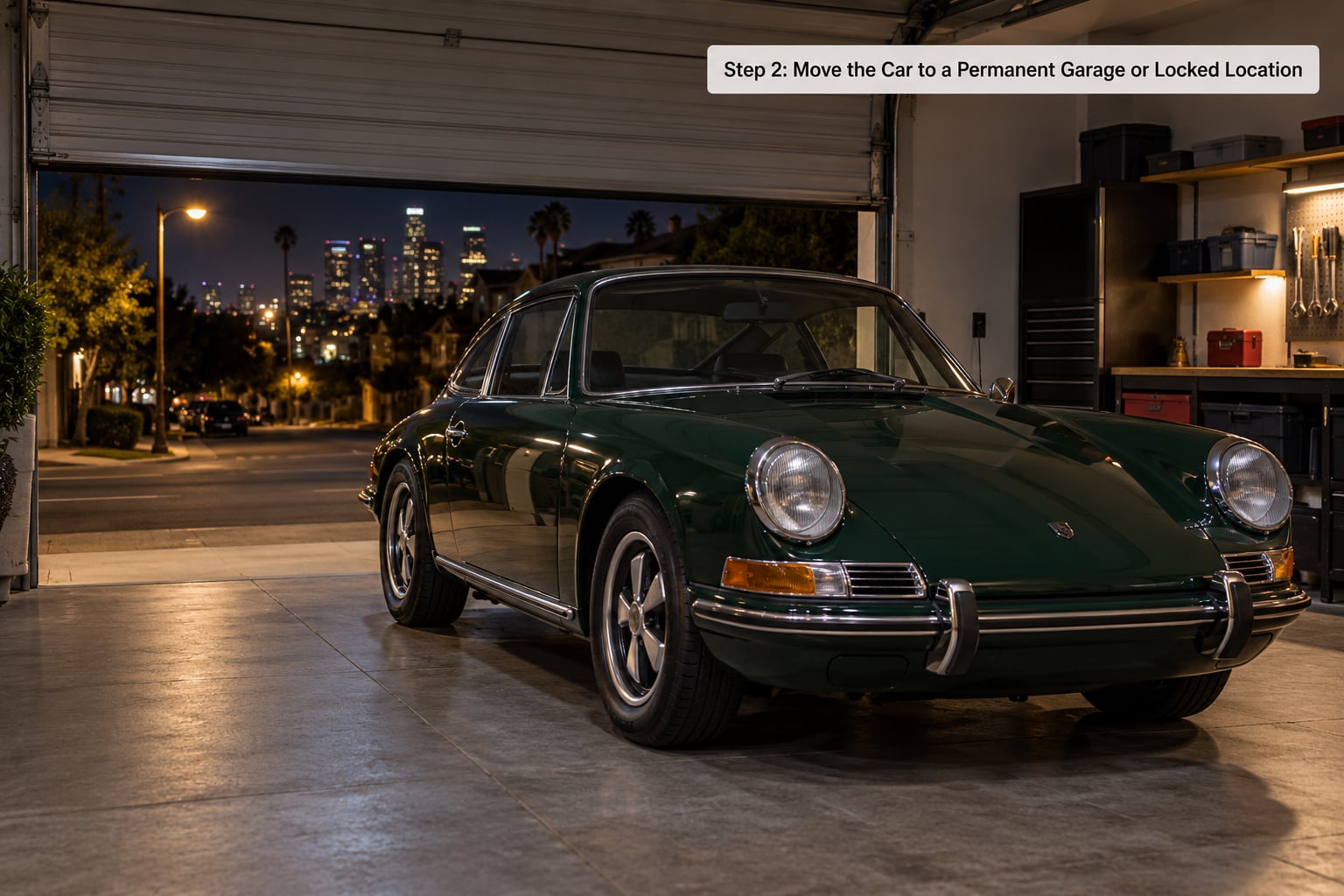
Vehicles left in the open on the street are the first thing a cleanup pass removes. Parking inside a property the game treats as persistent is the cheapest protection available, and it needs no mods at all.
In GTA V the reliable spots are Franklin’s Vinewood house garage, Michael’s home garage, the parking space at an apartment you own, and any garage tied to a property you have bought through the story or the character interaction menu. Club garages, the agency, the bunker and the submarine also hold vehicles. The impound lot works too, though it charges a fee to release the car.
For the older games the rules are simpler and stricter. GTA IV keeps a car only in a safehouse garage, and only after you have paid for the property. San Andreas, Vice City and GTA III use mission garages for story vehicles, so a car collected outside one of those garages can be deleted after a mission ends. Store it inside before the trigger, not after.
On console, this is the whole strategy. Without a script loader there is no other route, so choose a garage inside a property you own and do not drive the car out again.
Step 3: Check the Vehicle’s Mod or Addon Configuration
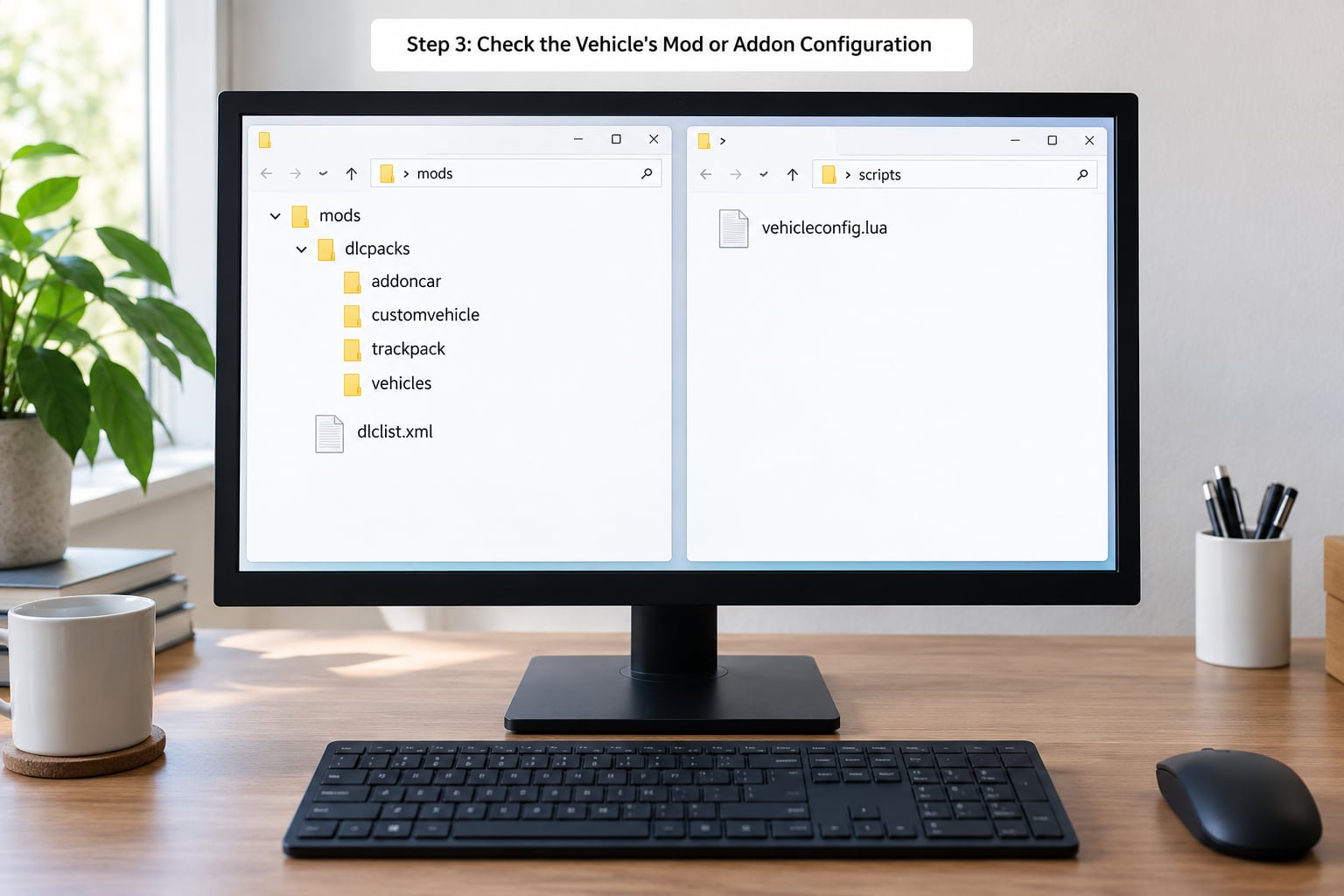
Add-on cars fail more often than original ones. The model may load and drive perfectly, then vanish, because the files describing it are incomplete or duplicated.
Open the folder holding the vehicle and check four things. First, the model file and its texture file should share the same name stem, with a separate ytd beside the yft. Second, the folder name inside dlcpacks should be unique, because two packages with the same folder name mean one silently overrides the other. Third, dlclist.xml should contain a single line for that package, and duplicate lines are a frequent cause of cars that appear once and then vanish.
Fourth, look for a second file that defines the same vehicle name in the same traffic table. Two packages claiming the same model name create a duplicate, and duplicate cleanup is exactly what removes one of them. Rename one package and give its vehicle a distinct name, then load the game fresh.
In GTA IV and San Andreas the equivalent check is the car file inside the game’s data folder, where a duplicated model name or a mismatched replacement entry produces the same disappearing act.
Scripts have their own failure point, separate from vehicle files. A persistence script depends on a script loader, and if that loader or its menu library is out of date after a game update, the script simply stops running while your files stay in the right folders. Symptoms worth knowing: the game hangs on the loading screen, the log fills with errors when you press the save key, or another script’s map markers disappear. When a mod that worked last month does nothing, check the version it was built against before you reinstall everything.
Step 4: Remove Nearby Duplicates and Unused Vehicles
Cars parked on top of each other, at the same spot, or in the same slot as a traffic vehicle trigger clone cleanup. One of them gets deleted, usually the one you care about.
Walk through the storage area and space the cars out so no two occupy the same ground position. Delete any traffic or ambient vehicle spawned on top of your collection, and if you use a mod that raises traffic density or adds NPC vehicles, switch it off before you test again. Performance mods that manage vehicle cleanup can also run their own pass and remove parked cars on a schedule.
The check is simple. Save, walk away far enough that the area unloads, come back, and count. If the count dropped, you had a duplicate or a competing script.
Step 5: Reload the Save and Test the Vehicle
Testing only in the same session proves nothing, because a car that has been loaded into memory will stay there no matter what the engine would do on a fresh start.
Reload the manual save from Step 1, walk to the storage location, and confirm the vehicle is parked where you left it. Check the vehicle list in a trainer or spawn menu if you use one, then drive the car for a minute and save again at the new position. Restart the game fully and load the save once more.
If the car is still there after the restart, the setup holds. If it vanished mid-drive rather than while parked, that points to a different problem, often a script that saves on exit rather than on use.
Step 6: Keep a Separate Backup Save
Once the car survives a restart, copy that save folder somewhere outside the game directory and name it with the date and the game version. This is the only copy that matters when an update breaks something.
Test risky changes on the duplicate, never on the original. Before a game update, before adding a new script, and before editing a config file, make another copy. If a car disappears afterward, you can restore the exact state that worked instead of hunting for whatever the update changed.
Rotate two or three backups rather than keeping dozens. Name them clearly, because a folder full of identical saves is no backup at all.
On servers the logic inverts. DayZ, SCUM and Rust run a server-side vehicle timer, so the owner controls it, not you. Building the car into a base or a garage sheet helps against other players, but cleanup on those servers is a timer and only the server settings change it. Unturned has the same shape, with a base that protects a vehicle from other players while the engine still clears it over time.
Common Mistakes
The fix depends entirely on the game, so here is the per-game picture first. Each row lists the usual cause, the kind of fix that works, and where that fix actually lives.
| Game | Why cars despawn | Fix type | Where to change it |
|---|---|---|---|
| GTA V story mode | Out-of-range cleanup and unload | No-mod placement, or a persistence script on PC | Property garage, or the script’s own settings file |
| GTA IV | Only safehouse garages are permanent | No-mod placement | Bought property, not a config file |
| San Andreas, Vice City, GTA III | Mission resets and mission garages | No-mod placement | Mission garage, or a mod that disables unspawn |
| DayZ, SCUM, Rust | Server vehicle timer and cargo loss | Server setting, server owner only | Server configuration |
| Unturned, Palworld | Base exposure and engine cleanup | Base design, server setting | Base build, server configuration |
| Project Zomboid | Duplicate detection, plus occasional engine bugs | Reload the world, space the cars out | Nothing to change; a bug, not a setting |
| Cities: Skylines | The inverse: cars that should clean up and do not | Despawn settings, traffic mod conflicts | Traffic and despawn options |
Second, tell the three situations apart. The engine cleaned the car up, a bug removed it, or another player destroyed it, and from a distance the symptoms look almost the same.
| What you see | Most likely cause | Fix |
|---|---|---|
| Car vanishes when you walk away and come back | Normal out-of-range cleanup | Move it into a permanent garage or lockup |
| Several cars disappear at once, then reappear with different cars in their spots | Duplicate or clone cleanup, often a bug | Remove duplicates, reload the world, then re-park them spaced out |
| Car disappears while you are driving it | Script saves on exit, or a mod reload replaced the entity | Switch off the competing script and save manually |
| Car survives days on a survival server, then is gone | Server cleanup timer | Ask the server owner to raise or disable the vehicle timer |
| Burning wreck or explosion at the spot where the car was | Another player or an environmental hazard | Nothing to fix; that is destruction, not despawning |
| Only your add-on car vanishes, original cars are fine | Duplicate model name or a broken package | Rename the package and the vehicle, remove duplicate dlclist lines |
Beyond diagnosis, these are the habits that cause the problem in the first place.
Relying on autosave only. Autosave slots overwrite themselves. A manual save is what gives you a state you can return to.
Storing cars in the street or in an unowned property. Any spot the game does not treat as persistent is a candidate for cleanup.
Two packages sharing a folder name. One replaces the other and the loser never appears.
Piling cars up for a photo. A tight row of the same model is a clone list. Space them out or accept that some will be deleted.
Expecting a client-side fix for a server-side rule. On survival servers the vehicle timer is a server setting. A mod on your own machine cannot override it, and editing your own config files will not change what the server does.
Editing a config file and never reloading. Most config values are read when the game starts. If you change a key in a text file and keep playing, nothing changes.
Two cases deserve their own note. In Project Zomboid, a mass despawn is usually the engine’s duplicate handling or a genuine bug rather than a setting you can change, and players have recovered their cars by quitting to the main menu and reloading the world. In Cities: Skylines the problem runs the other way: cars and service vehicles get stuck and refuse to despawn, so traffic backs up behind them. There, unstick them or adjust the despawn and traffic options, because the same cleanup routine that frustrates you in an action game is what keeps your city moving.
Tips for Long-Term Vehicle Protection
A few habits stop the problem from coming back after you have already fixed it once.
- One package per vehicle. Put each add-on car in its own folder with its own dlclist entry. Combining cars saves disk space and costs you an afternoon when one name collides.
- Keep cleanup settings conservative. If a script offers a despawn distance or a cleanup interval, raise the distance and lengthen the interval rather than disabling the pass completely. A disabled pass causes traffic to pile up and can stall the game.
- Write down what you changed. A short note file with the game version, the script versions and the keybinds you set saves an hour of guessing after every update.
- Do not install three persistence scripts at once. They compete for the same vehicles and for map markers. Pick one, confirm it works, then add something else.
- Re-test after every game update. Load the backup save first, check the car, and only then play further.
- Keep the collection inside a loaded area. Cars parked inside a dense city block load faster and survive longer than cars on an empty stretch of map, because the surrounding assets are already streamed in.
Frequently Asked Questions
Why does my car keep disappearing in GTA V story mode?
GTA V cleans up unoccupied vehicles when they get far from your character or sit outside a loaded area, so a car left on the street after you fast-travel is a candidate for deletion. Save manually, park the car inside a garage tied to a property you own, and avoid stacking it against another vehicle of the same model. If it still vanishes, check your add-on package for a duplicate vehicle name.
Where can I store a vehicle in GTA V so it stays there?
Use a garage the game treats as permanently yours. Franklin’s Vinewood house, Michael’s home garage, an apartment parking space you own, and garages tied to properties you have bought all work. Club garages, the agency, the bunker and the submarine hold vehicles too. The impound lot also keeps cars, but it charges a fee when you collect them. Street parking does not protect a car at all.
Do add-on cars despawn more often than original cars?
Yes, and it is usually a file problem rather than a cleanup one. Two packages that define the same vehicle name create a duplicate, and the engine deletes one of them. Duplicate dlclist lines, a texture file with a mismatched name, or a package folder name used twice by different downloads all produce a car that loads once and then vanishes. Rename the package and its vehicle, then load a fresh save.
Why do all my saved cars spawn in one pile?
A persistence script that stores vehicles at one fixed coordinate will stack them, and some builds spawn saved cars at the position where the script was first installed. Change the storage coordinate in the script’s own configuration file and reload, or move the cars one at a time and save after each move. Restarting the game after editing the file matters, because settings are read at startup.
How do I delete saved cars without reinstalling a persistence script?
Most persistence scripts bind a key to release or clear a saved vehicle, so the reliable route is the script’s own menu rather than deleting files by hand. If the script offers no cleanup, deleting its save data file resets everything the script stored, which means every saved car is lost at once. Back up the save folder before you do that, and expect to re-save each car afterwards.
Can I stop cars despawning on PS4 or PS5?
No script loader exists on PlayStation, so the mod route is closed to you. What remains is placement: store the car inside a property garage, keep manual saves, and avoid leaving it on the street near mission markers, where story events clear vehicles. On a survival server such as Unturned, base placement and building a garage around the vehicle are what actually protect it.
Conclusion
Start with the part that costs nothing: save the game manually while you stand next to the car, then move it into a garage tied to a property you own and reload that save to confirm it is still there. If it survives a restart, copy the save folder as a backup. Only when the car disappears from a proper garage should you dig into your add-on files for duplicate names, then, on a server, ask the owner about the vehicle timer.