Knowing how to install motorcycle mods and fix rider animation comes down to three things: the loader stack has to work first, every file has to sit in the folder ModLoader actually reads, and the model, folder and config names must match character for character. In GTA: San Andreas PC, a motorcycle mod is a package of model, texture and script files that you copy into a modloader folder after installing the DAZ Downgrade, ModLoader and an ASI Loader. Once that is in place, the animation repair itself is a matter of matching the model and add-on names in the right config block. The whole job takes 20 to 40 minutes on a clean setup.
These steps cover the PC 1.0 and Steam builds and the Definitive Edition running the DAZ downgrade. Console copies of San Andreas have no mod support at all, and Android is a separate process entirely. If you are on a console, there is nothing to install and this guide will not help you.
Table of Contents
- 1What You Need
- 2Step-by-Step: How to Install Motorcycle Mods and Fix the Rider Animation
- 31. Work out whether the download is a replacement or an add-on
- 42. Back up the game and your current mods
- 53. Copy the model, texture and script files into the right folder
- 64. Fix the model and animation configuration
- 75. Register and place the add-on bike
- 86. Test the bike in a clean session
- 9Common Mistakes
- 10The bike never appears at all
- 11The bike appears but with no rider, or a rider standing up
- 12The rider floats above the seat or sinks into the tank
- 13The bike shows no texture, or pink and black surfaces
- 14ModLoader loads nothing and the game ignores every file
- 15The game crashes on launch after installing a bike
- 16Frame rate collapses once the bike is in view
- 17Quick Animation Troubleshooting Checklist
- 18Frequently Asked Questions
- 19Can I install GTA: San Andreas motorcycle mods on PlayStation or Xbox?
- 20Why does my modded motorcycle appear without a rider?
- 21Do motorcycle add-ons work in SAMP and MTA?
- 22Should I use replace folders or add-on folders for a motorcycle mod?
- 23How do I find out which animation file is causing the rider glitch?
- 24Can I install motorcycle mods after a GTA: San Andreas game update?
- 25Conclusion
What You Need
You need five things before you touch a single bike file. Gathering them first is what separates a working install from an afternoon of debugging.
- The mod archive itself. Unzipped, with the
.dffmodel,.txdtexture files and any.ifpanimation file visible. - DAZ Downgrade (SA DOWNGRADE). Required if you own the Definitive Edition. Newer bikes are built for a newer file format, and without the downgrade the game either ignores them or crashes on load.
- Silent Patch. Fixes a set of engine faults that stop many vehicle mods from working. Install it before any mod files.
- ModLoader for GTA San Andreas. This drops a
modloader.asifile into the game folder and reads everything you put inside amodloaderdirectory at launch. Players on r/sanandreas repeatedly hit the same wall here: they install the downgrade and the widescreen fix, forget the mod files go insidemodloaderrather than next to the executable, and conclude the mod is broken. - An ASI Loader plus Notepad++ or any plain text editor. The editor is not optional if the mod needs an add-on entry, because you will be editing
gameconfig.txtby hand.
Three terms come up constantly, so it is worth being clear about them. ModLoader is the modloader.asi plugin that reads mod folders at startup. An add-on vehicle is a bike that joins the game without replacing anything, which requires its own folder and a config entry. An IFP animation file is the archive of character animations a model uses to tell the rider how to sit, steer and dismount.
Install order matters. Downgrade, then Silent Patch, then ASI Loader, then ModLoader, and only then the bike. ModLoader needs to be able to read the .asi files the loaders drop into the folder.
Step-by-Step: How to Install Motorcycle Mods and Fix the Rider Animation
1. Work out whether the download is a replacement or an add-on
Read the description before you extract anything. A replacement mod overwrites one of the original bikes, usually the Sanchez or the Freeway, and the game finds it automatically because the model name already exists in the vehicle list. An add-on mod adds a brand new bike under a new name, which means you have to create a folder and tell the game it exists.
If the archive contains a .dat file with a model name in it, you are looking at an add-on. That one extra step is where most first attempts fail. Verification for this stage is simple: you can say out loud which original bike your mod will overwrite, or you know the new spawner name you will use.
2. Back up the game and your current mods
Copy your entire modloader folder somewhere outside the game directory before you install anything. Name it modloader_backup_before_bikes. This takes a few seconds and it is the only rollback you will have.
Also make a list of what is already installed. Once you have fifteen mods running, the usual cause of a broken rider is a silent conflict with something unrelated, and you cannot find that without a starting point. Verification: you have a backup folder and a written list.
3. Copy the model, texture and script files into the right folder
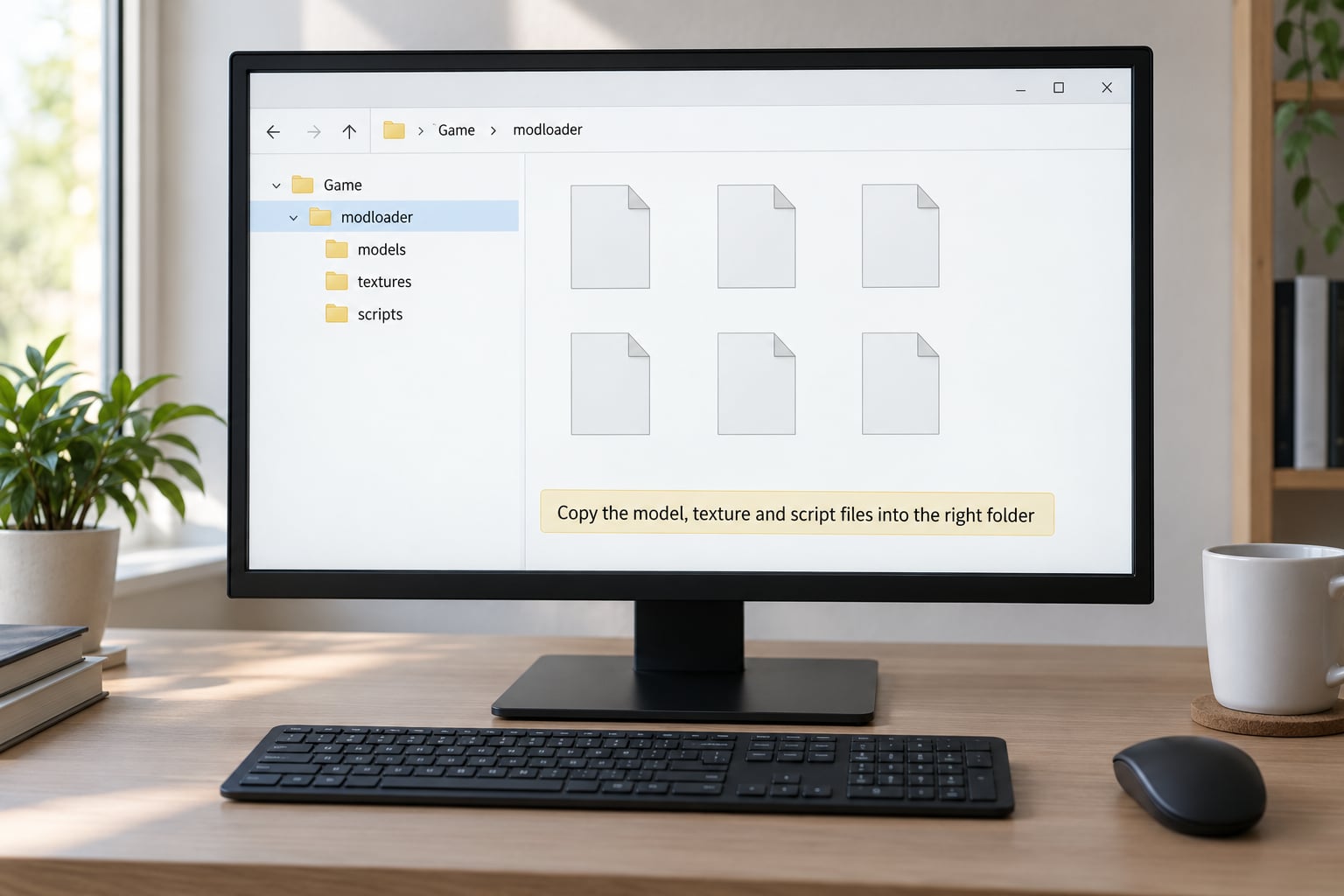
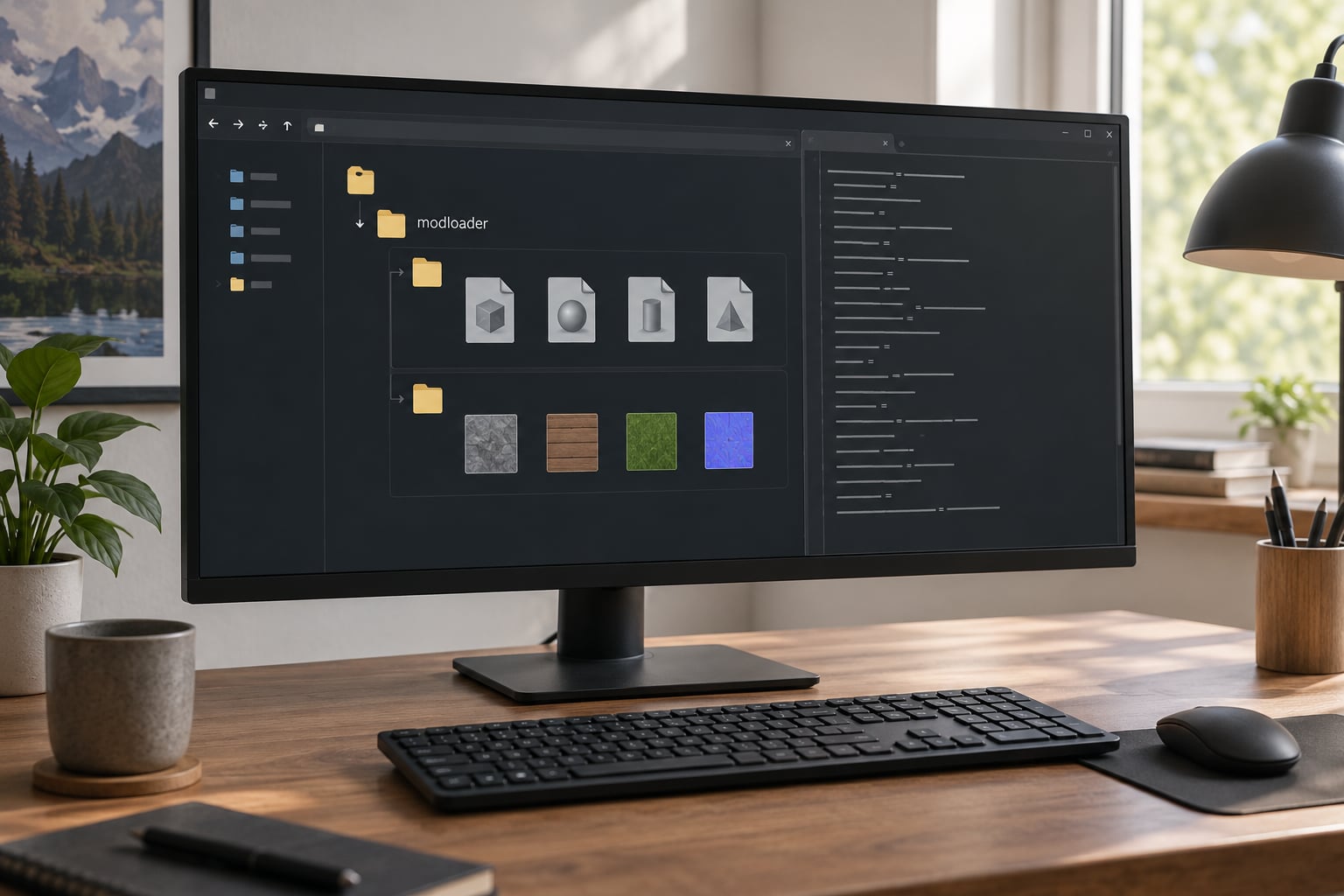
Open the game folder, find the modloader directory and create a new folder inside it named after the mod, with no spaces. modloaderMyBike is the pattern the community on theGTAPlace modding forum uses, because a named sub-folder per mod keeps load order controllable.
Copy the archive contents into that folder. Most bike mods give you a .dff model, one or more .txd texture files and sometimes a .ifp animation file. Some packs wrap them in a nested folder, so open what you just extracted and check there is nothing buried one level deeper.
Two file types have their own destination. A .txd that the readme calls a global texture goes into gamefilestxd instead of your mod folder. An .asi script goes straight into the game root next to gtasa.exe, because ModLoader does not load them from a sub-folder. Getting this wrong is the number one reason a bike shows up untextured or does not appear at all.
Verification: launch the game once. If your original Sanchez now looks different in traffic, the files are being read and the location is right.
4. Fix the model and animation configuration
This is where rider animation is actually repaired, and it is the step the install guides tend to skip.
Open gamefiles in your game folder with Notepad++. A replacement mod needs nothing here at all, because the model name is already registered. An add-on needs an entry in vehicles.meta or a gameconfig.txt block, and the name in that block must match the folder name and the model name character for character.
Capitalization is not cosmetic. MyBike and mybike are two different names to the game, and the mismatch produces a bike that spawns with a rider floating a metre above the seat or standing in a T-pose. Check the folder name, the model name inside the file and the config entry side by side.
Then look at the animation side. A bike model has seated and standing bones, and those bone names have to match what GTA SA expects for a motorcycle. If the mod ships an .ifp file, it must sit in the same folder as the model, and if two different mods ship conflicting animation files for the same bike slot, only one of them will win. That is a load-order decision, not a reinstall.
Verification: nothing crashes on launch, and the bike appears in traffic with a rider in the normal seated pose.
5. Register and place the add-on bike
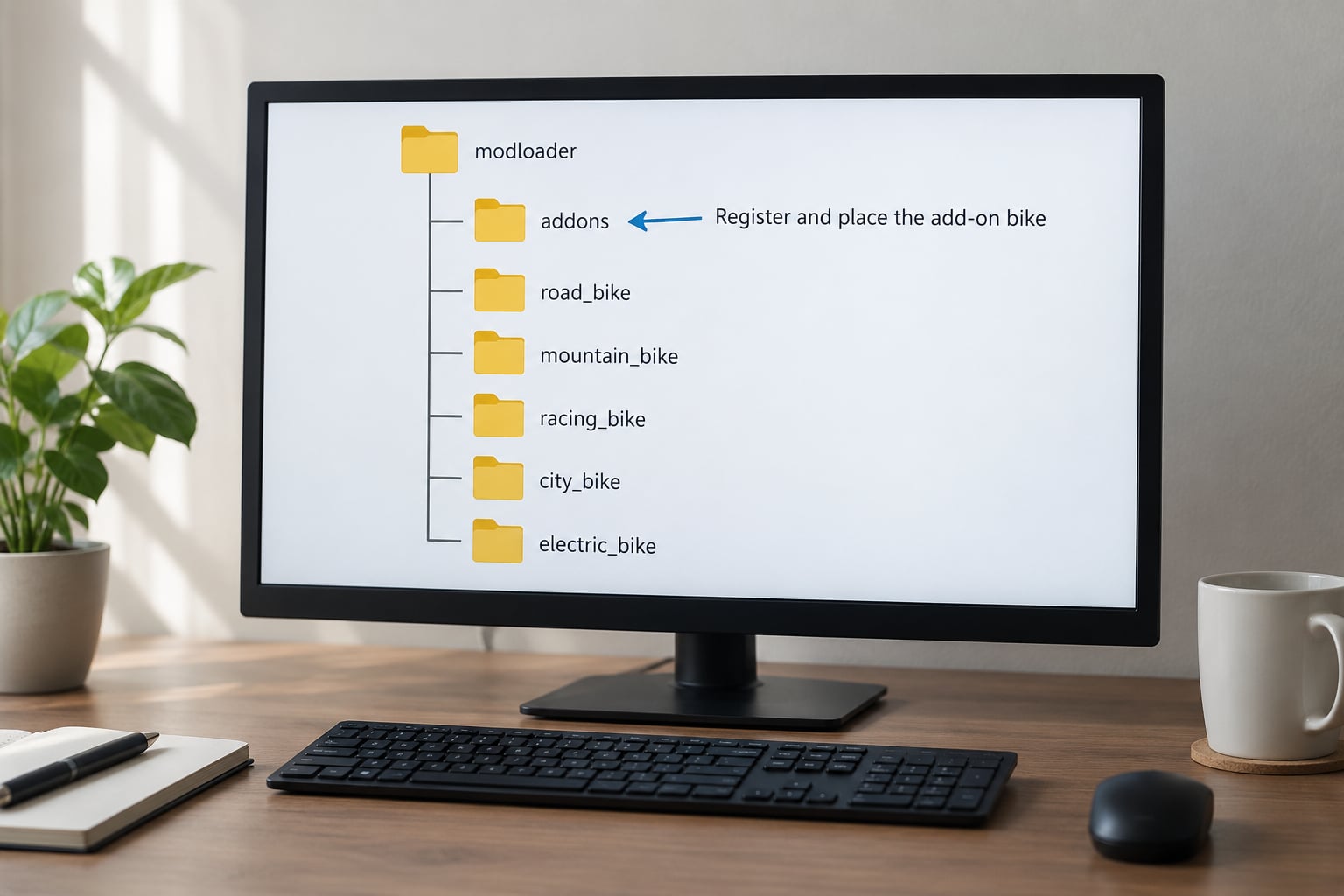
For an add-on, the entry in vehicles.meta needs an internal name, a model name, a type value for motorcycles and a .txd reference. Put the model and textures in their own folder under modloader and point the entry at them with a relative path. Some packs instead expect the files inside an addons directory with a matching sub-folder, which is why the readme matters.
If the add-on requires an ASI plugin, install that plugin into the game root and let it run at launch. Some bike add-ons are simply an .asi that registers a new spawner name, and without the plugin running, nothing appears anywhere in the game.
To find the bike once it works, drive to a bike-heavy area such as the bike school or Grove Street at night, or use a trainer with the spawner name from the readme. If you cannot see it in traffic, the add-on entry is usually still wrong even when the model file is present.
Verification: you can spawn the bike by name and it despawns and respawns through normal traffic without an error.
6. Test the bike in a clean session
Start a fresh game, not a save you care about. Spawn the bike away from traffic, then test in this order: steering at low speed, hard braking, wheel rotation at speed, mounting, dismounting, and a full turn of the handlebars while stationary.
Watch the rider during every one of those. A rider who sits correctly at rest but slides off the tank when you brake has a seating bone offset problem. A rider who stands upright is pointing at a missing seated animation or an .ifp that never loaded.
Write down exactly what happens and when. When something breaks halfway through testing, that single note is usually the difference between a ten-minute fix and an evening of reinstalling everything.
Common Mistakes
Almost every failure shows up as one of the symptoms below. Work down the list from what you actually see rather than from what you assume went wrong.
The bike never appears at all
Files went into the game root instead of modloader. This is the single most common error and it produces no error message whatsoever, which is why it wastes so much time. A player comment on a popular install video points this out directly: files belong in the directory ModLoader reads, not the directory where the executable sits.
The bike appears but with no rider, or a rider standing up
The model name in the config entry does not match the folder name, or the animation file is missing. Check capitalization first, then confirm the .ifp actually landed in the mod folder rather than in your Downloads directory.
The rider floats above the seat or sinks into the tank
This is a seat offset or bone problem, not an install problem. The seated bone in the model sits at a different height than GTA SA expects. The practical fix is an animation or bike-seating patch, or removing a second mod that is overwriting the same animation slot.
The bike shows no texture, or pink and black surfaces
The .txd file is in your mod folder when the readme wanted it in gamefilestxd, or the texture name inside the model does not match the .txd file name. Character and ped replacements interfering with other texture mods is a common secondary cause.
ModLoader loads nothing and the game ignores every file
No ASI Loader, or the downgrade is missing. Both failures are silent. Players on r/sanandreas describing exactly this usually had the downgrade, Silent Patch and a widescreen fix installed and were missing the loader itself.
The game crashes on launch after installing a bike
A .dat or .dff from an incompatible build. Confirm the download was made for GTA SA 1.0, not for a retexture pack or a different game, and restore your backup before trying anything else.
Frame rate collapses once the bike is in view
Usually a model LOD or draw-distance setting rather than the animation. Players running SAMP, MTA or DYOM should expect animation patches to cost a little performance on top of this, since those clients already have their own overhead.
Quick Animation Troubleshooting Checklist
Run through this before you reinstall anything. It takes about a minute and rules out the majority of animation faults.
- Is the seated bone name exactly what GTA SA expects for a motorcycle?
- Do the folder name, model name and config entry match, including capitalization?
- Is the
.ifpfile in the same folder as the.dff? - Is any other mod shipping an animation file for the same bike slot?
- Does the add-on register in the config block, not just on disk?
- Does the rider sit normally at a standstill before you move?
Frequently Asked Questions
Can I install GTA: San Andreas motorcycle mods on PlayStation or Xbox?
No. Console versions of San Andreas were never given mod support, and none of the tools this guide uses exist on them. ModLoader, the DAZ downgrade, Silent Patch and the ASI Loader are all PC-side files. The only realistic route on console is a homebrew or jailbroken environment, which is a different process with different risks and is outside what this guide covers.
Why does my modded motorcycle appear without a rider?
Usually the animation file did not load, or the model name does not match the name registered in your config file. Check that capitalization matches between the folder name, the model name and the add-on entry, and confirm the .ifp file sits in the same folder as the .dff rather than in your Downloads folder. A rider in a T-pose instead of missing entirely points at a seated bone or missing IFP, not at the install location.
Do motorcycle add-ons work in SAMP and MTA?
They can, but treat them as client-side. Vehicle models, textures and animation patches load on your machine only, so other players see their own version of the bike or nothing at all. Animation fixes improve visuals and can cost you frames, which matters more in a busy server. Test any bike mod outside the server first, and do not expect it to look the same for everyone else in the session.
Should I use replace folders or add-on folders for a motorcycle mod?
Use whatever the download provides. A replacement mod overwrites an original bike and needs nothing beyond copying its files into a named folder inside modloader. An add-on needs its own folder plus an entry in vehicles.meta or gameconfig.txt with a matching model name. Installing an add-on as a replacement means nothing new appears. Installing a replacement as an add-on usually means the original bike is still driving around untouched.
How do I find out which animation file is causing the rider glitch?
Temporarily move every .ifp file out of your bike folders, launch the game and mount the bike. If the rider sits correctly, restore the files one at a time until the fault returns, and that last file is your culprit. Also check ModLoader priority, because two mods shipping animation for the same slot will silently overwrite each other and the higher priority one always wins.
Can I install motorcycle mods after a GTA: San Andreas game update?
Usually yes on the 1.0 and Steam builds, which have not changed in years. If you are on the Definitive Edition, a platform update can break a DAZ setup, so verify the downgrade and Silent Patch still load at launch before blaming your mods. Reinstall those two first, then re-test one bike. If ModLoader no longer appears in your mod folder, something about the install was overwritten.
Conclusion
Start from a fresh backup, install the downgrade and Silent Patch before any bike files, and put every file inside the modloader folder rather than beside the executable. Match the folder, model and config names exactly, confirm the animation file is where the model is, then test the bike in a clean session before you restore your other mods or add a second one. Nearly every question about how to install motorcycle mods and fix rider animation gets settled in that order, and the ones that do not usually fall to the symptom list above.