A DDS file is a DirectDraw Surface container that holds your texture in a form the graphics hardware can unpack on the fly, and dds texture formats explained properly means knowing two things: DXT1 and DXT5 are the same as BC1 and BC3, and opaque surfaces want the first one while anything with transparency wants the second. Most broken mod textures come from picking a format that fights the material instead of matching it.
The rest of this guide is the decision layer I wish I had when I first opened a save dialog and stared at a list of DXT1, DXT3, DXT5, BC4, BC5, BC7 and A8R8G8B8 without a clue which one the engine wanted. I will spell out what each format actually stores, what it costs you, and what it looks like when you choose wrong.
Table of Contents
- 1What Is a DDS Texture File?
- 2DDS Texture Formats Explained: The Main Variants
- 3How DDS Compression Works
- 4How DDS Texture Formats Are Stored
- 5Which DDS Format Should You Use for Mods?
- 6DDS Texture Formats Explained for Different Game Assets
- 7Engine Quirks That Override the Default
- 8How to Choose the Right Compression Settings
- 9How to Convert and Export DDS Files Without Errors
- 10Common DDS Problems and How to Fix Them
- 11Frequently Asked Questions
- 12What is the best DDS format for most game mods?
- 13Is DXT5 the same as BC3?
- 14Can Adobe Photoshop open and save DDS files?
- 15Which DDS format supports transparency best?
- 16Should normal maps use the same DDS format as color textures?
- 17Conclusion
What Is a DDS Texture File?
A DDS file is a container, not a codec of its own. It holds a header, your image data, and optional mipmaps, and the header tells the engine which of the supported compression layouts the data inside is stored in.
That distinction matters. People say things like “I saved it as DDS” when they have actually chosen a compression format, and those are the decisions that decide whether a texture loads at all. The file extension is the same either way.
Games use DDS because a 2048 by 2048 texture at 32 bits per pixel needs 16 MB of video memory. Compressed into 4 by 4 blocks it needs 2 MB in BC1 or 4 MB in BC3, and the hardware inflates each block back to pixels at almost no cost while drawing. That is the whole reason the format exists, and it is also why the trade-off always shows up as a quality question.
Most engines that read DDS will also read PNG or TGA, but only in their import or preview tools. At runtime the game loads what its material pipeline expects, and for open-world titles and Bethesda RPGs that list is essentially DDS only. Your source files should stay PNG or TGA, and DDS is the shipping format.
DDS Texture Formats Explained: The Main Variants
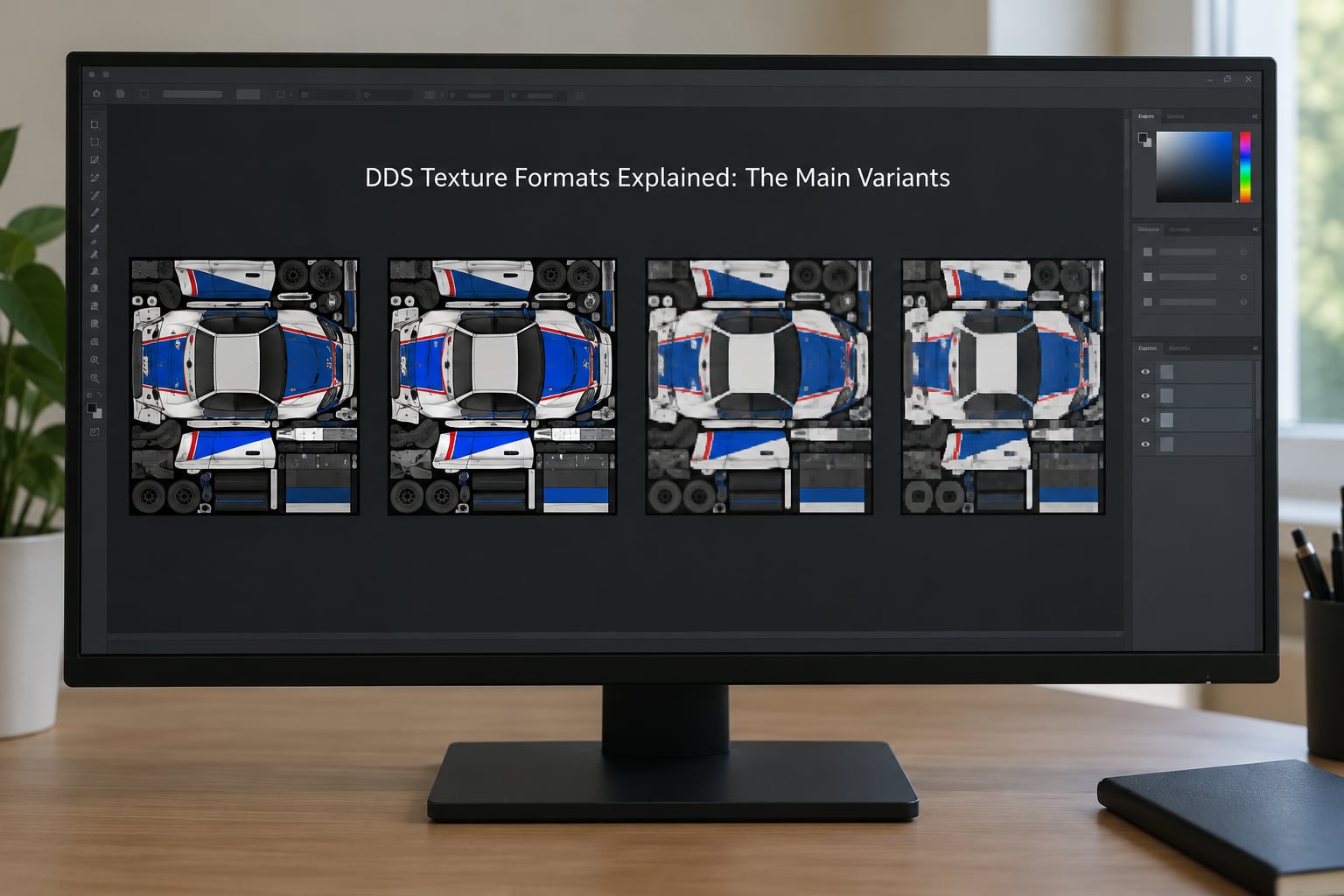
Here is everything on one page. The Alias column is the part that saves the most confusion: DXT1 and BC1 are the same compression scheme under two names, and so are DXT2 with BC2, DXT3 with BC2, and DXT5 with BC3. Older documentation and older tools use the DXT names because that is what Direct3D 9 called them.
| Format | Also called | Bits per texel | Alpha handling | Minimum DirectX | Typical mod use |
|---|---|---|---|---|---|
| DXT1 | BC1, BC1a | 4 bpp | 1-bit, fully transparent or fully opaque | DirectX 8 | Vehicle bodies, walls, opaque clothing, road surfaces |
| DXT2 | BC2 premultiplied | 8 bpp | Explicit 4-bit, premultiplied | DirectX 8 | Rarely used, historically for alpha in older engines |
| DXT3 | BC2 | 8 bpp | Explicit 4-bit, straight | DirectX 8 | Hard-edged cutouts, decals with crisp borders |
| DXT4 | BC3 premultiplied | 8 bpp | Interpolated 8-bit, premultiplied | DirectX 8 | Premultiplied alpha workflows |
| DXT5 | BC3 | 8 bpp | Interpolated 8-bit | DirectX 8 | Glass, fences, hair, foliage, decals, anything with soft alpha |
| BC4 | ATI4, 3DC+ single | 4 bpp | One single channel | DirectX 10 | Single-channel masks, roughness, height |
| BC5 | ATI5, 3DC+ dual | 8 bpp | Two single channels | DirectX 10 | Normal maps, packed mask maps |
| BC6H | None | 8 bpp | None, high dynamic range | DirectX 11 | HDR emissive and environment maps |
| BC7 | None | 8 bpp | Interpolated 8-bit, best quality | DirectX 11 | Maximum quality colour and normal maps on modern engines |
| A8R8G8B8 | Uncompressed 32 bpp | 32 bpp | Full 8-bit | DirectX 8 | Small UI, icon and lookup textures that must be exact |
One more naming note that catches people out constantly. BC1a is not a separate format, it is BC1 chosen with the alpha option switched on, which turns its single-bit alpha channel on. That is the cheap way to get a transparent texture at half the size of BC3, and it suits cutouts with no soft edges.
How DDS Compression Works
Every BCn format chops your image into 4 by 4 blocks of pixels, so 16 texels at a time, and stores each block in a fixed number of bytes. BC1 spends 4 bytes per block, which works out to 4 bits per pixel. BC3 spends 8 bytes per block, which is 8 bits per pixel. That single number is why every file size in this article is a multiple of the other.
Inside those 8 bytes, a block stores two endpoint colours and a small index per texel telling the hardware how to mix between them. BC3 spends the extra 4 bytes on two endpoint alpha values instead. Both the encoder and the decoder follow the same fixed rules, so a block has to look like it is made of a smooth gradient between two points in colour space. A block with a sharp checkerboard in it has no good description, so the encoder rounds and you see it.
That is the source of every compression artifact you will meet: a 4 by 4 square that looks wrong, a smooth gradient that turns into visible steps, or a transparent edge that bleeds colour from the neighbouring texels.
The decoding itself is fixed-function hardware, not something your graphics card does with general shader maths. That is why there is rarely any frame rate difference between BC3 and BC7 once both are uploaded, as mod authors on r/skyrimmods have pointed out repeatedly. The argument for the lower format is disk size and video memory, not speed.
How DDS Texture Formats Are Stored
The file opens with a header of a fixed 124 bytes, and it carries the image dimensions, the pixel format, a set of channel masks telling the loader where red, green, blue and alpha actually sit in memory, and flags for things like mipmap count and cubemap layout. Most converters write sensible values and you never need to touch any of it.
After the header comes the surface data, top mipmap first. A mipmap is a half-size copy of the texture, and the chain continues down to 1 by 1. Engines sample the level that matches how far away the surface is, which keeps distant objects from shimmering, and that is why skipping mipmaps is a valid quality trade some tools offer.
Beyond that the same container holds cubemaps for skyboxes, where six faces are stored in sequence, and texture arrays, where several same-size textures are stacked and indexed as layers. No Man’s Sky terrain atlases are a good example of the array type in the wild, with a volume of layers and a fixed mip count.
So why does a valid image still fail after conversion? Usually the header, not the pixels. A texture with the right colours and dimensions but a mip count the engine did not expect, an unusual block layout, or a colour mask the shader does not read will render black, render untextured, or get skipped with an error that tells you nothing useful.
Which DDS Format Should You Use for Mods?
Match the format to what the material does, then check the engine. As a starting point: DXT1 or BC1 for anything with no transparency, DXT5 or BC3 for anything with soft transparency, BC5 for normal maps when the engine supports it, and BC7 for maximum quality when you know the game runs on DirectX 11 or newer.
| What the texture has to do | Format to pick | Why |
|---|---|---|
| Solid colour, no transparency at all | DXT1 / BC1 | Half the size of BC3 with almost no visible loss on painted surfaces |
| Hard cutout, no soft edges | DXT1 with alpha / BC1a | Transparent or opaque is all a fence or a window frame needs |
| Crisp 4-bit cutout | DXT3 / BC2 | Explicit alpha, no colour bleeding into the border |
| Smooth transparency: hair, glass, foliage, decals | DXT5 / BC3 | Interpolated alpha gradients, the safe default for anything with alpha |
| Normal map | BC5, else DXT5 / BC3 | Two channels, no cross-channel colour bleeding, clean edges |
| Specular, gloss, roughness or AO in one channel | BC4 | One channel only, so no wasted space |
| Packed mask map with two channels | BC5 | Two channels at half the cost of full colour |
| High dynamic range emissive or skybox | BC6H | Float range, DirectX 11 or newer only |
| Texture pack where quality matters most | BC7 | Near-lossless at BC3 file size, DirectX 11 or newer only |
| Small UI or icon texture that must be exact | Uncompressed A8R8G8B8 | At 512 by 512 the size is irrelevant, crispness is not |
DDS Texture Formats Explained for Different Game Assets
Vehicle bodies and weapon skins are painted surfaces with no transparency, so DXT1 or BC1 is the sensible default and cuts your download roughly in half against the DXT5-everything habit. Glass, window frames, chain-link fences, tree cards and hair want DXT5 or BC3 because their alpha edges are soft and BC3’s interpolated alpha is what keeps them from looking chewed.
Clothing is split. Opaque jackets and trousers are BC1. Anything with a lace trim, a torn edge or a cut-out pattern is BC3, or BC1a if the edges are hard enough that you would not see the difference.
Decals and signage sit on the boundary. A decal with a hard stencil edge works well in DXT3, since explicit 4-bit alpha will not drag the colour of the lettering into the transparent border the way interpolated alpha can. Signs with soft edges or weathering around the edges go to DXT5.
Water surfaces are worth special mention. Animated water usually combines a colour map with a normal map and an alpha channel for the foam mask, so the diffuse is BC3 and the normal is BC5 or BC3 depending on whether the shader reads specular from its alpha slot.
Terrain and ground atlases are pure opaque, which makes them the biggest saving available. HUD elements, icons and logo textures are small and need exact edges, so uncompressed A8R8G8B8 costs you almost nothing and removes compression from the equation entirely.
Engine Quirks That Override the Default
General advice loses to engine rules, every time. In Cities of Heroes the gloss map logic is inverted, so darker means glossier, and the specular map is packed into the alpha channel of the bump map, which is why a normal map with no alpha makes the surface read as pure white specular and look blown out.
No Man’s Sky uses flipped red and green channels on its normal maps relative to the standard, and its terrain atlases have a fixed per-map format with a fixed number of mip levels, so matching the original is the only safe move. In No Man’s Sky specifically the diffuse maps are DXT1 and the supporting HSV maps carry their own format.
Modders on forums.nexusmods.com and r/fo76 report the same underlying problem in different engines: a texture gets ignored because its dimensions do not match the hard-coded original size, and the log line says nothing about the real cause. Never resize a stock texture to a tidier power of two unless the mod format specifically allows it.
BC7 and BC6H need DirectX 11 or newer. On older engines they are decoded on the CPU, which costs loading time and can stall, and some will not load at all. If a game predates DirectX 11, stay on BC3.
How to Choose the Right Compression Settings
Beyond the format itself, a handful of flags decide whether the result looks right. The sRGB flag tells the engine to convert the texture from gamma space to linear on load. Colour maps want it on, and data maps like normal, roughness and ambient occlusion want it off, because the engine handles those values itself.
Normal maps need their own handling. Most modern compressors have a normal map mode that stores the red and green channels as two separate compressed channels, which is what BC5 does natively, and a legacy mode that forces the normal map into the colour channels of a BC1 or BC3 block. The legacy mode is what produces purple surfaces and banding in smooth gradients.
Alpha settings come down to two choices: include an alpha channel or not. If your image has no meaningful transparency, turning alpha off is what lets the encoder use the cheaper 4 bits per pixel in BC1. Mipmap generation is the checkbox that builds the size chain, and most mod formats expect it, so unless the tool warns you otherwise, leave it on.
File size is where the format choice becomes obvious. These are the standard sizes before mipmaps, and adding the mip chain multiplies them by about a third.
| Resolution | BC1 / DXT1 | BC3 / DXT5 | BC7 | Uncompressed 32 bpp |
|---|---|---|---|---|
| 1024 x 1024 | 0.5 MB | 1 MB | 1 MB | 4 MB |
| 2048 x 2048 | 2 MB | 4 MB | 4 MB | 16 MB |
| 4096 x 4096 | 8 MB | 16 MB | 16 MB | 64 MB |
A 4K BC3 texture with its full mip chain comes out around 21.3 MB, and BC7 lands on the same number. That is the argument for BC7 on a DirectX 11 game: the same download size, visibly better gradients, no frame rate penalty once decoded. r/skyrimmods has spent years concluding exactly that for Skyrim SE, and it holds for Fallout 4 as well.
What does not hold is using it everywhere. A folder of 200 vehicle skins in BC7 instead of BC1 costs gigabytes of download and video memory for surfaces that have no alpha to preserve.
How to Convert and Export DDS Files Without Errors
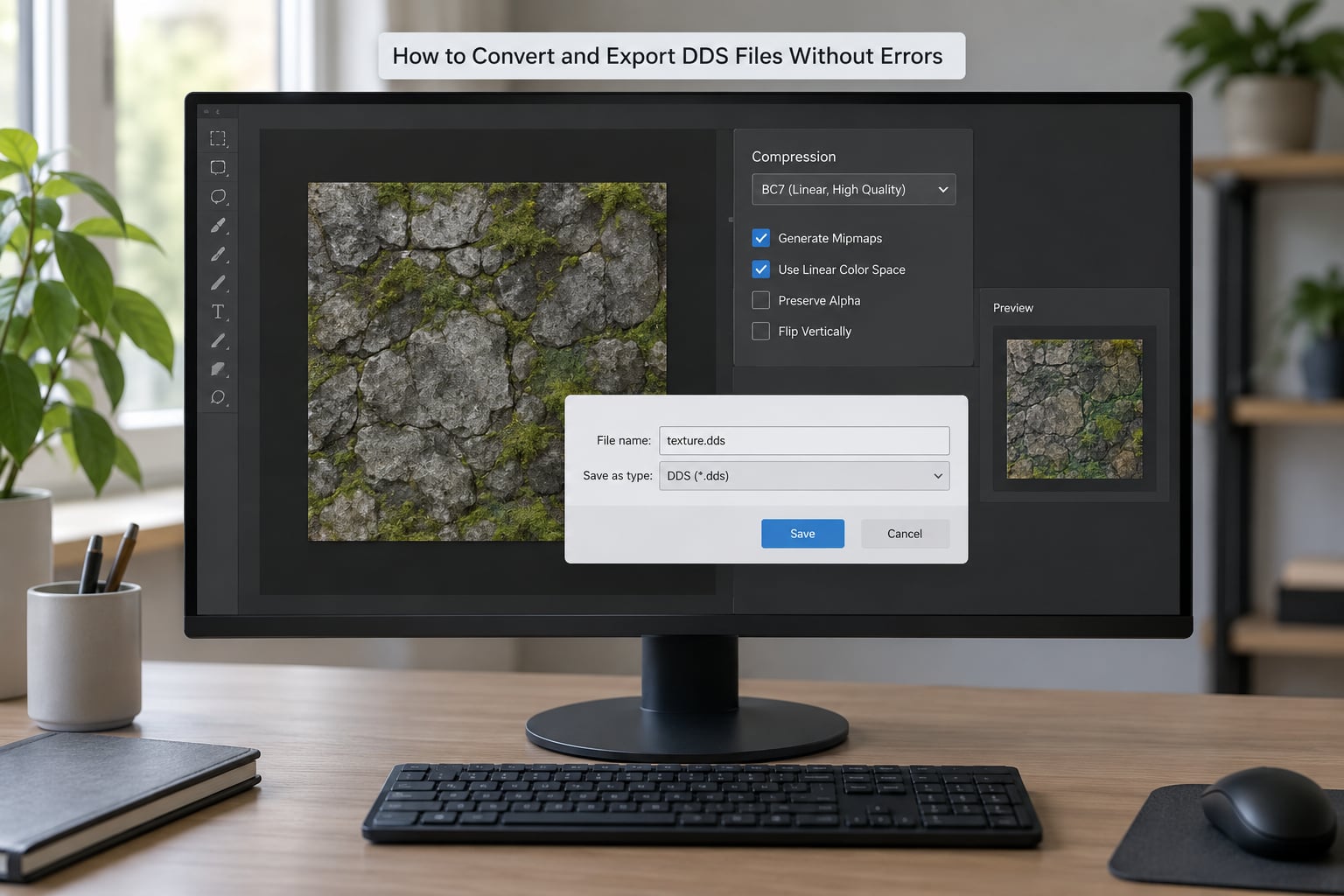
Keep a lossless master. Edit in PSD, TGA or PNG, and only produce the DDS for shipping. Opening a compressed DDS, tweaking it and saving again applies a second round of compression to already-lost data, and a texture that has been through three round trips looks tired even if each individual save looked fine. This is the single most avoidable mistake in the whole workflow.
In Photoshop, the current replacement for the retired NVIDIA DDS plugin is the NVIDIA Texture Tools Exporter, which adds a Save As DDS option and a normal map generation filter. Choose the map type from the presets, set the format to match the engine, keep sRGB on for colour maps, and let it generate mipmaps. The old plugin is gone, so any tutorial built around it is teaching a dead tool.
In GIMP, the Dds plugin handles both save and load and exposes the compression list directly in the export dialog. Paint.NET’s Dds plugin works the same way and is a reasonable option for a quick format swap on an existing file. Photopea runs in the browser, needs no install and has DDS export built in, which makes it the fastest way to check what a format does to your image before committing.
For bulk work, Microsoft’s DirectXTex and the Compressonator command line will convert a whole folder in one pass with a single format setting, and ImageMagick will read and write DDS for simpler jobs.
Whichever tool you use, run this five-step pass before you ship anything:
- Confirm the dimensions match the original stock texture exactly, in pixels, in both directions.
- Confirm the colour mode, RGB for colour maps and a two-channel or three-channel setup for normal and mask maps.
- Pick the format from the job, not from what last texture happened to use.
- Set sRGB for colour maps and turn it off for normal, roughness and mask maps.
- Save, then close and reopen the file and look at it at 100 percent, and load it in the modding tool to confirm it is not black.
That last step catches almost everything. A format the game cannot read usually shows up as an empty slot in the model viewer, not as an error message.
Common DDS Problems and How to Fix Them
Black or fully transparent texture. Almost always a header or channel issue rather than a colour one. Check that the file actually carries an alpha channel when you expect transparency, that the dimensions are the stock size, and that you did not save a premultiplied variant where the engine expects straight alpha. If the model viewer shows the slot as empty, the engine did not recognise the format at all.
Purple or inverted normal maps. The classic three causes: the normal map was exported as colour without normal map mode, the sRGB flag was left on so the engine gamma-corrected your vectors, or the red and green channels are swapped for that engine. Export in BC5, turn sRGB off, and if it is still wrong, swap red and green in the source before exporting.
Surfaces that are too shiny. A normal map with no alpha channel makes the engine fall back to a pure white specular map, so everything reflects like polished plastic. This is a widely reported gotcha on r/skyrimmods. Add a specular map into the alpha channel, and export as BC3 rather than BC1.
Alpha that looks like a chewed hole. That is 1-bit alpha doing exactly what it does, cutting every texel to transparent or opaque. Move from BC1 to DXT5 or BC3 for smooth gradients, or to DXT3 if you want crisp borders without the colour bleeding.
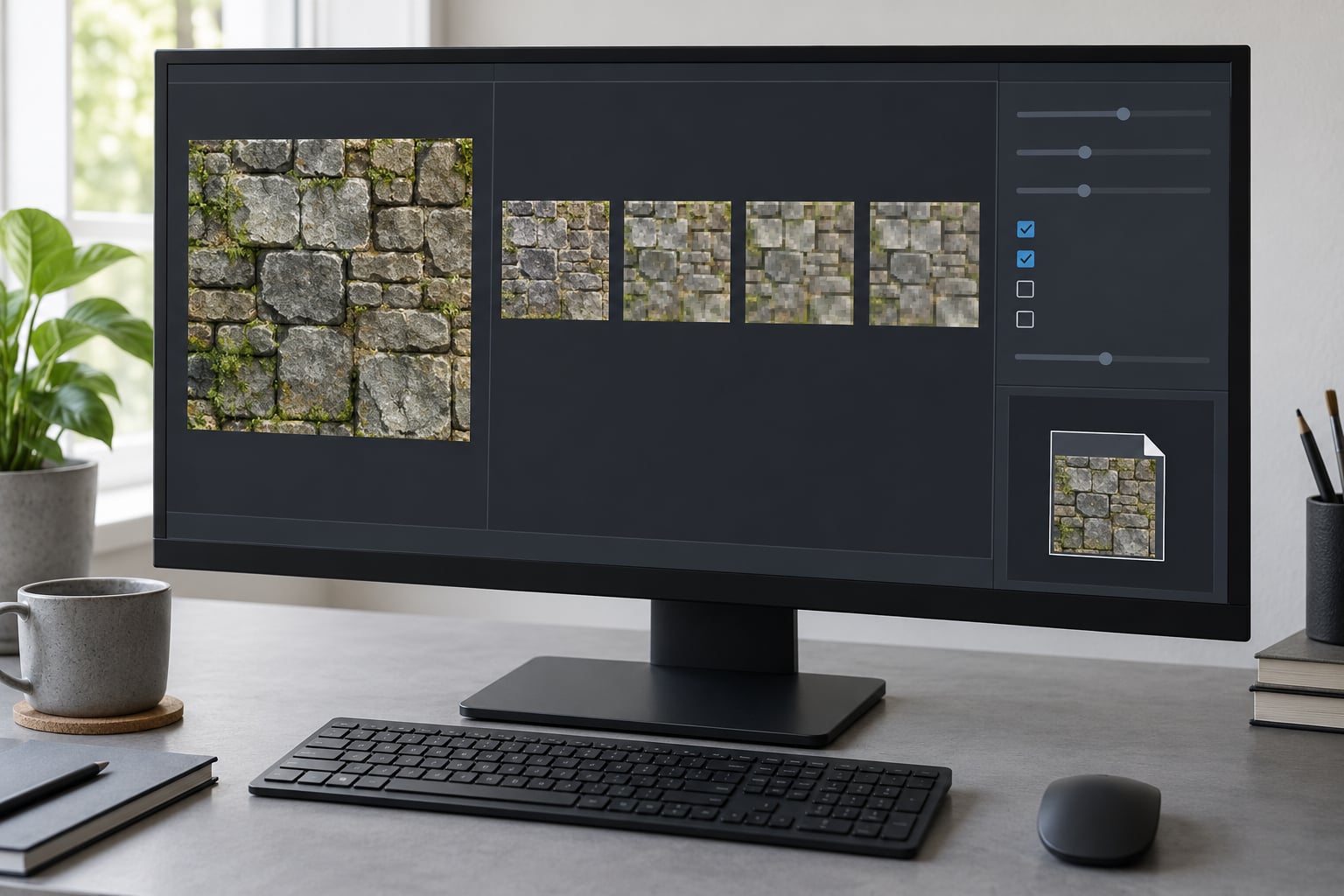
Blocky or banded surfaces. Expected on 4 by 4 blocks when the source has fine detail. Raising the encoder quality setting helps a little, BC7 helps considerably, and splitting the texture into more, smaller textures helps more than any format change.
Everything looks washed out or too dark. The sRGB flag is set the wrong way round, or the source PNG carried a profile the converter handled differently than you expected. Toggle the flag, save, and compare against the untouched stock texture side by side.
The game refuses the file. Check the dimensions first, since that is the most common rejection and gives the least useful error. Then check the format against the engine list, and remember that DirectX 11-only formats will not load on older titles.
Frequently Asked Questions
What is the best DDS format for most game mods?
DXT1 or BC1 for anything fully opaque, and DXT5 or BC3 for anything with transparency. Those two cover the large majority of mod textures. On games that run on DirectX 11 or newer, BC7 is a free upgrade in quality at the same file size as BC3, but it is not safe on older engines because it is decoded on the CPU. BC1 for opaque work roughly halves your download size against BC3.
Is DXT5 the same as BC3?
Yes, they are two names for the same compression scheme. Direct3D 9 called the S3TC formats DXT1 through DXT5, and Direct3D 10 onwards renamed them BC1 through BC3 to fit a wider family. So DXT1 equals BC1, DXT3 and DXT2 both equal BC2, and DXT5 equals BC3. The naming switch is the single most common source of confusion when mod authors compare a wiki page written in 2006 with a save dialog from this year.
Can Adobe Photoshop open and save DDS files?
Photoshop needs a plugin. The NVIDIA DDS plugin that most old tutorials teach has been retired, and its replacement is the NVIDIA Texture Tools Exporter, which works with recent Photoshop versions and adds both a Save As DDS option and a normal map generation filter. GIMP, Paint.NET and Photopea all handle DDS without a paid plugin, and Photopea needs no installation at all, which makes it the fastest way to test a format.
Which DDS format supports transparency best?
DXT5 or BC3, with its interpolated 8-bit alpha. It stores two endpoint alpha values per 4 by 4 block and blends between them, so gradients stay smooth. DXT1 stores one bit per texel, meaning fully transparent or fully opaque with no in-between, which is why cutouts in BC1 look like they have holes. DXT3 or BC2 stores explicit 4-bit alpha with no interpolation, giving crisp edges without the colour bleeding that interpolated alpha can cause. For hair, glass and foliage, BC3 is the answer.
Should normal maps use the same DDS format as color textures?
No. Export normal maps as BC5 where the engine supports it, because it stores the red and green channels as two independently compressed single channels, which avoids the colour artefacts that ruin a normal map in BC1 or BC3. If the engine does not accept BC5, fall back to DXT5 or BC3 rather than BC1, and pack your specular map into the alpha channel. Always turn the sRGB flag off for normal maps, or the engine will gamma-correct your vectors and the lighting will look wrong.
Conclusion
Match the job to the most compatible format first: BC1 for opaque, BC3 for soft alpha, BC5 for normals, BC7 only when you know the engine handles DirectX 11. Then export one small test, open it in the modding tool, and check it is not black before you convert the whole set.
Keep your master files in PNG or TGA, and never re-save a compressed DDS as your working copy. That single habit removes most of the quality complaints people bring to texture threads, and it costs nothing.