GTA V ships with hundreds of enterable doors that lead nowhere, open into a void, or sit sealed behind a locked shell. Interior mods like Enable All Interiors and Open All Interiors wire those doors to the interiors Rockstar already built, so you can walk into apartments, mansions and gang hideouts instead of bouncing off the wall. This guide covers how to install interior mods that let you enter buildings on PC: the mod files go into a scripts folder inside your GTA V directory, they need ScriptHookV and ScriptHookVDotNet plus .NET Framework 4.8, and most of them need Online Maps turned on through a trainer. Budget about 20 minutes, and expect to read a mod page carefully before you start.
One thing to clear up first: this is PC only. PS4, PS5 and Xbox players cannot install any of these mods, and no current console version of GTA V changes that. If you searched for a PS5 install guide and landed here, that is the whole answer.
Table of Contents
- 1What You Need
- 2Step-by-Step: How to Install Interior Mods That Let You Enter Buildings
- 31. Check the Game Version and Enable All Interiors Requirements
- 42. Back Up the Files You Will Replace
- 53. Install ScriptHookV, ScriptHookVDotNet and .NET Framework 4.8
- 64. Add the Interior Mod Files
- 75. Install Door, IPL, and Dependency Files
- 86. Launch the Game and Test the Building
- 9Common Mistakes
- 10Frequently Asked Questions
- 11How do I install the Enable All Interiors mod in GTA V Enhanced?
- 12How do I install the Open All Interiors mod in GTA 5?
- 13Why do I fall through the floor when entering a modded interior?
- 14Do interior mods work on PS4, PS5 or Xbox?
- 15Which interior mod should I install?
- 16Do these mods work in GTA Online or on FiveM servers?
What You Need
Five things, and you cannot skip the first three. Everything else depends on which of the four main interior mods you pick.
- Your game edition. GTA V Legacy on PC or the Enhanced edition released in 2025. They need different ScriptHookVDotNet builds, and this is where most installs go wrong.
- ScriptHookV in your GTA V folder. This is the base hook every script mod needs.
- ScriptHookVDotNet in the same folder. Use the Nightly build on Legacy and the dedicated Enhanced build on Enhanced.
- .NET Framework 4.8, installed on Windows. SHVDN3 will not load without it.
- LemonUI (the LemonUI.SHVDN3 files) if the mod page lists it as a requirement. This is the single most common reason the mod silently does nothing.
Then pick a mod. They overlap and they are not the same thing, which is where most confusion starts.
| Mod | Author | What it opens | Best for |
|---|---|---|---|
| Enable All Interiors | Modding community | Every interior Rockstar shipped, including the GTA Online ones | Getting the full apartment and office set working |
| Open All Interiors | NewTheft | Interiors present in the game files even when they were cut from the final build | Exploration and finding the hidden rooms |
| Enterable Interiors | jaydenwasd | Homes and buildings that never had any interior at all, lighter and more focused | Players who want enterable houses without the load |
| InteriorsV | Community | A third-party set of interior IPLs and collisions used alongside the others | Pairing with the above when mid-class apartments fail |
The mods page for each one lists its own dependencies. Read that requirements line before you download anything, because Enable All Interiors and Enterable Interiors do not need the same files. Enterable Interiors version 1.7 and later load their IPLs and collisions on their own, which removes the old dependency on Enable All Interiors. That is the version you want.
You also need a clean, verified game installation and a trainer you trust for the Online Maps toggle. Simple Trainer is the usual choice because it exposes that toggle directly. Menyoo or Modest Menu work too, as long as you can turn Online Maps on at launch.
OpenIV is only needed if the mod ships map, collision or IPL files that go into the x64 or mods folders. Script-only mods never touch OpenIV.
Step-by-Step: How to Install Interior Mods That Let You Enter Buildings
1. Check the Game Version and Enable All Interiors Requirements
Right-click GTA V in your launcher and look at the properties panel. You are looking for two things: whether you own Legacy or Enhanced, and the current build number. Legacy builds are labelled with numbers like 1.0.3889, and a build showing 3028 tells you which update you are on.
Write that number down and hold it next to the mod page. If the mod was last updated before your game updated, expect problems. Version drift is the most reported issue in this whole niche, and it has nothing to do with your install being wrong.
2. Back Up the Files You Will Replace
Copy your existing scripts folder to a backup location outside the game directory before you add anything. If the folder does not exist yet, you are starting clean, which makes this step easy.
Two safety notes while you are here. These mods are for Story Mode, and using them in GTA Online or on a FiveM server breaks under you. Second, nothing you do here touches your Rockstar account, but it is still against the terms to use mods online, so keep it in single-player.
3. Install ScriptHookV, ScriptHookVDotNet and .NET Framework 4.8
Install .NET Framework 4.8 from Microsoft first, and let it finish. Next, copy the ScriptHookV files into your GTA V folder. That means dinput8.dll, ScriptHookV.dll and the NativeTrainer.asi file, all sitting directly in the GTA V directory, not in a subfolder.
Then do the same with ScriptHookVDotNet: ScriptHookVDotNet3.dll, ScriptHookVDotNet2.dll if present, and ScriptHookVDotNet.ini. On Legacy, grab the Nightly build from the community ScriptHookVDotNet page. On Enhanced, download the build that says Enhanced. Using the Nightly build on an Enhanced install is the version-specific mistake people hit most.
On Steam the folder usually sits under steamappscommonGrand Theft Auto V. If you use Rockstar Games Launcher or Epic, check the install location you chose, because the launcher does not always use the Steam path.
If the mod includes OpenIV files, install OpenIV and point it at your GTA V folder. It will ask you to confirm the game folder the first time, and it will prompt you to switch the mods folder into edit mode before you paste anything in.
4. Add the Interior Mod Files
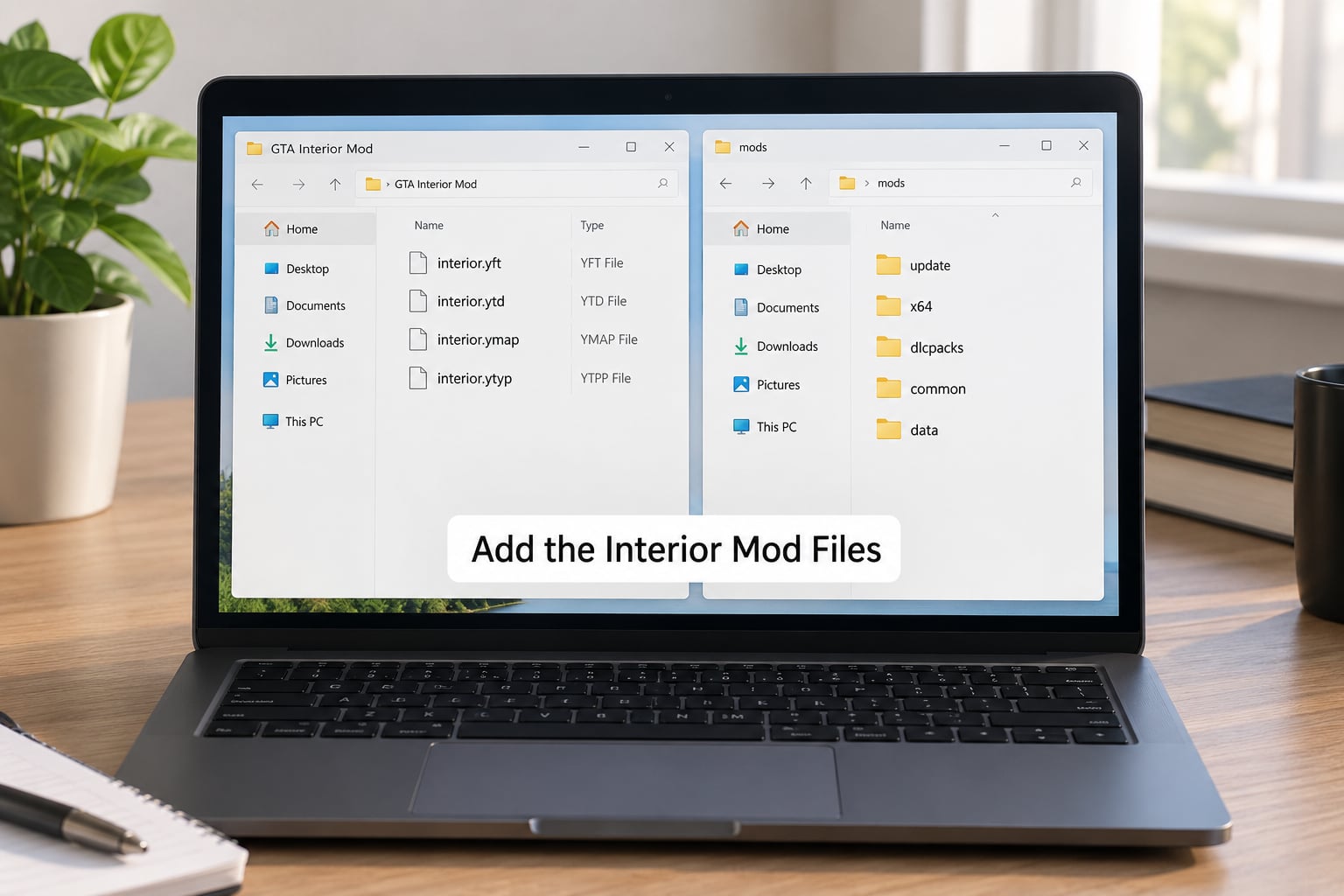
Create a folder called scripts inside your GTA V directory if it is not already there. Copy the mod’s .cs and .dll files into it, along with any .ini file the download includes. That .ini is your per-interior switchboard, and it is worth opening in Notepad so you know which entries you can turn off later.
For any .ytd, .ybn, .ymap or .ytyp files, do not drop them in scripts. These go into x64 inside the mods folder, usually at modsupdateupdatex64dlcpacks or a named pack folder the mod author lists. OpenIV prompts you to click Edit mode and then No when it asks about folder ownership. Answering No is correct here.
5. Install Door, IPL, and Dependency Files
This is the step where a working install becomes a broken one. If the mod page mentions LemonUI, download it, extract the LemonUI.SHVDN3 folder and drop it into your GTA V directory so the path reads GTA VLemonUI.SHVDN3. Users who skip this end up with a mod that loads fine and does nothing.
Several of these mods also need Online Maps enabled, which loads the GTA Online map parts in Story Mode. Open the trainer, turn on Online Maps from its options panel, and keep the trainer open. Without it, mid and upper-class apartments load their door but not their floor, and you fall through into the void.
Doors come in two flavours. Marker mods drop a coloured marker at each entrance; press E to teleport in. Blip mods add a map marker you can search for instead. Some releases do both, and the colours are matched so blip colours and marker colours line up.
6. Launch the Game and Test the Building
Start Story Mode, not Online. Let the world load, open the trainer, switch Online Maps on if it is not already active, then walk to a door that does nothing in the base game. If a marker is there, press E. If you hear the door move and the interior loads with collision under your feet, the install worked.
Check the pause map for blips too. Blips present but broken interiors means the IPLs did not load. Interiors working but no blips means only the marker half of the mod loaded.
Expect a small frame-rate dip once you walk into an interior, and a bigger one if you stack several interior mods together. Loading dozens of IPLs at once is the usual cause of low FPS in dense areas like downtown Vinewood.
Common Mistakes
Almost every failure in this niche maps to one of these. Work down the table in order rather than reinstalling everything.
| Symptom | Likely cause | Fix |
|---|---|---|
| Mod does nothing at all, no markers | LemonUI or SHVDN3 dependency missing | Install LemonUI.SHVDN3 into the GTA V folder and relaunch |
| Mod worked, then stopped after a game update | Version drift | Check your build number against the mod’s last-updated date and update the mod |
| Falls into the void when entering the door | Online Maps not enabled | Turn on Online Maps in Simple Trainer at launch |
| Door will not open, or blocks you on the way out | You exited an interior you did not enter through the mod | Re-enter through the entrance marker; the mod has no exit logic for foreign entries |
| Game freezes on load | MP map component clashing with an existing mods folder or openiv.asi | Rename your mods folder temporarily and launch with only the interior mod installed |
| Wrong folder, nothing loads | Files dropped into scripts instead of x64, or vice versa | Move ytd, ybn, ymap and ytyp files to the x64 folder the author lists |
| Crashes when a specific door opens | Two interior mods requesting the same IPL | Enable one mod at a time to find the pair that conflicts |
| Menu or keybind does not respond | Wrong SHVDN build for your edition | Swap Nightly for the Enhanced build, or the reverse |
That conflict-isolation trick deserves repeating because it is the fastest diagnostic there is. Rename your mods folder to something else, launch the game with only the interior mod active, and the game either works or it does not. Rename the folder back afterwards.
To uninstall, delete the mod’s files from scripts and from x64, remove the .ini file, then delete LemonUI if nothing else uses it. Your backup copy restores the folder to its previous state in seconds.
Frequently Asked Questions
How do I install the Enable All Interiors mod in GTA V Enhanced?
Use the Enhanced build of ScriptHookVDotNet rather than the Nightly build, then copy the mod files into a scripts folder inside your GTA V directory exactly as you would on Legacy. The file placement is identical; only the SHVDN build differs. If the mod does nothing after installing, add LemonUI.SHVDN3 to the GTA V folder and enable Online Maps through a trainer at launch.
How do I install the Open All Interiors mod in GTA 5?
Download the mod, check its requirements line, and install ScriptHookV plus ScriptHookVDotNet in your GTA V folder. Create a scripts folder and copy the mod’s .cs, .dll and .ini files into it. Launch Story Mode with Online Maps enabled through Simple Trainer, then press E at the entrance markers. No OpenIV work is needed unless the release includes map or collision files.
Why do I fall through the floor when entering a modded interior?
The interior models load but the streamed level files for them do not, so there is no collision under your feet. The usual cause is that Online Maps is not enabled. Open Simple Trainer, switch Online Maps on, and relaunch Story Mode. If it still happens on a mid or upper-class apartment specifically, that interior may need InteriorsV installed alongside the main mod.
Do interior mods work on PS4, PS5 or Xbox?
No. These mods are script mods built on ScriptHookV, which needs direct file access to the game directory, and no current console version of GTA V offers that. Console players get the interiors Rockstar shipped and nothing more. If you want enterable buildings, you need the PC version on Steam, Epic Games Store or Rockstar Games Launcher.
Which interior mod should I install?
Start with Enterable Interiors if you want homes that never had interiors, since version 1.7 and later load their IPLs and collisions independently. Use Enable All Interiors if you want the full set Rockstar shipped, including the GTA Online apartments. Add InteriorsV when a specific class of interior keeps failing to load. Install one at a time so you know which one is causing a problem.
Do these mods work in GTA Online or on FiveM servers?
No. They are Story Mode scripts and they have no effect on GTA Online, and they cannot be transferred to FiveM servers, which load their own streamed assets. Running them online also breaks the terms of service. Use them in single-player only, and keep your FiveM or GTA Online sessions on a separate, unmodified game folder if you play both.
Start with the dependency check and the file copy, because that is where a working install comes from. Install .NET Framework 4.8 first, add ScriptHookV and the right ScriptHookVDotNet build for your edition, drop the mod files into scripts, and confirm your game build matches the mod’s last update. Last reviewed against GTA V Legacy builds 1.0.3889 and 3028 and the Enhanced edition, October 2026.