If you are searching for how to fix missing dinput8 dll errors, the fix almost always comes down to one file in one folder: the game’s main directory, not the Windows system folder. A dinput8.dll sitting next to a game executable is a proxy DLL used by ScriptHookV and the Ultimate ASI Loader to load .asi mods, and a missing, mismatched, quarantined or anti-cheat-blocked copy is what produces the error.
Start here: close the game, rename the existing dinput8.dll to something else so Windows stops loading it, and relaunch. If the game launches cleanly, you have found the cause and your mods are still intact. Everything below explains how to do that without losing your setup.
Last checked in 2026. Game patches and anti-cheat updates regularly break workarounds that worked last month, so treat each step as something to verify rather than a permanent rule.
The seven steps in a nutshell:
- Close the game completely and write down the exact error message.
- Find the real game folder, usually
Steamsteamappscommon<game name>. - Look for a dinput8.dll already sitting in that folder.
- Rename it rather than delete it, then relaunch.
- If nothing was there, install the proxy DLL from a primary source in the right bitness.
- Run the platform’s verify or repair function for damaged game files.
- Launch with one mod active at a time to confirm the error is gone.
Table of Contents
- 1What You Need to Fix Missing dinput8 DLL Errors
- 2Before you start, gather these
- 3Step-by-Step
- 41. Close the game and check the exact error
- 52. Locate the game’s main folder
- 63. Check whether a dinput8 DLL is already present
- 74. Reinstall the affected mod or dependency
- 85. Verify the DLL matches the game and architecture
- 96. Repair or restore original game files
- 107. Test the game in a clean launch
- 11Common Mistakes
- 12Frequently Asked Questions
- 13Should I delete dinput8.dll, and will that break my mods?
- 14Is dinput8.dll a virus or a trojan?
- 15Where exactly do I put dinput8.dll – the game folder or System32?
- 16Why does my game crash only at the story mode loading screen?
- 17Do GTA V Enhanced and Legacy need a different dinput8.dll?
- 18My controller and mouse stopped working after installing ScriptHookV. Is that related?
- 19Conclusion
What You Need to Fix Missing dinput8 DLL Errors
First, the definition. dinput8.dll is a Windows library that exposes the DirectInput 8 API, the interface older games use to read mouse, keyboard, joystick and force-feedback input. Modding tools hijack that library: because a program loads a DLL from its own folder before Windows searches System32, a modified dinput8.dll placed beside the game executable runs first and loads extra plugins. That is the whole trick.
The trouble starts when that file is missing, built for the wrong architecture, removed by antivirus, blocked by BattlEye, or replaced by a different proxy DLL such as version.dll. When it fails, you get either an explicit error box or a silent crash at the loading screen.
Before you start, gather these
- The affected game files. You need write access to the game root folder, not admin rights to Windows.
- The mod’s own instructions. Nearly every mod page lists the exact folder and the exact file it expects. Read it before moving anything.
- A proxy DLL from a primary source. For most setups that is the Ultimate ASI Loader release page on GitHub, or the official ScriptHookV download. Nothing else.
- A backup of your current folder contents. Copy your mods folder and any .asi files somewhere safe. Every fix below is reversible if you keep this.
- A way to confirm bitness. Right-click the game executable, Properties, then Details shows whether it is 32-bit or 64-bit. The DLL must match.
- Your antivirus quarantine list. Windows Defender keeps deleted or blocked files in Protection History under Virus and Threat Protection, so you can check whether dinput8.dll was removed.
Step-by-Step
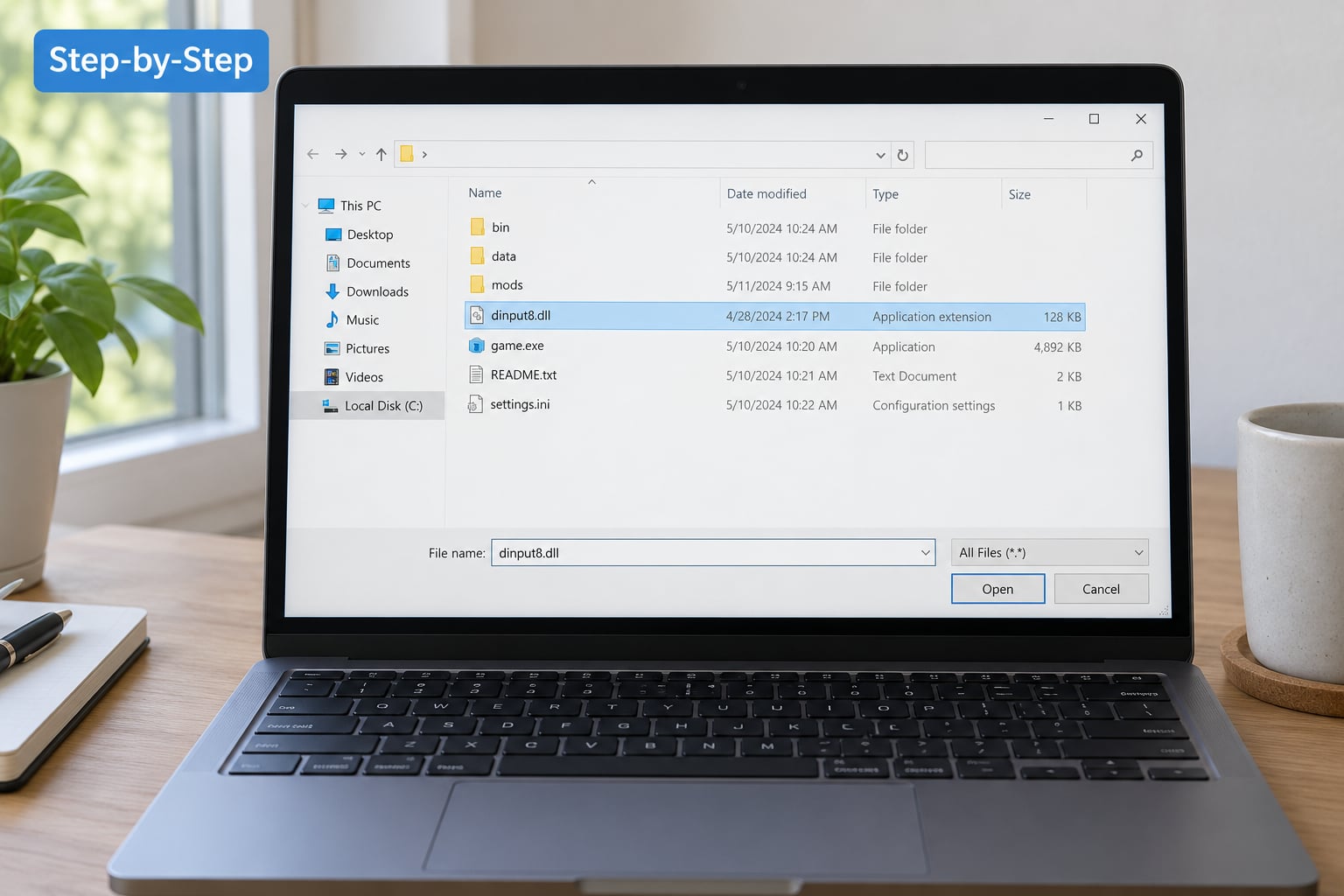
Work through these in order. Each step tells you how to do it and how to tell it worked, and each one ends with the game either launching or telling you something new.
1. Close the game and check the exact error
Quit the game from the taskbar or Steam, not just the window, so no process keeps the file locked. Then reproduce the error once and read the whole message. The wording tells you which category of problem you have, and this table maps the common strings:
| What you see | What it usually means | Go to |
|---|---|---|
| Blocked loading of file | Anti-cheat refused the proxy DLL, usually after a patch | Step 6 |
| The code execution cannot proceed because dinput8.dll was not found | The game needs the file and it is genuinely absent from the folder | Step 5 |
| dinput8.dll is not designed to run on Windows or it contains a bad image | Wrong bitness, or a truncated download | Step 5 |
| Crash on the story mode or loading screen, no message at all | Loader loaded, but something it chained failed | Step 3 and step 7 |
| Game runs fine, mods never appear | Loader present but plugins are in the wrong folder or wrong loader | Step 3 and step 7 |
| A non-game app reports a missing dinput8.dll | A real Windows library problem, not a mod issue | Check the file in System32 before touching any mod folder |
Write the message down or screenshot it. If it happens only after a game update, note that too, because it points at anti-cheat or a stale hook rather than anything you did.
2. Locate the game’s main folder
Right-click the game in your library, choose Manage, then Browse local files. On Steam that lands you in something like ...SteamLibrarysteamappscommonGTA V, and for Rockstar titles the executable sits in a subfolder. The dinput8.dll belongs beside the executable, in the same directory, not in scripts or mods folders.
Players often drop the file one level too high or too deep, and the loader never sees it. If you have several game libraries, confirm you are in the one the game actually launches from.
3. Check whether a dinput8 DLL is already present
Look in that folder now. If a dinput8.dll is already there, your job is diagnosis, not download. Right-click it and check Properties for the file size and a digital signature; a file of a few hundred bytes is a broken or placeholder download.
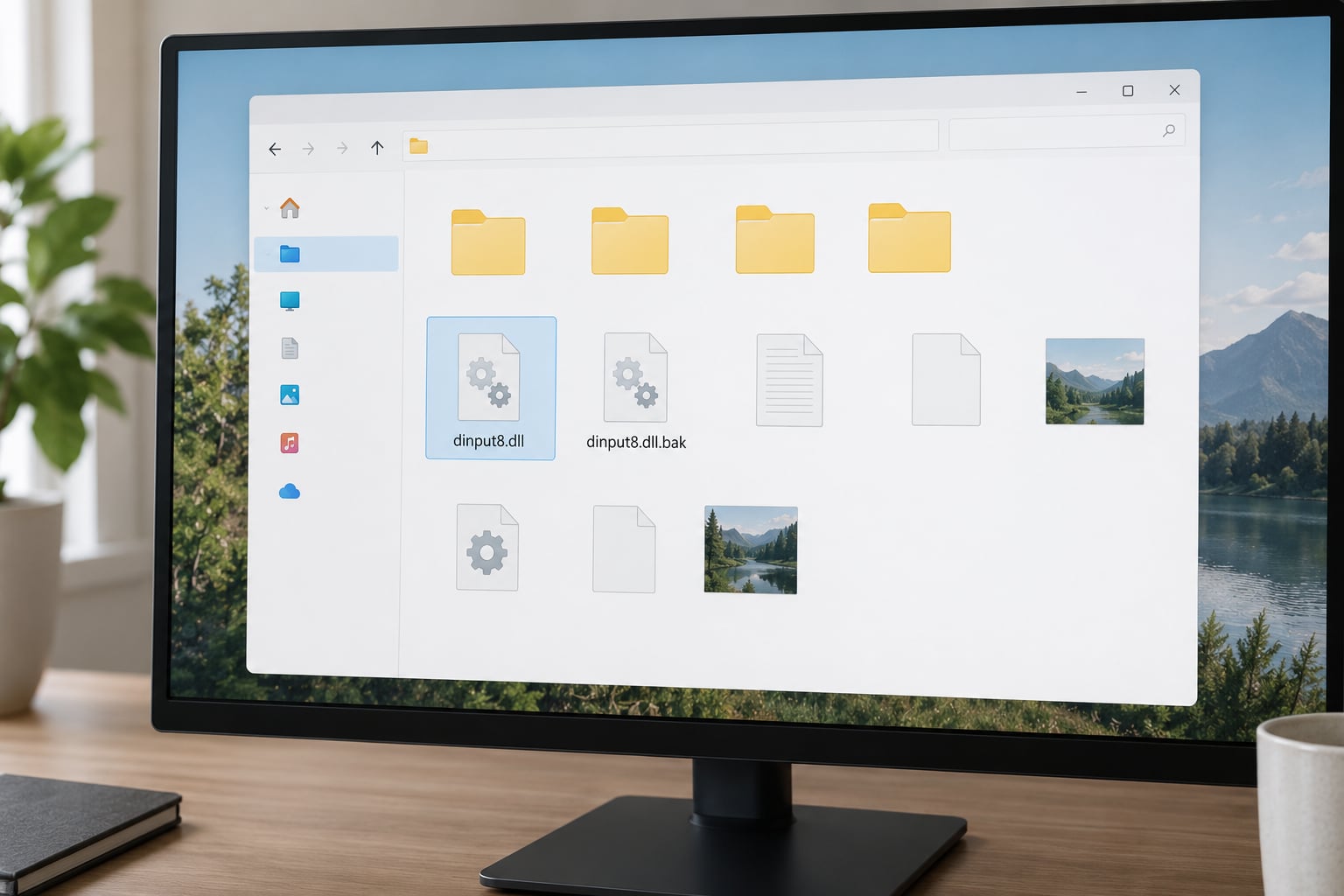
Rename it to something like dinput8.dll.bak and relaunch the game. This is the single most consistently reported fix across Reddit, Steam and NexusMods threads, and renaming rather than deleting keeps every mod intact so you can put it back in one click.
Users on r/GTA describe exactly this pattern: rename the file, the game launches again, and you rename it back after installing a fresh build. If the game launches with the file renamed, the loader itself is your problem and step 4 is where you fix it properly.
4. Reinstall the affected mod or dependency
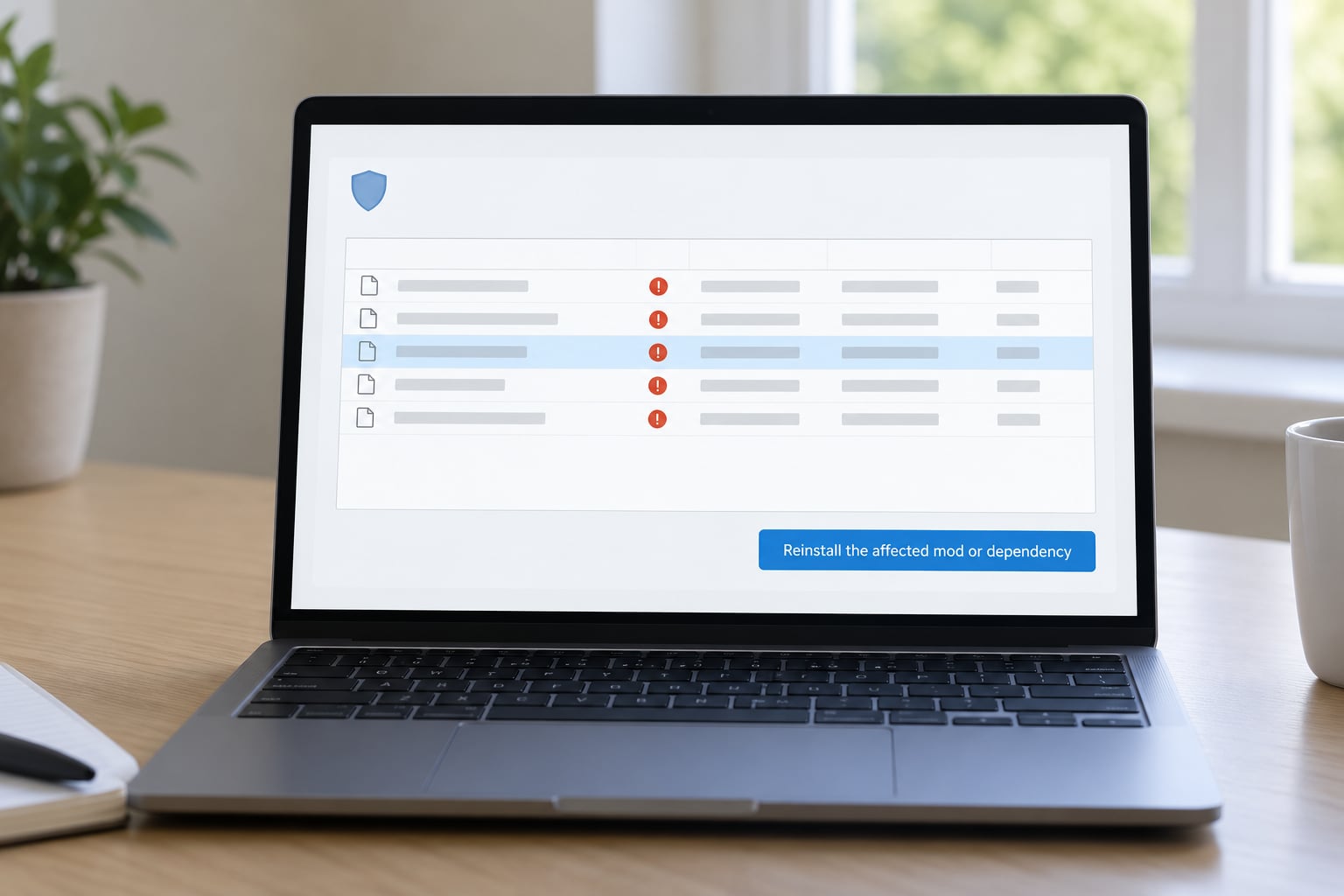
If the game launched after the rename, you now know the DLL is the trigger. Remove the mod completely: delete its .asi files, any scripts folder it created, and the loader DLL itself. Then extract the archive again rather than copying files over an existing install, since a partial overwrite is a common source of silent failures.
Check your antivirus quarantine next. In Windows Defender, open Virus and Threat Protection, then Protection History, and look for anything named dinput8.dll or dinput8Hooked.dll. If something was blocked, add an exclusion for that single game folder rather than switching protection off entirely.
The loader also chains to the real library by renaming it to dinput8Hooked.dll. If both files exist, the chain is configured. If dinput8Hooked.dll is missing while dinput8.dll is present, that explains a silent post-load crash: the proxy loads and then has nothing to pass input handling to.
5. Verify the DLL matches the game and architecture
Copy the wrong build into the wrong game and you get exactly the error you are trying to fix. Check the executable’s bitness in Properties, Details, then take the matching build from the source. On a 64-bit Windows, C:WindowsSystem32 holds 64-bit libraries and C:WindowsSysWOW64 holds 32-bit ones, which trips people up constantly.
For game modding, the version itself is the more common mistake. GTA V, GTA IV, GTA San Andreas, Red Dead Redemption 2 and Monster Hunter all ship different games with different loaders, and mixing a San Andreas file into a Red Dead folder does nothing useful. Monster Hunter players in particular find that REFramework and a hand-placed dinput8.dll fight each other; removing the DLL is the documented resolution there.
Never place a modding proxy DLL in System32 or SysWOW64. If a game folder is not where the loader belongs, the fix is the folder, not the system directory.
6. Repair or restore original game files
If no dinput8.dll exists in the game folder and the game still complains, the problem is upstream. In Steam, right-click the game, Properties, Updates, then Verify integrity of game files. The same function in Epic is Manage, then Verify. This redownloads anything damaged or removed and clears out leftovers from a half-uninstalled mod.
For the BattlEye case, the “Blocked loading of file” message means anti-cheat refused the DLL and no mod will run until it is gone. Rename it out of the folder to get the game playable again, then install a current hook build that the current anti-cheat version accepts. Reddit threads about this recurring problem show the same cycle: a patch lands, the old hook is blocked, a new build restores it.
Verify the files before you reinstall any mod, or you will be debugging a broken install on top of a damaged base.
7. Test the game in a clean launch
Put the fixed dinput8.dll back, launch with every other mod disabled, and watch the first two minutes. You want a normal main menu and story mode load with no error and no crash at the loading screen.
If that passes, re-enable mods one at a time and relaunch between each. Two or three rounds usually pin the culprit. If the game runs but no mod menu appears, the loader is loading nothing: check that your .asi files sit in the folder the loader reads, and that the loader you installed is the one your mods were built for.
A few users report controllers or mice going dead after installing ScriptHookV. That points to a virtual controller driver such as x360ce hooking DirectInput alongside the loader, and the resolution is to remove or disable the conflicting driver rather than touch dinput8.dll itself.
Common Mistakes
Downloading from a DLL aggregator site. Pages that offer a bare dinput8.dll download with no project context are the main malware risk on this whole topic. Forum users trust GitHub release pages and the official hook site, and distrust the aggregators outright. Get the file from the tool’s own source.
Deleting instead of renaming. Deleting gets the game running and silently kills every mod you have, which is why people end up reinstalling from scratch. A .bak suffix costs you nothing and reverses in seconds.
Putting the file in the wrong folder. Beside the executable, every time. Not the scripts folder, not Documents, not the Rockstar Games folder above it.
Using another game’s loader. A file built for a different title loads, does nothing, and leaves you convinced the mod is broken.
Forgetting to unblock the archive. Windows marks downloaded zips with a security warning. Open Properties and tick Unblock before extracting, or Windows Defender removes the DLL right after it lands.
Quarantining the file in a loop. If antivirus keeps eating the DLL, an exclusion for that one folder is the sustainable fix. Turning protection off entirely is not, and leaves you exposed to everything else.
Mixing proxy DLLs. version.dll, ddraw.dll, winmm.dll, xinput1_4.dll and dinput8.dll all work by the same trick, and two proxies fighting over the same chain causes crashes that look like a bad mod. The Ultimate ASI Loader can be installed under any of its supported names, so you can move off dinput8 entirely if a specific block targets that name. ScriptHookV’s scripthook.config.ini in the game folder also controls loader behaviour and is where hook load order gets set.
Assuming last week’s fix still holds. If a workaround vanished after an update, that is why. Re-check the current release rather than hunting for a new trick.
Frequently Asked Questions
Should I delete dinput8.dll, and will that break my mods?
Rename it instead of deleting it. Adding a .bak suffix takes the loader out of the search path while leaving every mod file in place, so you can restore the exact same setup in seconds once you have the replacement. Deleting works too, but it removes the file your mods were built around, and users on Reddit and Steam consistently report having to rebuild their whole setup afterwards.
Is dinput8.dll a virus or a trojan?
The file itself is not malware. It is a standard Windows DirectInput library that modding tools reuse as a proxy loader, so antivirus flagging it usually means it arrived from an unfamiliar download site bundled with something else. Check the file’s properties and origin, download from the tool’s official page or GitHub release, and add a single-folder exclusion rather than disabling protection.
Where exactly do I put dinput8.dll – the game folder or System32?
In the game folder, beside the game executable. On Steam that is usually the path under steamapps and common, then the game name. Never put a modding proxy DLL in System32 or SysWOW64, because it does not belong to a system library there, and a 32-bit game needs the 32-bit build no matter what Windows you run.
Why does my game crash only at the story mode loading screen?
A crash there with no message almost always means the proxy DLL loaded and then chained into something that failed, such as a missing dinput8Hooked.dll, a mismatched hook build, or a mod framework like REFramework competing with the loader. Rename the DLL to confirm the cause, then reinstall a clean matching set from a primary source before re-enabling anything else.
Do GTA V Enhanced and Legacy need a different dinput8.dll?
Treat them as separate installs. Hook builds target a specific game version and anti-cheat generation, so a loader that works on the Legacy build can be blocked or crash on the Enhanced one. If you own both, keep a separate copy of the hook in each game folder and update each one when that version patches, rather than sharing a single file between them.
My controller and mouse stopped working after installing ScriptHookV. Is that related?
It can be. ScriptHookV works by intercepting DirectInput, so a virtual controller driver such as x360ce hooking the same input layer can stop real devices from being read, and the symptom looks like broken hardware. Disable or uninstall the virtual driver and restart, which usually restores input without touching the DLL. Check the driver’s issue tracker for known combinations before changing anything else.
Conclusion
Start by confirming the cause rather than downloading anything. Read the exact error, look in the game folder beside the executable, and rename any dinput8.dll you find to test whether it is the trigger. That single move fixes more setups than anything else, and it costs you nothing because you did not delete it.
If nothing is there, verify your game files through Steam or Epic, then install a clean loader for that exact game and bitness from the tool’s own source, keeping a folder-specific antivirus exclusion so it stays put. Once the game launches clean, add mods back one at a time.