Common crash log errors explained in plain English: each message is a clue that something in your mod setup failed, and the line naming the file, the module, or the memory condition is where the fix starts. Most GTA V crashes come down to four things — a broken asset file, two mods fighting over the same hook, a memory limit, or a mod built for a different game build. This guide shows you how to read the log, spot which category you are in, and confirm the cause without reinstalling your whole loadout.
This is written for PC, using the stock Rockstar GameLauncher and OpenIV-style modding. Console modding writes no log file you can read, so everything here applies to Windows only.
Table of Contents
- 1How to Read a GTA Mod Crash Log
- 2What Do the Most Common Crash Log Errors Mean?
- 3How to tell a real error from a warning line
- 4Which GTA Scripts and Mod Files Are Causing the Crash?
- 5Where to Find Common Crash Log Errors After a Crash
- 6How to Fix a Crash Without Removing Every Mod
- 7How to Check Whether a Mod Is Compatible
- 8What Should You Do If the Log Does Not Name a Mod?
- 9Frequently Asked Questions
- 10What is the most common GTA mod crash error?
- 11Why does a GTA V mod work after installing it but crash during gameplay?
- 12Should I delete the entire crash log or any generated files?
- 13Can antivirus software cause GTA mods to crash?
- 14How do I fix a crash that happens only after loading a specific savegame?
- 15Is it safe to test mods by moving their folders instead of uninstalling them?
- 16Conclusion
How to Read a GTA Mod Crash Log
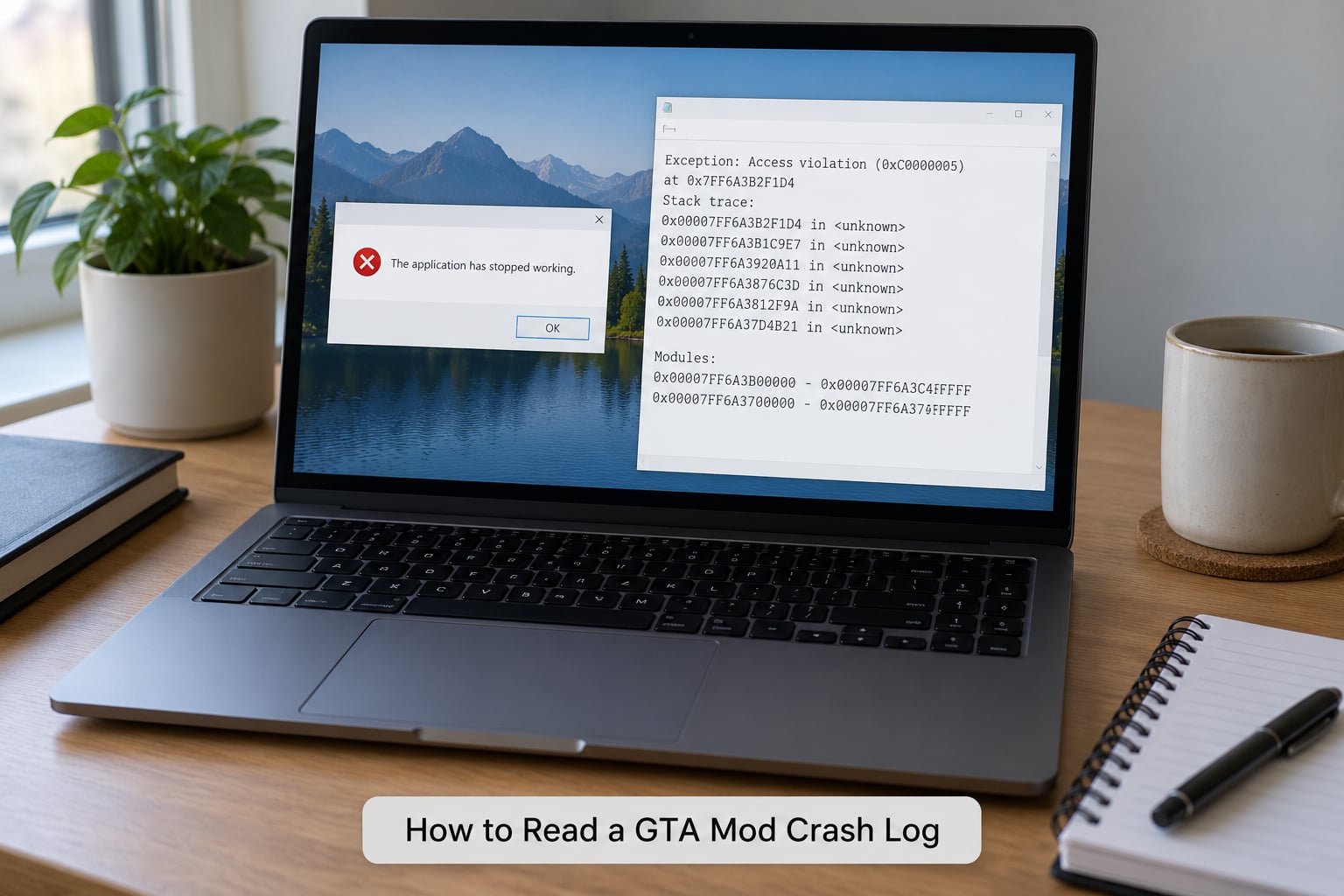
Read a GTA mod crash log from the bottom upward. The last exception is what actually killed the game; the warnings above it are often leftovers from startup that the game shrugged off.
A typical modded crash produces three separate files at once: the Windows crash dialog text, a Windows Error Reporting folder, and any log written by the mod loader itself. The loader log is the most useful of the three, because it names mods directly.
ScriptHookV.log (fictional example)
WARNING: Unable to load file "mods/vehicles/viper.yft" - read failed
ERROR:   Texture memory pool exhausted, 512 MB available
FATAL:   CMemoryPool::Allocate failed, 2048 MB requested
EXCEPTION_ACCESS_VIOLATION at address 0x00007FF6B2C1A44
Faulting module: nvoglv64.dll
Caused by: ScriptExtender (ScriptHookV)
That excerpt names the three things worth pulling out: viper.yft failed to load, 2048 MB was requested when only 512 MB was free, and the fault landed inside the graphics driver. A script hook file being named under Caused by means a mod was active in the call path, not necessarily that the hook itself is guilty.
Ignore the first 90% of a log. If the file is thousands of lines long, jump to the end, find the last FATAL, EXCEPTION, or Caused by line, then work outward one frame at a time.
What Do the Most Common Crash Log Errors Mean?
Here is the catalogue worth memorising. Each row pairs the exact text you are likely to see with what it means, what usually produces it, and the first action to take.
| Error text in the log | What it means | Usual cause | First thing to try |
|---|---|---|---|
| Unable to load file ….yft / .ytd | The game could not read a mod asset | Corrupt download or wrong install path | Verify that one file with the mod’s own tool, reinstall that single mod |
| EXCEPTION_ACCESS_VIOLATION (c0000005) | Code read or wrote memory it did not own | Script calling an invalid address, or a driver fault | Note the faulting module, then disable the newest script |
| out of memory / OUTOFMEMORY | No usable RAM or VRAM remained | Heavy texture pack, streamed world, too many background apps | Close background apps and remove the largest visual mod |
| Fatal script error with a stack trace | A script hit an error it could not handle | Two scripts hooking the same function | Match script versions, disable the most recently added one |
| corrupt data stream / unexpected end of file | An archive is damaged | Half-extracted pack or a modified RPF | Re-extract the asset with OpenIV rather than hand-editing |
| Access is denied | Windows blocked a read or write | Install placed in Program Files, or antivirus interference | Install into the documented game folder, exclude your mod folder |
| The procedure entry point could not be located | A DLL exists but is the wrong version | Outdated ScriptHookV or OpenIV | Reinstall the loader version matching your game build |
| side-by-side configuration incorrect | A required runtime is missing or mismatched | Visual C++ redistributable or audio library not installed | Reinstall the redistributable and the dependencies the mod page lists |
| DXGI_ERROR_DEVICE_REMOVED / device hung | The graphics driver reset or timed out | Overclocked GPU, texture budget too high | Drop texture quality one step, revert any overclock |
| Unable to compile shader | A graphics mod’s shader will not build on your setup | Preset built for a different API version | Keep one graphics mod at a time, reinstall the preset from source |
| script returned error 401 or a timeout | A network call did not complete | Session not authenticated by the launcher | Relaunch through the official launcher rather than a direct exe |
| Script not found / dependency missing | A mod was installed without something it needs | Dependency skipped or a framework mod disabled | Install the listed dependency first, then retest |
Two of those rows cause most frustration because the log sounds like a game bug. Memory and driver errors point at resources, not logic — the log still names the mod that was loading when the pool ran dry, and that is the mod to remove first.
How to tell a real error from a warning line
Severity is usually marked, but the keywords work even when it is not. WARNING and SKIPPED lines describe something the engine decided to ignore. FATAL, EXCEPTION, and Caused by describe the path that ended the process.
Which GTA Scripts and Mod Files Are Causing the Crash?
Mods reveal themselves by the paths they write into the log. An .asi filename in the call stack means a script loader loaded that file. A folder named after a script in an error means the script itself threw the error.
Things I check first, in order:
- Script loaders —
ScriptHookV.dll,OpenIV.asi, and OpenRAGE. If the log names the loader and no mod file, suspect a version mismatch rather than a broken mod. - Individual scripts — any
.asinamed underCaused by. Newer installs are the usual culprit because that is what changed. - Vehicle and weapon mods —
.yftpaths appearing in a failed-read line. Model files are the most common corrupt download. - Maps and world mods —
*.ymap,*.ytyp, or a streamed world folder. These load lazily, so the crash can happen minutes into a session. - Texture replacements —
.ytdfiles and large stream folders. Combined with a visual mod, they exhaust texture memory fast. - Game files you replaced — anything OpenIV pushed into the game folder with
modsorupdatein the path. Two mods overwriting the same file will alternate between working and crashing.
The distinction that matters: a file named in a load warning may be irrelevant, while a mod directory that appears in the last ten lines before the exception is worth isolating even when no error explicitly blames it.
Where to Find Common Crash Log Errors After a Crash
When a game closes to desktop with no dialog, a log almost always exists — it just went somewhere other than the screen. Start here:
| Where | How to open it | What you get |
|---|---|---|
| Windows crash dialog | The popup after “stopped working” | Faulting module and exception code only |
| Reliability Monitor | perfmon /rel | Timeline of app and hardware failures, no mod names |
| Event Viewer | eventvwr.msc from Run | Event IDs 1000, 1001, 41, 6008 with module names |
| Windows Error Reporting | %ProgramData%MicrosoftWindowsWERReportArchive | App name, bucket ID, faulting module |
| Local crash dumps | %LOCALAPPDATA%CrashDumps | Binary .dmp files, readable in a dump viewer |
| Minidumps | C:WindowsMinidump | Small system dumps, useful for blue screens |
| Mod loader logs | Your mod manager’s log folder, or the launcher folder | The only place mods are named individually |
Event Viewer is the fallback when nothing else exists, and it reads bottom-up: Event ID 1001 carries the bug check or module detail, 41 records the unexpected shutdown, 6008 records the clean-up after a forced restart. Exact folders shift a little between Windows 10 and Windows 11 builds, so search the drive for .log and .dmp in the game and Documents folders if a path is empty.
How to Fix a Crash Without Removing Every Mod
Work in this order and you usually find the cause in a handful of launches instead of a weekend.
1. Preserve the evidence. Copy the log file somewhere safe before launching again. Several loaders overwrite their own log on each start, so the useful one disappears in seconds.
2. Reproduce it the same way. Reach the same location, same save, same time of session. A crash you cannot reproduce teaches you nothing, and “random” crashes are usually just late-loading world mods.
3. Verify the base game files. Run the launcher’s verify and repair before touching mods. It rules out the one problem where reinstalling every mod would be the wrong move.
4. Disable the newest additions. Whatever went in last is the leading suspect, especially if it loads scripts rather than a single model file.
5. Test one group at a time. Re-enable half the disabled group, launch, note the result, then bisect again. Moving folders out of the game directory is enough; there is no need to run uninstallers.
6. Restore and retest with the crash trigger. Put everything back except the confirmed culprit, then replay the exact action that crashed.
Skip the “clean everything” registry and driver booster tools. They remove settings your working mods rely on and erase the log while they do it.
How to Check Whether a Mod Is Compatible
A mod is compatible when its stated game build, framework version, and dependency list all match your actual installation. Check three numbers before anything else:
- Your game build — the launcher or the platform’s app properties show it. A mod labelled for an older build can still install cleanly and fail at load.
- The framework it needs — script mods depend on a specific ScriptHookV or OpenIV version, and visual mods depend on an exact preset version.
- Its dependencies — read the requirement list rather than the description. Two mods can both work alone and conflict because each replaces a file the other expects to own.
Treat an explicit “for version X” label as a hard constraint, and treat “should work with” as unverified. When a page gives only an upload date, assume it targets whatever build existed then.
If two mods both replace the same game file, the conflict is structural. No install order fixes it — one of them has to be removed or kept for separate play sessions.
What Should You Do If the Log Does Not Name a Mod?
When nothing is named, you are looking at a crash that belongs to the game, the driver, or the hardware. Before bisecting, check the shape of the log:
No mod names anywhere, ever. That usually means the crash happens before loaders run — during startup, or at the point the game hands off to a display driver.
The log ends mid-frame with a device removal. A driver reset, often caused by an overclock, an underpowered PSU, or a texture budget past what your card can hold.
The log names no memory numbers at all. Check whether the failure is happening before mods load. Mod-related memory errors almost always print a requested and available figure.
Antivirus is deleting a file mid-session. Security suites quarantine or block modified executables and scripts. A mod that worked yesterday with no change is a classic symptom, and excluding your own mod folder resolves it.
Then bisect by group: scripts out first, then visual replacements, then vehicles, then maps and world mods. Add them back in halves until the crash returns, and the offending group is the one that owns it.
Frequently Asked Questions
What is the most common GTA mod crash error?
Out of memory and EXCEPTION_ACCESS_VIOLATION account for most crashes in a heavily modded setup, usually after a new texture or world mod pushes past the available memory. The second most common is a fatal script error caused by two scripts hooking the same function. Both leave the same signature: a named file, a memory figure, or a Caused by line in the last ten lines of the loader log.
Why does a GTA V mod work after installing it but crash during gameplay?
Because the asset loads fine but fails under load. World and map mods stream in during play, and vehicle scripts only run when you enter a vehicle, so neither is fully exercised at launch. Texture mods behave the same way, reserving memory only as new areas render. Load the specific area or vehicle involved and the log will finally name the culprit.
Should I delete the entire crash log or any generated files?
Keep them until the crash is fixed. Several loaders overwrite their own log on every launch, so the copy you have may be the only record of a fault you cannot reproduce on demand. Copy it to another folder before you relaunch. Deleting the large ones is fine once you have saved the section around the exception, and keeping a trimmed copy helps if you ask for help later.
Can antivirus software cause GTA mods to crash?
Yes. Security suites frequently quarantine modified executables, script loaders, and injector files, and the game then dies at startup with no mod named in the log. It is more likely when a mod worked previously without any change to the setup. Add an exclusion for your own mods folder, then verify the game files and relaunch through the official launcher.
How do I fix a crash that happens only after loading a specific savegame?
Back up that save first, then load a different one. If other saves load cleanly, the corruption is in the save rather than in your mods. A streaming world mod that was removed or moved also breaks old saves, since the game still expects data from it. Reinstall the mods active when that save was created before you discard anything.
Is it safe to test mods by moving their folders instead of uninstalling them?
Yes, and it is the fastest way to bisect a loadout. Move the folder out of the game directory, launch, note the result, then move it back or leave it out. The one caveat is game file replacements made with OpenIV, since those live inside the game folders and need restoring from the launcher’s verify option rather than by hand.
Conclusion
Preserve the exact crash message before you relaunch, find the first file or module the log names, then disable the smallest possible group of likely mods and repeat the same launch that failed. Two or three bisection rounds usually end it, and the fix is a single file or a single version mismatch rather than the whole setup.
Save a copy of any log you end up sharing for help, with the timestamp and version numbers kept intact — those are the first things experienced helpers ask for.