To make a test save for mod testing, you copy your GTA V Story Mode save file, rename the copy, and load that copy from the Story Mode menu. Your real playthrough sits in a different save slot and is never touched while you install scripts, vehicles or graphics mods. The whole job takes about five minutes with File Explorer.
The reason people bother is dull but real: a mod that crashes on load can take a save with it, and every Rockstar game update rewrites game files underneath whatever you have installed. Both things have ended long playthroughs for people on the GTA V boards. A duplicate save turns that from a disaster into a five-second rollback.
There are three ways to do it, and all three are covered below. The quick method is the duplicate-and-rename approach. The thorough method copies your whole profile set to a folder outside the game directory so cloud sync cannot reach it. The clean-baseline method starts a fresh Story Mode save for testing mods that break badly on an old campaign.
Table of Contents
- 1What You Need
- 2Where Are GTA 5 Save Files Located?
- 3What Each Folder Holds
- 4Checklist Before You Start
- 5Step-by-Step: How to Make a Test Save for Mod Testing
- 6The Quick Method: Seven Steps to a Test Save
- 7Choose the Best Starting Point
- 8Back Up and Separate Your Original Save
- 9Install the Mod and Load the Test Save
- 10Test the Mod Without Overwriting Your Main Progress
- 11Common Mistakes
- 12Most Common Mistakes to Avoid
- 13Frequently Asked Questions
- 14Where are GTA 5 save files located?
- 15Can mods corrupt my GTA 5 save?
- 16Can I have a separate save for story mode and mods?
- 17Do I need to remove mods before playing GTA Online?
- 18Can I download my GTA 5 save from Social Club?
- 19My modded save crashes on load after a game update. What now?
What You Need
Three things: a save worth protecting, somewhere safe to put a copy, and the mod files you want to test. That is genuinely the whole list. You do not need a second copy of the game, and you do not need to back up the entire game folder, which is the advice that shows up in most of the older backup threads and puts people off.
Where Are GTA 5 Save Files Located?
GTA V Story Mode saves live in the Saves folder inside your Documents library, usually at C:UsersYourNameDocumentsRockstar GamesGTA VSaves. Manual saves appear there as numbered files, while automatic saves use the SGDRF naming inside system and pc subfolders. Settings and graphics profiles sit separately under Profilescommonfiles.
Fastest way in: press Win + R, paste the line below, and press Enter. File Explorer opens the GTA V folder directly.
%USERPROFILE%DocumentsRockstar GamesGTA VIf that shows an empty or missing folder, your game is installed somewhere non-standard. Search your drive for Saves inside any folder called Rockstar Games. One player on the Steam discussion board spent a whole thread convinced his save was gone before someone pointed out he had moved his Documents folder to a second drive during a tidy-up.
What Each Folder Holds
| Folder | What it contains | Do you copy it? |
|---|---|---|
| Saves | Manual save files plus SGDRF automatic saves in system and pc subfolders | Yes, always |
| Profilescommonfiles | Graphics, controls and audio settings, profile data | Yes, for a clean restore |
| Game foldermodbackup | Original files OpenIV moves aside when you switch on Edit mode | Yes, before any OpenIV work |
| Game folder (scripts, x64) | Where ASI files, Script Hook V and other mod files are installed | No, reinstall mods instead |
The last row is the one people misread. The game folder is roughly 60GB and you do not need to duplicate it. Mod files are cheap to reinstall, saves are not.
Checklist Before You Start
- Your game is not running. Never copy save files while GTA V is open.
- You know which save file is your main campaign.
- You have a folder ready for backups that sits outside the Rockstar Games directory.
- Your mod download is unpacked and you have read its install notes.
- You know whether cloud saves are switched on in Social Club.
Step-by-Step: How to Make a Test Save for Mod Testing
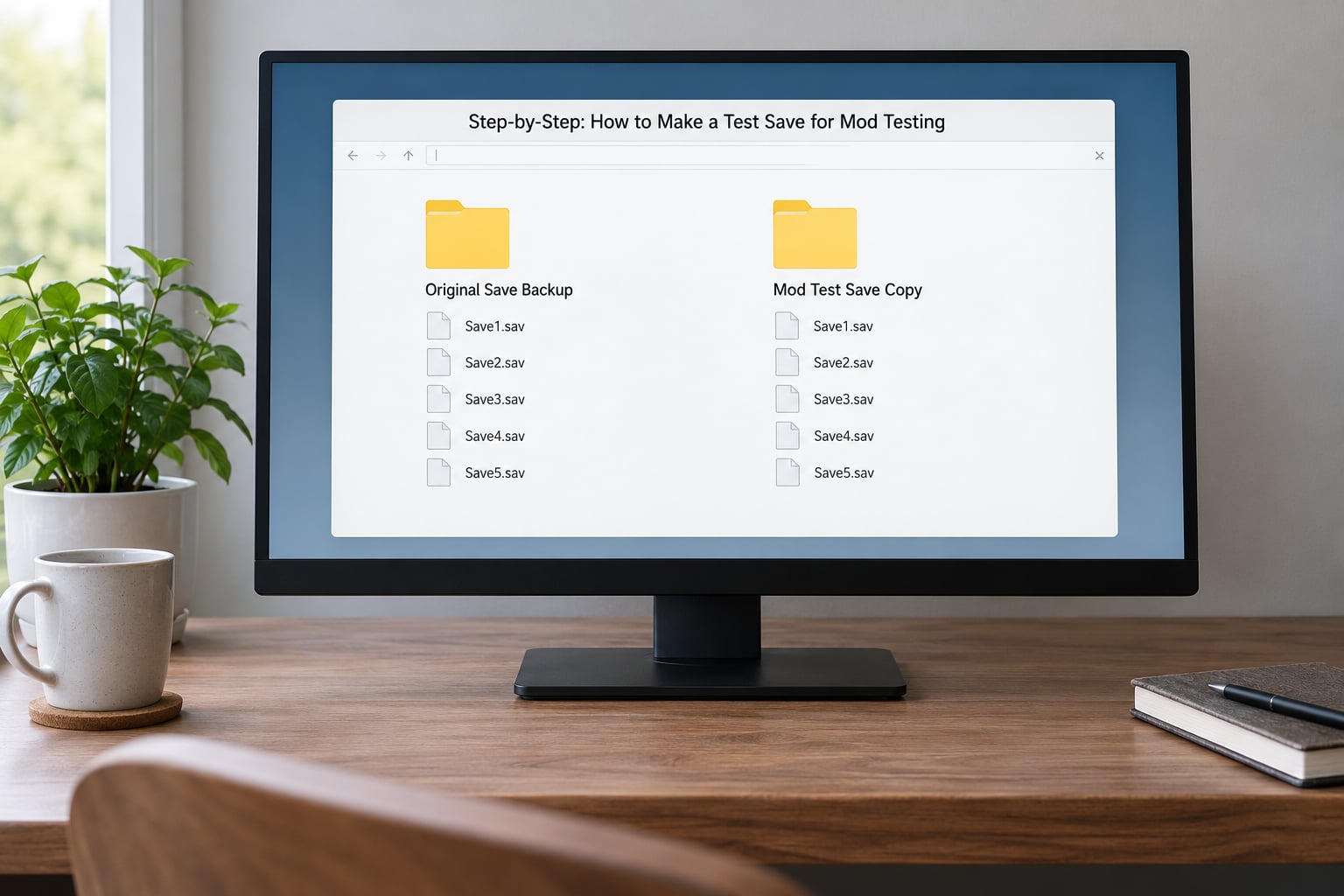
Follow the quick method first. It creates a working test save in about five minutes. The longer methods that follow explain how to keep several in parallel and how to keep cloud sync away from them.
The Quick Method: Seven Steps to a Test Save
- Close GTA V completely, including the launcher window, and confirm no
GTA5.exeprocess is running in Task Manager. - Open the Saves folder with the Win + R path above and sort by date modified so you can see your most recent file.
- Select the save file you want to test from. Copy it with Ctrl + C.
- Paste it back into the same folder with Ctrl + V. You now have an identical copy with a bracket suffix such as
SGDRF2 (1). - Rename the pasted copy to something plain such as
SGDRF9. Avoid spaces and long names; use letters and numbers only. - Launch GTA V, open Story Mode, and load the new slot. Wait until you are free-roaming, then save in-game with the pause menu option.
- Confirm the copy reads as the same character, same money and same story position. If it does, you have a working test save.
Step 7 matters more than it looks. An uncopied file can appear in the load menu but carry stale data from a previous slot. Open the loaded game once and save from inside it, and the file becomes a genuine second save.
If you prefer a method that needs no renaming tricks, jump to the profile copy method below.
Choose the Best Starting Point
Which save you copy changes what your test actually proves. A finished 100% campaign has every mission, property, upgrade and vehicle unlocked, so anything a mod touches is already present and you will notice missing things instantly. An early campaign save loads faster and closer to the ground, which suits menu mods and teleport tests.
| Method | What you copy | Best for |
|---|---|---|
| Duplicate and rename (Method 1) | One save file, copied in place | Quick tests of a single script or vehicle mod |
| Full profile copy (Method 2) | Whole Saves folder plus Profiles, to a folder outside the game directory | Parallel test saves, rollback insurance, anything long-running |
| New Story Mode save (Method 3) | Nothing, you start fresh inside the game | Mods that break badly on an old campaign, or testing from a clean baseline |
A new save sounds like a replay, and for story missions it is. Console commands shorten it: warp to a location, skip a mission, or drop into a vehicle, so you are not sitting through the opening hour before testing.
Be aware that mods written for a completed playthrough often expect unlocked systems. A vehicle add-on may spawn but the garage, insurance or the correct model list can behave oddly on an early save. Testing both a finished copy and an early copy is the honest way to know whether a problem is the mod or your save.
Back Up and Separate Your Original Save
This is the method that gives you real rollback. Instead of working inside the live folder, you keep an offline master copy somewhere the game never touches, and every test save is generated from it.
- Create a folder outside Documents, for example
D:GTA-backupMaster. Keeping it on a different drive or partition is safer still. - Copy the entire
Savesfolder into it, so you get the manual file plus every SGDRF autosave in the system and pc subfolders. - Copy
Profilescommonfilesinto the same master folder. Settings corruption is a common symptom after a bad graphics or ENB test, and this makes it a five-second fix. - Duplicate the master folder once per test set and name them plainly, such as
Master,Test-VehicleMod,Test-Scripts. Dates help too:Test-ENB-2026-09-14tells you at a glance which one is which. - Never work directly in the master folder. It is the copy you fall back to.
To make a test save from the master, copy its contents back into Saves under a fresh name, load it once in-game, and save. Your live folder now holds the test set while the master stays clean and dated.
On file management, the rule that saves the most grief is simple: one change per test save. If you change a mod setting and the save still loads, you have learned something. If you change three things at once and the game crashes, you have to start over.
Install the Mod and Load the Test Save
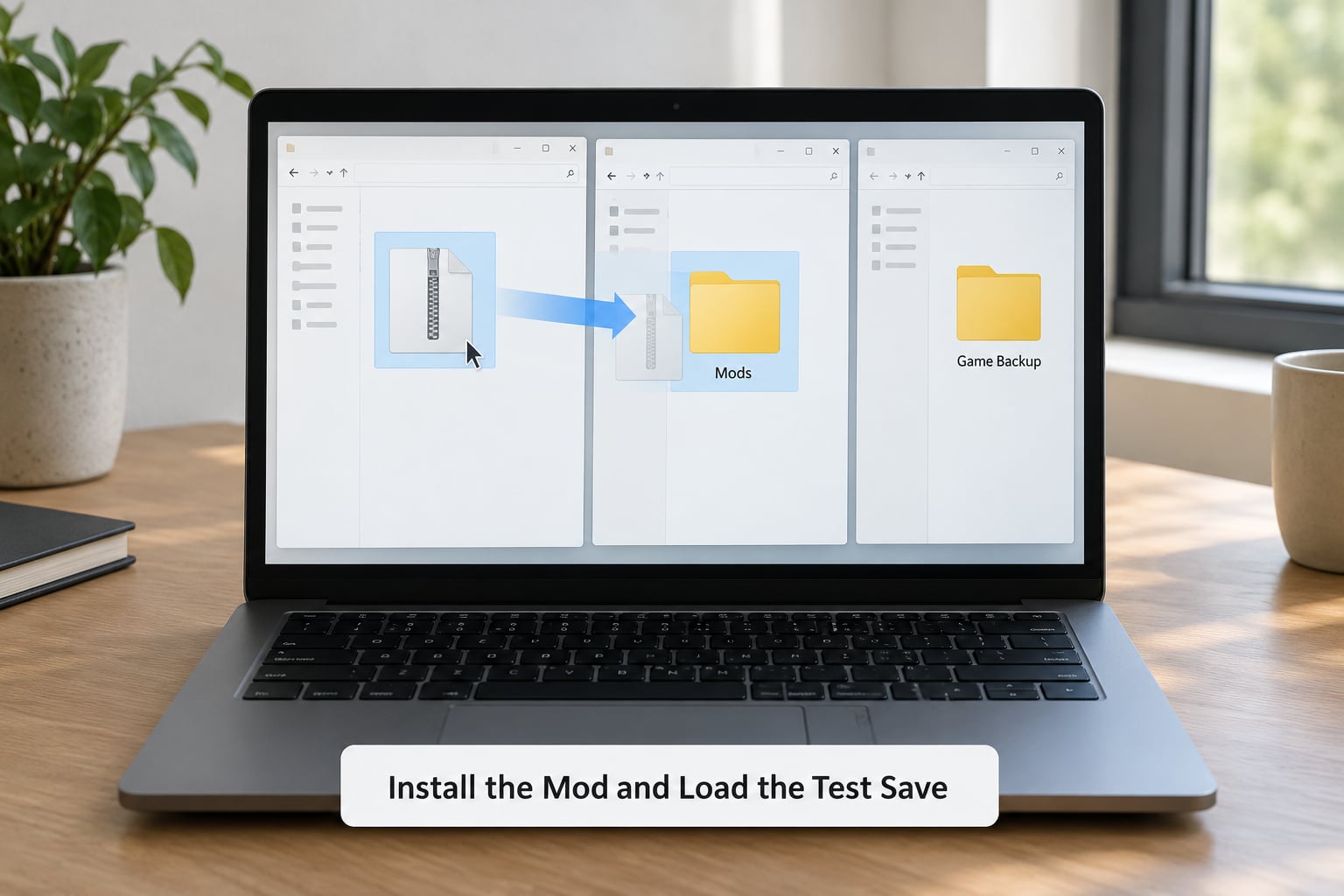
Install the mod as its own instructions say, then load the test save. The order matters less than people think, because most Story Mode mods read from the game folder rather than from the save.
Script mods with .asi files, Script Hook V and the ASI loader all install into the game folder. OpenIV mods install through the OpenIV interface, which moves the original file into a modbackup folder the first time you switch on Edit mode. Keep that modbackup folder; it is your fastest route back to vanilla when a test goes wrong.
Menu mods such as the Kiddions Mod Menu follow the same pattern, dropping files next to the game executable. Graphics and ENB mods change rendering rather than save data, so they rarely touch the save file at all, which is why they are the safest thing to try first.
After installing, launch the game and pick the test slot in the Story Mode load menu. Two checks confirm you are where you think you are:
- The character name, cash balance and story position match the save you copied. If they do not, you loaded the wrong slot.
- The mod’s effect is visible immediately: a new menu, a spawned vehicle, a changed sky. If nothing happens, the file probably is not in the folder you think it is.
One thing worth knowing: which mods actually write to your save. Script mods that alter money, garages or inventories can leave a trace behind, so treat the test save as expendable. A vehicle add-on or a visual mod does not, so it is safe to load your main campaign once it works.
| Mod type | Touches the save? | Test save worth making? |
|---|---|---|
| Menu or trainer mod | Often, via money and inventory | Yes |
| Script mod with .asi | Depends on the script | Yes |
| Vehicle or addon mod | Rarely | Optional |
| ENB or graphics preset | No, but can crash on load | Optional, keep a backup anyway |
Test the Mod Without Overwriting Your Main Progress
The accepted loop on r/GrandTheftAutoV for testing script mods is fast and worth copying: drop the .asi into the game folder, launch, test, quit, swap the file, repeat. No replays, no long sessions. Your test save means a crash costs you seconds rather than a playthrough.
When something does break and you do not know which file caused it, one experienced user on r/GrandTheftAutoV_PC keeps one copy of the game folder completely vanilla while a second copy stays modded, and alternates between them to bisect the problem. Same principle as your two saves, applied to the mods themselves.
Then protect the result from cloud sync. Social Club can push a cloud save over your local files, and a test save created moments earlier can be replaced without warning. Three habits prevent it:
- Keep your master copy outside
DocumentsRockstar Games, where sync cannot see it. - Use a different Social Club account for modded play if you play online at all, so the two sets of save data never meet.
- Date your folders. When something looks wrong later, a dated copy tells you exactly which version was running.
If cloud saves are already on and you want the old file back, Social Club can restore a save you uploaded previously. That is a genuine recovery route, but it only holds what Rockstar stored, which may be days old.
Removing a mod is the same motion in reverse: delete the mod files, or point OpenIV back at the modbackup folder to put the original file back. Leave the game folder vanilla and launch it once before loading your main save, so you are not surprised by a crash mid-mission.
Common Mistakes
Almost every lost save in this hobby traces back to one of a handful of mistakes. Each has a symptom you can recognise and a fix you can apply in minutes.
| Symptom | Likely cause | Fix |
|---|---|---|
| Main save missing or reset after a session | Cloud sync replaced the local file | Restore from your offline master copy; turn off cloud saves or move to a separate Social Club account |
| Crash on load after a game update | Update rewrote game files while mods were installed | Restore the vanilla files from modbackup or reinstall clean, then reinstall mods one at a time |
| Test save loads old data or wrong character | File was copied but never re-saved in-game | Load the slot, then save from the pause menu so it becomes a real save |
| Mod has no visible effect | File is in the wrong folder, or the wrong game version | Check the mod’s supported GTA V build and reinstall into the game root folder |
| Mods folder looks empty in OpenIV | Edit mode off, or the game folder is the wrong one | Switch on Edit mode, choose Tools then OpenIV, and confirm you are pointed at the GTA V installation |
| Kicked or asked to go offline in GTA Online | Mods active in an online session | Remove mods and loaders before launching, and test in Story Mode instead |
Most Common Mistakes to Avoid
Testing on your only save. This is the big one. Make the duplicate first, then install anything.
Backing up the game folder instead of the saves. Copying 60GB every time you want to try something is why people stop backing up. The Saves folder is a few megabytes.
Leaving the game running while copying. Files copied from a running game can be half written. Close the launcher too, not just the window.
Assuming a successful load means a stable mod. Play for twenty minutes, save, and quit cleanly at least twice. Crashes that only appear on a specific mission or a fast travel are common.
Installing everything at once. Ten mods, one crash, no clue which one. Add one, test, repeat.
Forgetting that an update changes everything. When a new build lands, expect your mods to break until you reinstall. This is normal, not a corrupted install.
To restore your main save after a bad mod, close the game, delete the damaged files from the live Saves folder, copy the contents of your master backup folder back in, and relaunch. Story Mode will show the restored slot with your original progress. If the save itself is unreadable, restore the newest dated copy you kept rather than trying to repair it.
One last note on going online. Mods in Story Mode are a local activity, but GTA Online is not. Players on r/GTA are consistent on the rule: remove mods and their loaders before an online session, or keep a separate, untouched game folder for online play. One mod that behaves perfectly offline can still be a problem with anti-cheat.
Frequently Asked Questions
Where are GTA 5 save files located?
GTA V Story Mode saves sit in the Saves folder inside your Documents library, at C:u005cUsersu005cYourNameu005cDocumentsu005cRockstar Gamesu005cGTA Vu005cSaves. Manual saves appear there as numbered files, while automatic saves use SGDRF names inside system and pc subfolders. Press Win + R, paste %USERPROFILE%u005cDocumentsu005cRockstar Gamesu005cGTA V and press Enter to open it instantly. Graphics and profile settings live in Profilesu005ccommonu005cfiles.
Can mods corrupt my GTA 5 save?
Most mods do not write to your save file, so a vehicle add-on or graphics preset will not damage it. Menu mods and scripts that touch money, garages or inventories are the ones worth testing on a duplicate. The bigger risk is a crash or a game update leaving you unable to load, not silent corruption. Keeping an offline copy of the Saves folder means you recover in minutes either way.
Can I have a separate save for story mode and mods?
Yes, and it is the normal setup for anyone who mods regularly. Copy your save file, rename the copy, and it appears as its own slot in the Story Mode load menu. For longer work, keep a full master copy of the Saves folder outside Documentsu005cRockstar Games so cloud sync cannot overwrite it, then generate test saves from that master.
Do I need to remove mods before playing GTA Online?
Yes. Remove mod files and any loaders such as Script Hook V before launching GTA Online, and test in Story Mode instead. Mods that work perfectly offline can still trigger problems with anti-cheat, and a ban risk is not worth a menu mod. Keeping a separate unmodded copy of the game folder for online play is the cleanest approach if you play both ways.
Can I download my GTA 5 save from Social Club?
If cloud saves were switched on, Social Club can restore a save you uploaded earlier, which is a real recovery route when a local file goes missing. Two limits: it only holds what Rockstar stored, so it may be days old, and sync can also push an old cloud copy over newer local files. Keeping your own offline copy of the Saves folder prevents that from being a problem.
My modded save crashes on load after a game update. What now?
Close the game, delete the mod files, and restore the original files from the modbackup folder OpenIV created, or reinstall the game files cleanly. Then launch once with no mods and load your backed-up save. Reinstall each mod one at a time and test after every install. Game updates rewrite game files, so broken mods after an update are expected rather than a sign of a damaged save.
Start with the seven-step quick method: close the game, copy your save file, paste it back, rename the copy, and save once in-game so it becomes a real slot. Once that works, copy the whole Saves folder to a dated folder outside DocumentsRockstar Games and keep it as your master. Every mod test after that starts from the master, so a bad mod or a surprise game update costs you a minute instead of a playthrough.