Modded cars have no collision because the physics shape that normally lives inside the vehicle model file never made it into your install. The visible .yft loads, its collision geometry does not, and the game treats the car as a ghost: it falls through the map floor, clips through walls and traffic, and shrugs off damage.
That is the short answer to why do modded cars have no collision, and it accounts for most cases. The remainder come down to meta entries that point at the wrong names, resource manifests that never declare a file, and scripts that switch collision off on purpose.
The confusing part is rarely the fix. It is telling a collision failure apart from a handling failure or a streaming failure. A car with its wheels sunk into the tarmac has a completely different problem from a car that drives through a lamppost, and the two get mixed up constantly. We will pull them apart first, then fix them.
Table of Contents
- 1Why Do Modded Cars Have No Collision in GTA Games?
- 2What Does Vehicle Collision Data Do?
- 3What Causes Modded Cars to Drive Through Objects?
- 4Why do modded cars have no collision on FiveM but work in single player?
- 5Why does a converted replace mod lose collision when the original was fine?
- 6Why do my car extras fall off or pass through after a collision?
- 7How to Tell Whether the Collision File Is Missing or Broken
- 8How Do You Fix a Modded Car with No Collision?
- 9Why Does It Still Happen After Installing the Mod?
- 10GTA V, GTA IV, San Andreas, and Android: What Changes?
- 11Frequently Asked Questions
- 12Can I add collision to an add-on car after installing it?
- 13Do modded cars need a separate collision file in every GTA game?
- 14Why does a car have wheels but no body collision?
- 15Can I use a collision file from another vehicle?
- 16Why does a car with no collision work in one GTA version but not another?
- 17Conclusion
Why Do Modded Cars Have No Collision in GTA Games?
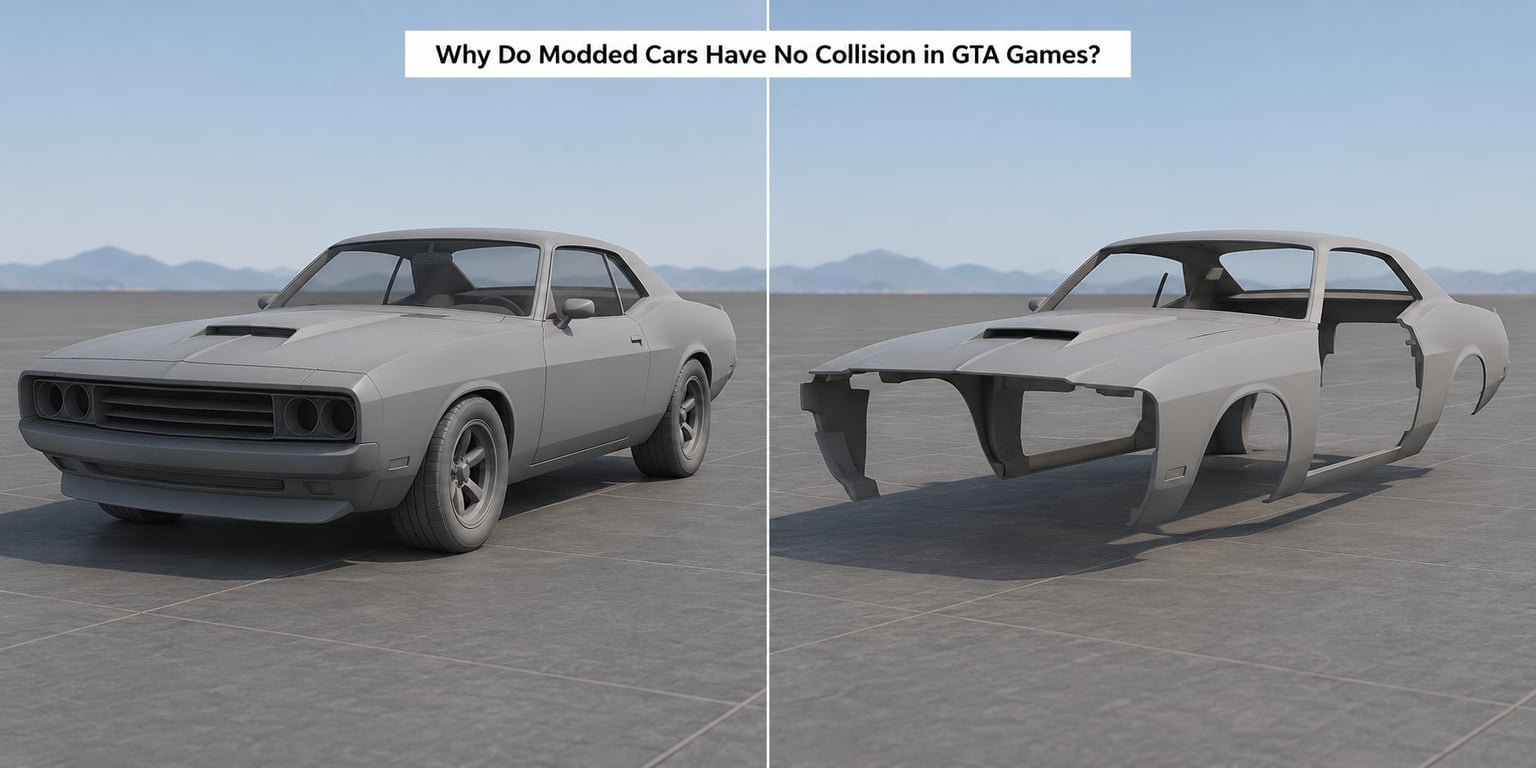
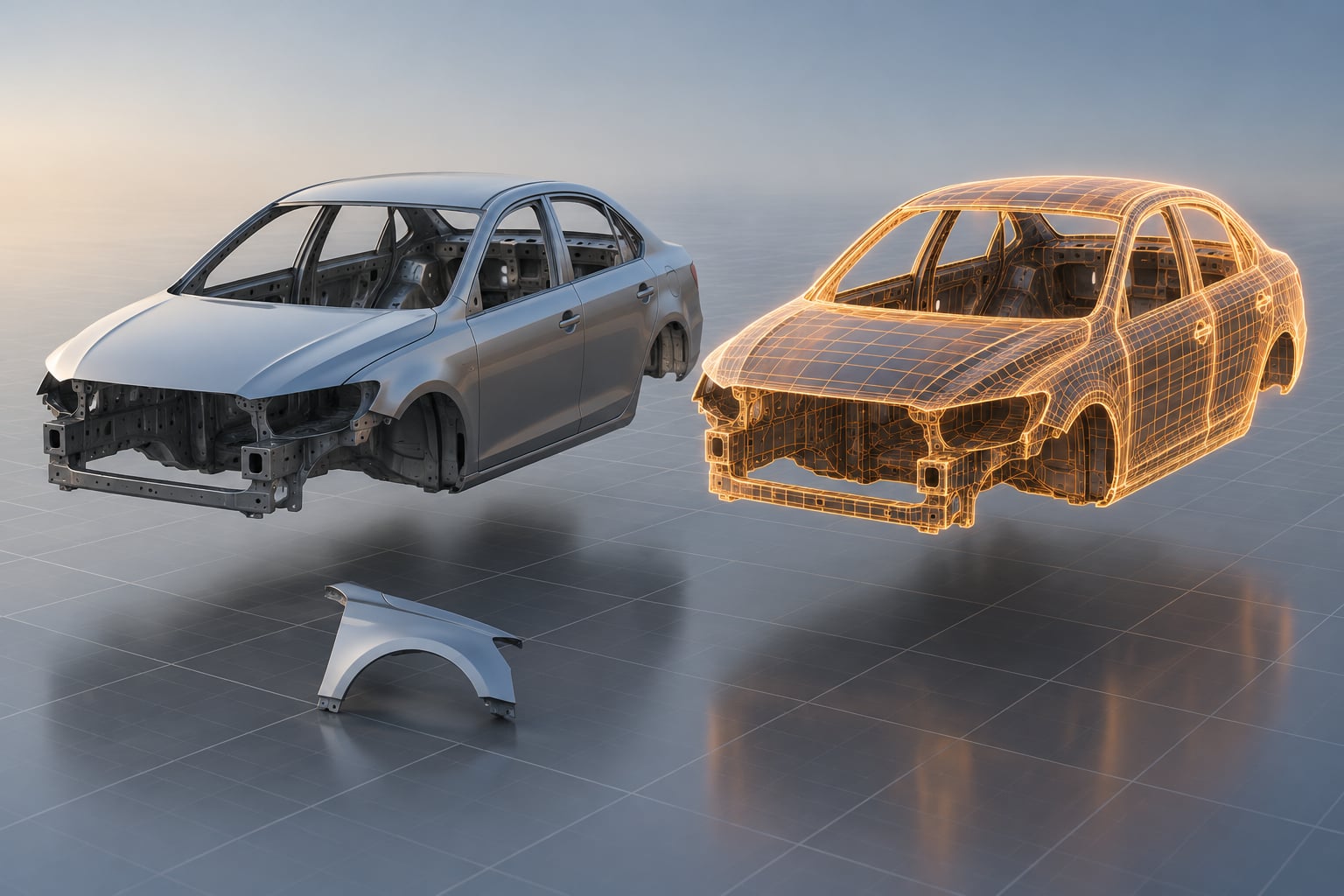
GTA V reads a vehicle’s appearance and its physical shape from the same family of files. The model (.yft) carries both the drawable geometry you see and the collision geometry the physics engine uses. When only the drawable half is present, the car looks perfect and behaves like a piece of paper in space.
Four causes cover the large majority of reports, in roughly the order they appear:
- The model was exported without collision. The creator built the mesh, exported the texture, and skipped the step that generates collision geometry from it. The car has never had a physical shape.
- The high-detail file is missing or corrupt. The _hi.yft is the detailed LOD that carries the collision data at close range. Many mods ship it truncated, and a truncated collision file behaves exactly like no collision at all.
- The setup entry points at the wrong thing. A vehicles.meta entry keyed to a model name that does not exist, or a handlingId that resolves to nothing, gives the game no reason to use the collision you installed.
- Something switched collision off. Trainer menus, ghost-mode scripts and noclip functions deliberately disable vehicle collision. If one of those is active, no amount of reinstalling will change anything.
Add-on cars, converted replace mods and hand-built 3D models all hit the same wall, just at different points in the pipeline. Conversion tools lose collision; hand-built models usually never had it; replace mods are the least likely to fail this way because they overwrite a working car rather than introducing a new one.
What Does Vehicle Collision Data Do?
Almost every confused diagnosis in this topic comes from treating one system as if it were another. Here is what each one actually does, and what breaks when it does.
| System | Where it lives | What it controls | Symptom when it fails |
|---|---|---|---|
| Collision mesh | Compiled into the .yft model | The physical shape the car pushes against | Car passes through walls, ground and traffic |
| High-detail model | _hi.yft beside the .yft | The detailed geometry drawn at close range | Model looks wrong up close, and collision can fail with it |
| Physics and handling | handling.meta entry, referenced by handlingId | Mass, suspension, grip and impact response | Wheels sink or float, car slides sideways, sits still |
| Setup flags | vehicles.meta entry keyed to model name | Which handling and component layout a spawn uses | Spawn produces a default car, or nothing at all |
| Component layout | vehiclelayouts.meta | Where doors, extras and break-off parts sit | Doors and bumpers spawn inside the body or pass through it |
| Colours and variants | carcols.meta and carvariations.meta | Paint, liveries and variant swaps | Wrong paint, missing colours, no variant change |
Only the first two decide whether a car has collision. That is the part that surprises people: you cannot type collision into vehicles.meta or handling.meta. Neither file creates geometry. They point at a shape that has to already exist inside the model.
Single-player vehicles.meta lives inside the game archive at mods/update/update.rpf/common/data/levels/gta5/vehicles.rpf/. The model files themselves belong in mods/update/update.rpf/data/levels/gta5/vehicles.rpf/. If you have never opened OpenIV, that path is the first thing to look at.
What Causes Modded Cars to Drive Through Objects?
Collision failure has a short list of real causes. The table below maps what you see to what is almost certainly wrong and what actually fixes it.
| Symptom | Likely cause | Fix |
|---|---|---|
| Falls straight through the map floor | No collision geometry in the .yft at all | Use a version exported with collision, or have collision generated from the mesh |
| Passes through walls but still bumps traffic | World collision LOD missing, high-detail file truncated | Restore the full file set including _hi.yft |
| Passes through everything, including cars | Collision mesh empty or the physics LOD never loaded | Reinstall the complete model set; check the file is not a few kilobytes |
| Collides, but takes no dents or deformation | Collision works, damage data does not | Damage is separate from collision; the export is missing its damage data |
| Extras and bumpers pass through the car | vehiclelayouts.meta entry missing or unmatched | Declare the layout file and make sure the model name matches |
| Spawns as a different vehicle entirely | vehicles.meta model name does not match the .yft | Rename the entry to the exact model name, character for character |
| Game crashes the moment it spawns | Wrong data_file path in fxmanifest.lua | Fix the manifest declarations; keep meta files in the resource root |
| Wheels sink into the road, body collides fine | handling.meta suspension values | Raise or lower the handling values, not the collision files |
Why do modded cars have no collision on FiveM but work in single player?
Because on a server the files are not in the game archive at all. They sit inside a resource folder, the game loads whatever the manifest declares, and anything you forget to declare simply does not exist. Single player is more forgiving: the game reads the same archive paths whether or not the metadata is tidy.
Why does a converted replace mod lose collision when the original was fine?
Conversion between GTA generations strips data the tool cannot carry over. The original .wft from GTA IV has collision; the exported .yft often does not. That is why converted cars are the most common case of a model that looks right and behaves like a hologram.
Why do my car extras fall off or pass through after a collision?
Break-off parts are positioned by vehiclelayouts.meta, and they register against the car’s own collision shell. If the layout is missing, the parts spawn at default positions with no collision relationship. Fix the layout file before touching the model.
How to Tell Whether the Collision File Is Missing or Broken
Work from the files outward. It takes about five minutes and rules out half the possibilities on the way.
1. Look at the files you actually installed. Open the model file for the car. You should find a .yft and a _hi.yft of comparable size, plus a .ytd for textures. If the _hi.yft is a few kilobytes while the main model is hundreds of kilobytes, the high-detail file is truncated and that alone explains the problem.
2. Check the meta entry exists and is spelled correctly. Search vehicles.meta for the model’s name. A single mismatched character means the game never binds your collision or handling data to your car.
3. Test against something simple. Drive into a flat wall at low speed. Pass through with no impact response and no camera jolt, and you have collision failure. Stop the car dead, feel it bog down, and watch the body flex, and you have handling trouble instead.
4. Watch the ground, not just walls. A car that sinks slightly into the road surface is usually handling, and no collision file will change that.
5. Rule out scripts. Close any trainer, menu or roleplay script that offers noclip, ghost mode or invincible vehicles, then retest before you change any files. On FiveM, check for server scripts that disable vehicle collision for specific models.
6. Confirm which file the game loaded. A replace mod that did not apply leaves a default car in its place with default collision. If the car you spawn is not the car you installed, stop debugging collision and fix the install.
How Do You Fix a Modded Car with No Collision?
Fix things in this order. It matters, because each step only makes sense if the one before it worked.
Start with the model files. Reinstall the complete set: the .yft, the _hi.yft and the .ytd. Single-player models go into mods/update/update.rpf/data/levels/gta5/vehicles.rpf/. If the car came with collision and yours does not collide, the file you have is wrong and no meta edit will fix it.
Then install every meta file that came with the car. vehicles.meta, handling.meta, carcols.meta, carvariations.meta and vehiclelayouts.meta each do a different job. Single-player meta files go in mods/update/update.rpf/common/data/levels/gta5/vehicles.rpf/. Keep one entry per car in the file rather than merging packs together, because merged metadata is a well-known cause of only some cars in a pack losing their correct setup.
On FiveM, declare all five in fxmanifest.lua. Put every .meta file in the resource root and the stream folder inside the resource:
data_file 'VEHICLE_METADATA_FILE' 'vehicles.meta'
data_file 'HANDLING_FILE' 'handling.meta'
data_file 'CARCOLS_FILE' 'carcols.meta'
data_file 'VEHICLE_VARIATION_FILE' 'carvariations.meta'
data_file 'VEHICLE_LAYOUTS_FILE' 'vehiclelayouts.meta'
Match names exactly. The model name in vehicles.meta has to match the .yft filename character for character, and the handlingId has to point at an entry that exists in handling.meta.
Only then rebuild collision data. If the model genuinely has no collision geometry, no configuration file can create it. That means re-exporting the vehicle from the source mesh with collision enabled, or asking the creator for a fixed file. Tools that generate collision from an existing mesh exist, but they only work when the mesh is clean enough to trace.
Verify in game last. Spawn the car, drive it into a wall at walking pace, and confirm you get impact response and a camera jolt. Then drive it onto a slope and check the wheels meet the ground properly.
Why Does It Still Happen After Installing the Mod?
If the car still has no collision after a clean reinstall, one of four things is going on.
Two resources define the same model. FiveM loads both and the outcome depends on load order. Rename the model or drop one pack rather than trying to guess which one wins.
Meta files were merged. Car packs that squashed every vehicle into a single vehicles.meta frequently lose the flag rows for some cars. Split them back into per-vehicle entries and test again.
You are editing the wrong copy. A model sitting in the resource folder is not the model the game reads for single player, and the game archive is not read by the server. Confirm which side of that line you are on before you edit anything.
Collision is switched off deliberately. Ghost mode, noclip and invincible-vehicle cheats disable collision on purpose, and the effect looks identical to a broken model. That one takes ten seconds to test and saves hours.
There is also a multiplayer wrinkle: some servers restrict custom resources entirely. If you are testing a car that works fine in single player but not on a given server, the server configuration is the first thing to check, not the car.
GTA V, GTA IV, San Andreas, and Android: What Changes?
The question transfers between games, but the files do not. Copying an install method from one GTA title to another is the most common reason people end up more confused than when they started.
GTA V uses .yft model files and .ytd texture dictionaries, with the collision compiled into the model and a _hi.yft high-detail companion. OpenIV and OpenIV Enhanced cover single-player installs, and every meta file in this article applies here.
GTA IV uses .wft models with a different set of folders and a different set of tools. Collision data, handling and the way damage is applied are not the same files, and a converted car has to be re-checked from scratch once it lands in GTA V.
San Andreas is built on the same generation of engine as GTA IV, so the same applies. Vehicles there are not .yft files, and a GTA V add-on will not drop in.
Android is the tightest case. Mods go into the modded data folder rather than an OpenIV archive, most desktop modding tools are unavailable, and mobile builds of the games are commonly cut down in ways that remove detail data. Plenty of mobile add-on cars simply have no collision data in them to load, and no menu option changes that.
The practical rule: use the tools, paths and file formats built for the specific game and platform you are playing. A fix that worked for a FiveM resource says very little about an Android install.
Frequently Asked Questions
Can I add collision to an add-on car after installing it?
Yes, but only by rebuilding the model. Collision geometry is generated during export or by a tool that traces the existing mesh and produces collision data from it. Meta files cannot create it, so no amount of editing vehicles.meta or handling.meta will give a collisionless car a collision shell. If the mesh is complex or has overlapping parts, the generated collision can be unreliable and a re-export by the creator is usually faster.
Do modded cars need a separate collision file in every GTA game?
No. There is no separate collision file you install by hand in the usual workflow. Collision geometry is compiled into the model file itself, which is why a model exported without it cannot be rescued by adding another file. What does travel separately are the metadata files: vehicles.meta, handling.meta, carcols.meta, carvariations.meta and vehiclelayouts.meta. Different GTA generations use different model formats entirely, so collision always travels with the model.
Why does a car have wheels but no body collision?
Wheel contact is usually produced by the handling system rather than the collision mesh, so a car can stand on the road normally while its body passes through a wall. This is why floating or sunken wheels are a handling problem and should be fixed by adjusting handling values. The reverse is also true: a car can hit walls cleanly and still fall through the map if its ground collision LOD is missing. Test each symptom separately instead of assuming one file explains all of them.
Can I use a collision file from another vehicle?
Not safely. Collision is baked into the model, so borrowing it from another vehicle means borrowing that vehicle’s dimensions, and the shapes will not match your car. The result is usually a car that collides in the wrong places, catches on edges it should pass, or behaves worse than having no collision at all. If a mod author publishes a fixed collision version, use that one rather than trying to graft a file from a different model.
Why does a car with no collision work in one GTA version but not another?
Because collision data is not portable between generations, and each game reads different file formats. A model converted from GTA IV into GTA V often arrives without collision, so the same car behaves differently in each title. Within one game, the other common cause is metadata merging: packs that combine every vehicle into a single vehicles.meta frequently break the flag rows for a subset of cars, so some spawn correctly and others do not.
Conclusion
Open the model file first and confirm the car you installed contains valid collision data, including a full _hi.yft. If it does, move on to duplicate resources, exact name matching and manifest declarations rather than reinstalling the same pack a third time. Everything after that step is configuration, and configuration can be fixed in minutes.