ENB, short for ENBSeries, is a post-processing graphics suite created by Boris Vorontsov that rebuilds how an open-world game handles lighting, shadows and atmosphere. It loads alongside games like Skyrim, Fallout 4, Oblivion and Morrowind, then redraws every frame with effects the stock engine leaves out. Most people searching enb explained for beginners are not looking for a list of shader names — they want to know whether it is safe, what to download, and whether their PC can run it. This guide answers those questions in plain language, with no assumed modding experience.
The short version: ENB is a folder of files you copy into your game directory, and it is reversible. It costs frame rate, especially on older hardware, and the single biggest source of confusion for new players is that you need two separate downloads — the ENB binaries from the official site, and an ENB preset from a mod site. Miss either one and nothing happens.
Everything below is written for Windows PC players, and the file names change a little between game versions. Check your exact game and edition before you download anything.
Table of Contents
- 1What Is ENB and What Does It Do?
- 2Which games does ENB work with?
- 3How Does ENB Work in Open-World Games?
- 4What Files Does ENB Use?
- 5ENB Explained for Beginners: What Graphics Changes Can You Expect?
- 6Lighting and shadows
- 7Reflections and surfaces
- 8Weather and atmosphere
- 9Camera and colour effects
- 10How Do You Install ENB Safely?
- 11What Is the Difference Between an ENB Preset and a Full ENB Setup?
- 12How Do You Configure ENB for Your PC?
- 13Why Does ENB Make My Game Stutter, Crash, or Look Dark?
- 14Is ENB Safe to Use on PC?
- 15How Do You Remove or Disable ENB?
- 16Frequently Asked Questions
- 17What is ENBSeries?
- 18Why is ENB so performance heavy?
- 19Is ENB better than ReShade?
- 20How do I install the ENB mod in Skyrim?
- 21Can I install ENB on Xbox or PlayStation?
- 22Conclusion
What Is ENB and What Does It Do?
ENB is a post-processing suite created by Boris Vorontsov that replaces a game’s rendering and lighting pipeline with a far more advanced one. It adds realistic shadows, ambient occlusion, bloom, sun rays, depth of field and weather effects that the vanilla engine cannot render on its own, and it bundles a memory manager that lets older 32-bit games use more system memory.
It is not a texture pack. A texture mod swaps the art files the game draws with, one asset at a time. ENB does not touch most of those files at all — it changes the engine’s rules for light, distance and colour while the game is rendering, so every surface in the world gets affected at once. That is why an ENB install looks like a different game rather than a reskin.
Vehicle and gameplay mods work on a different layer again. An ENB install will not change how a car handles, and it will not add new quests or buildings. If your goal is different vehicles or new locations, look at vehicle mods and world maps instead.
Which games does ENB work with?
The suite supports the older Bethesda engine family, which includes Skyrim, Fallout 4, Oblivion, Morrowind and Fallout 3, plus some other titles built on similar engines. Within Skyrim there are three different setups you need to be aware of: the original Skyrim Legendary Edition, Skyrim Special Edition, and Skyrim Anniversary Edition. The files are not interchangeable between them.
Fallout 4 also runs the newer Creation engine and has its own build of ENB. Downloading the Skyrim version and dropping it into Fallout 4 will not work.
How Does ENB Work in Open-World Games?
ENB loads as a proxy library that sits beside the game’s own graphics file, then intercepts each frame before it reaches your screen.
Older Bethesda games use DirectX 9, so ENB installs a file named d3d9.dll into the game folder. Newer builds use DirectX 11 and need d3d11.dll instead. The game loads the ENB file, ENB takes over the rendering calls, and a process called enbhost.exe appears in your task manager while the game runs. Seeing enbhost.exe is one of the easiest ways to confirm the suite is actually active.
There are two ways this file gets into the game, and picking the wrong one is a very common beginner mistake:
- Wrapper version — the proxy file is copied straight into the game folder. This is the default for almost everyone.
- Injector version — the software sits elsewhere and loads into the game at launch. It exists mainly for laptops with switchable graphics, where the game sometimes calls the integrated GPU instead of the dedicated one.
If your laptop has both an Intel or AMD integrated GPU and an NVIDIA card, start with the injector version. On a desktop, the wrapper version is the right call.
Alongside the proxy file, ENB reads a folder called enbseries that holds the effect definitions and a pair of configuration files. Those configuration files are where the actual look of the game is decided, and they are what an ENB preset changes.
What Files Does ENB Use?
Every ENB install is built from a handful of files, and once you know what they do you can tell a correct package from a broken one.
- enbseries folder — the effect library itself. It contains the shader definitions for ambient occlusion, sun rays, reflections, parallax and the rest. Never move or rename it.
- enbseries.ini — the effect toggle file. It decides which effects are switched on and how strong they are. This is the file a preset replaces with its own version.
- enblocal.ini — your hardware-specific settings. It holds memory and rendering options tuned to your machine, so keep yours and ignore the copy a preset ships with.
- enbhost.exe — the running process. You will see it in the task manager while the game is open.
- ENBoost settings — reserved memory and VRAM pool values, usually found inside enblocal.ini. They matter most on Skyrim’s older editions.
- WrapperVersion / InjectorVersion folders — the download folders inside the official binaries archive, containing the proxy file and the enbseries folder.
If you open an ENB archive and see no enbseries folder and no d3d9.dll or d3d11.dll, you downloaded a preset, not the full setup.
ENB Explained for Beginners: What Graphics Changes Can You Expect?
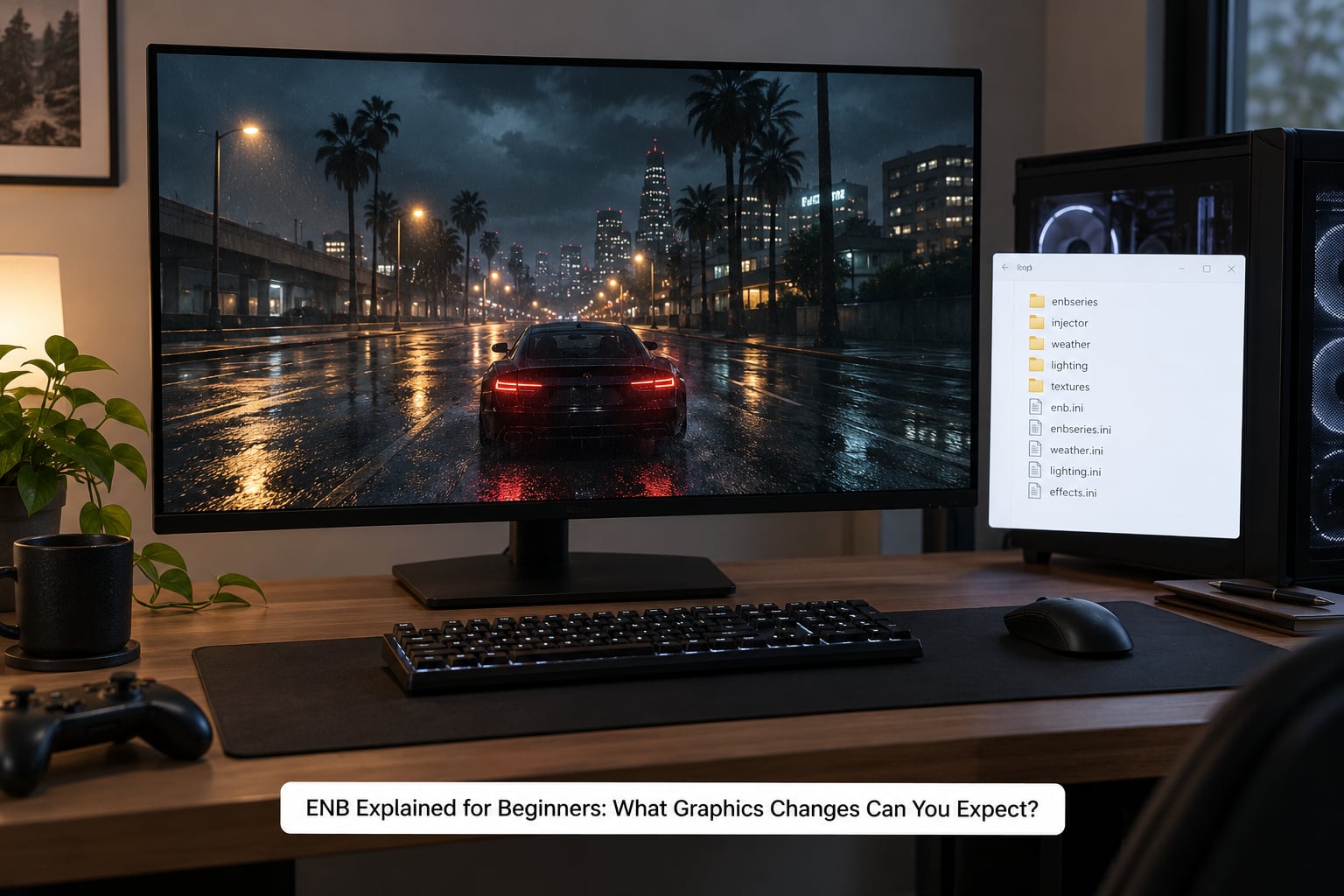
You can expect deeper shadows with contact detail in corners, soft indirect light bouncing off nearby surfaces, and a much wider range of light sources visible in the frame at once.
Lighting and shadows
Vanilla games use flat, direct lighting, which is why characters look like they are standing under a spotlight. ENB adds ambient occlusion, which darkens the places where two surfaces meet, and image-based lighting, which lets colour bounce between objects. Shadows gain a softer edge and more accurate contact with the ground.
Reflections and surfaces
Wet stone, mud and puddles pick up reflections of the sky and nearby buildings. Complex parallax gives walls and floors a sense of depth when you move, so surfaces stop looking flat and painted.
Weather and atmosphere
Fog and volumetric rays turn ordinary sunlight into visible beams through trees and window frames. Cloud shadows sweep across the terrain, and snow or rain particles catch light properly instead of glowing like white dots.
Camera and colour effects
Depth of field blurs the background when you look at something close, bloom makes bright sources glow softly, and colour correction plus dithering smooths out the banding you would otherwise see in skies and dark areas.
Two honest caveats. First, ENB does not improve everything — enabling an effect only changes the picture if the hardware and settings support it, and some options appear greyed out or do nothing when a dependency is missing. Second, every one of these effects is computed per frame, so the cost is real. On modest hardware a heavy preset can drop a smooth game to a slideshow. You will not get the identical look on every PC, because presets assume a particular amount of VRAM and the final image depends on your screen resolution and settings.
How Do You Install ENB Safely?
The install itself is mostly drag and drop. The hard part is choosing the right files before you start, and keeping a way back.
- Confirm your exact game and edition. Skyrim Legendary Edition, Skyrim Special Edition and Skyrim Anniversary Edition all need different ENB builds. Check your platform, and check your game version inside Steam or your launcher before you continue.
- Save your game. ENB does not touch save files, but you will want a clean save in case a later mod goes wrong.
- Install the DirectX runtimes your game needs. Games using DirectX 9 want the DirectX 9 runtime, and DirectX 11 builds want the 11 runtime, including the optional legacy components on a clean Windows install.
- Download the ENB binaries from the official site. enbdev.com hosts the official downloads. Pick the archive matching your game and edition.
- Open the archive and choose one folder. Use WrapperVersion on a desktop. Use InjectorVersion on a laptop with hybrid graphics.
- Copy the contents into your game directory, not the folder itself. You should end up with d3d9.dll or d3d11.dll and the enbseries folder sitting directly in the game folder alongside the game’s executable. Finding the game folder is usually a matter of right-clicking the game in your launcher and choosing to browse local files.
- Add a preset if you want one. Presets replace enbseries.ini and often enblocal.ini. Read the preset’s included instructions, because the order matters.
- Launch the game and confirm it works. Look for the ENB startup message on the main menu, or press Shift+F12 — if the picture changes quality, the suite is running.
If you use a mod manager, check whether it deploys ENB for you before copying files manually. ENB installs proxy libraries into the game directory, and having a manager and a manual copy both active can produce a launch crash.
What Is the Difference Between an ENB Preset and a Full ENB Setup?
A preset is only configuration. A full setup is the binaries plus a preset, and you need both.
The official binaries package is the engine. It contains the proxy file, the enbseries folder and the effect definitions that actually make anything happen. On its own, with no preset, ENB will load and change very little because the default configuration is deliberately modest.
A preset is someone else’s taste, packaged. It replaces enbseries.ini with a version where hundreds of effects are switched on and tuned, and it may include extra shader packs and an ENB Editor setup. Popular names come up repeatedly in modding communities — Rudy, Cabbage and Picta all get recommended often — but the differences are mostly in how heavy they run and how they react to weather and lighting mods.
One rule worth learning early: when a preset includes its own enblocal.ini, be careful with it. That file holds hardware-specific memory tuning written for the author’s machine, and copying it over yours can cause instability on a different PC. Keep your own enblocal.ini where possible, and follow the preset’s notes on what to copy and what to skip.
How Do You Configure ENB for Your PC?
You tune ENB from the in-game settings panel, which opens with the tilde key or Shift+Enter.
This panel is called the ENB Editor, and it lists every effect with a checkbox and a set of sliders. A few settings are worth knowing before you touch anything:
- SSAA or resolution scaling = smooths edges. Raising this above 1 renders at a higher internal resolution and sharpens the whole image, at a real performance cost.
- Enable ambient occlusion = adds contact shadows. Turning this on is one of the biggest visual wins for the least cost.
- Enable depth of field = blurs what is far from the camera. Good for screenshots, distracting in normal play.
- Enable sun rays = adds visible light beams. Cheap-looking if the weather does not cooperate, so tune it in daylight.
- Enable wet surfaces = reflections on rain-soaked ground. Mostly a visual gain unless you play in a lot of rain.
- Effect quality sliders = per-effect detail. Lowering the expensive effects first is usually better than lowering everything at once.
Change one setting, look at the result, then change the next. Batching edits makes it impossible to tell which change caused a problem, and it is the fastest way to end up with a configuration you do not understand and cannot fix.
Your edited settings save to your own enblocal.ini, while the preset’s enbseries.ini stays untouched. That separation is what lets you swap presets without losing your own tuning, and it is worth keeping. If you ever want to go back, keep a copy of each working configuration in a separate folder so you can restore it instead of rebuilding from memory.
Why Does ENB Make My Game Stutter, Crash, or Look Dark?
Almost every ENB problem falls into a handful of known causes, and the fix is nearly always the same: match the version, restore a file, or turn one setting down.
| Symptom | Likely cause | Fix |
|---|---|---|
| Crash to desktop the moment the game starts | ENB configuration file does not match the installed ENB binary version | Update the binaries, then re-copy the preset’s enbseries.ini for that version |
| Game looks completely untextured, black, or pure white | Files extracted into the wrong folder, or an incomplete archive | Delete the d3d9.dll or d3d11.dll and enbseries folder, then re-extract the archive fully |
| ENB menu options greyed out and nothing changes | An option depends on a shader or support file that is not installed | Install the missing support files the preset lists, or leave the option off |
| Severe stutter, especially while looking at the ground or water | Heavy effect settings on limited VRAM | Lower SSA or resolution scaling, reduce shadow and parallax quality, drop effect count |
| Very low frame rate on a laptop, and the startup message names Intel or AMD graphics | The game is calling the integrated GPU instead of the discrete one | Switch to the InjectorVersion install and confirm the NVIDIA Control Panel is set to the dedicated GPU |
| Crash only after adding other mods | Another mod is modifying the same rendering files or conflicting with ENB’s file order | Disable recent mods one at a time to isolate the conflict, and check load order in your mod manager |
| Scene looks wrong, but only in some places | A lighting or weather mod fighting the preset’s expectations | Press Shift+F12 to toggle ENB off. If the problem disappears, it is the weather mod |
| Long black load before the menu | Shader compilation on first run | Let it finish once; subsequent launches are much faster |
That Shift+F12 trick is the single most useful diagnostic in this whole list. Toggling the suite off and on tells you instantly whether a visual problem belongs to ENB or to the base game.
Is ENB Safe to Use on PC?
ENB itself is a graphics tool with a long history and an official site, and installing it from the right sources is safe.
Get the binaries from enbdev.com, the creator’s own site, and get presets from a well-known mod repository such as Nexus Mods. That is the combination to trust, because it separates the engine from someone’s taste. Downloads that bundle an ENB with other programs, or that offer an “ENB installer” executable, are the ones to stay away from — the install does not need a program, only files.
ENB replaces a DLL the game loads, which is a normal technique but also the one thing anti-cheat systems are built to flag. Single-player is fine. If a game has multiplayer with anti-cheat, install ENB before you ever connect, and expect to remove it before playing online if you are told to.
On Xbox and PlayStation, ENB is not available. Consoles load games from signed system files and do not allow replacement libraries, so no console version of an ENB preset exists or can be made to work. Console players who want better visuals are limited to in-game display options and officially released visual packs.
One last thing. Backing up your game folder before an install costs you a few gigabytes and saves you an afternoon. Almost every horror story in modding forums comes from a folder that was never backed up.
How Do You Remove or Disable ENB?
Removing ENB is faster than installing it, because you are only deleting files you added.
First, the quick option. Shift+F12 toggles ENB processing on and off during play, which is enough to diagnose a problem or to get a clean screenshot, but it does not uninstall anything.
For a full removal, work in reverse order. Delete the d3d9.dll or d3d11.dll file from your game directory. Delete the enbseries folder. Delete any ENB preset files you added, which are usually in an ENB preset folder or directly in the game directory. Then restart the game.
If you used a mod manager, remove the ENB entry through the manager instead of deleting files by hand, so its file records stay consistent.
Finally, verify your game files through your launcher or platform. That confirms the engine files match your edition exactly, which matters because a leftover mismatched file can cause a crash long after you thought you were clean.
After heavy experimentation with several presets and conflicting mods, the cleanest recovery is often to verify the game files, reinstall ENB from scratch with a known-good combination, and add back one thing at a time. It takes longer the first time and much less time than the third crash that week.
Frequently Asked Questions
What is ENBSeries?
ENBSeries is a post-processing graphics suite created by Boris Vorontsov. It loads alongside an open-world game as a proxy graphics library and rebuilds how lighting, shadows and atmosphere are rendered. It adds ambient occlusion, soft shadows, sun rays, reflections, depth of field and weather effects that the stock engine leaves out. A bundled memory manager also helps older 32-bit games use more system memory.
Why is ENB so performance heavy?
Because every added effect is recalculated for each frame, on top of the original rendering. Ambient occlusion, screen-space reflections, parallax and complex parallax all sample surrounding pixels repeatedly, and higher resolution scaling renders more pixels than your screen shows. On a modern desktop GPU a good preset is manageable, but older or laptop graphics cards feel the cost sharply. Turning down resolution scaling and heavy effects recovers most of the lost frame rate.
Is ENB better than ReShade?
They are different tools, not rivals. ENB rebuilds lighting, shadows and atmosphere inside the engine, so weather and lighting mods interact with it. ReShade is a generic post-processing layer that adds sharpening, anti-aliasing and colour grading to almost any DirectX game. For a modded Skyrim setup, ENB gives the larger visual change. For a game with no ENB support, ReShade is the option available to you.
How do I install the ENB mod in Skyrim?
Confirm whether you have Skyrim Legendary Edition, Special Edition or Anniversary Edition, then download the matching ENB binaries from enbdev.com. Extract the WrapperVersion folder and copy its contents into your Skyrim game directory, so the DLL and enbseries folder sit next to the game’s executable. Add a preset afterwards if you want a different look, and confirm the suite is running by pressing Shift+F12 in game.
Can I install ENB on Xbox or PlayStation?
No. ENB works by replacing a graphics library the game loads from its own folder, and consoles run games from signed system files that cannot be replaced. There is no console edition of ENB or of any ENB preset, and no workaround that survives a platform update. Console players are limited to the display options in the game’s own settings menu and any official visual packs.
Conclusion
Start with the boring part, because that is where ENB installs go wrong. Identify your exact game and edition, save your game and back up the folder, download the binaries from enbdev.com and a preset from a reputable mod repository, and install the two together in that order.
Then change one setting at a time and keep your own configuration file. You will not get identical results on every PC, and you will not get every effect you read about, but you will get a stable install you understand — and on 2026 hardware, one that a well-tuned preset can make look considerably better than the stock game without taking it apart.