Most mod help posts fail the same way: the reader says the mod is broken and nothing else. The fix is to gather your evidence first, isolate the problem without other mods in the way, then post one request that names the game, the version, the full mod list and the exact error text. Learning how to ask for mod help properly takes about twenty minutes of setup and usually saves you days of guessing.
Quick scope note, because the word causes traffic confusion: this guide is about game modding. If you searched for how to ask for mod help hoping to find out how to become a subreddit moderator, that is a different process and nothing here will help with it.
The reason this matters is simple. Mod communities are staffed by volunteers. People who genuinely know the answer spend their free time reading threads, and they answer the ones where diagnosing the problem takes them five minutes instead of an hour. Give them the raw material and you get a real answer the same day. Give them “my mod does not work, help” and your post sinks.
Table of Contents
- 1What You Need Before You Post
- 2Step-by-Step: From Broken Mod to Answered Thread
- 3Step 1: Reproduce the Problem Without Other Mods
- 4Step 2: Check Compatibility Before Asking
- 5Step 3: Choose the Right Modding Community
- 6Step 4: Write a Clear Help Request
- 7Step 5: Add Useful Evidence
- 8Step 6: Ask One Precise Question and Follow Up
- 9Common Mistakes: Why Mod Help Requests Get Ignored
- 10A vague title that hides the problem
- 11No game version anywhere in the post
- 12Uploading the entire log
- 13Blaming antivirus or Windows without evidence
- 14Asking to be contacted privately or requesting files that were never licensed
- 15Ignoring the archive
- 16Not testing the fixes you were given
- 17Frequently Asked Questions
- 18Should I post my entire crash log or debug log?
- 19What screenshot or video evidence is most useful for a modding problem?
- 20How do I ask a mod creator for help without sounding demanding?
- 21What should I do if a forum fixes the same problem but nobody confirms it?
- 22When should I move a mod-help post to a different community?
- 23Conclusion: Start With a Help-Ready Request
What You Need Before You Post
Collect these ten items before you write a single sentence of the post. Every one of them removes a round trip where a helper asks you something and waits for your answer.
- The exact game title and edition. Not just the name. Editions such as GOTY, Complete, or a region-locked release often have different file layouts, and helpers cannot tell which one you own from the title alone.
- The platform. Windows, Linux, Steam Deck, PlayStation, Xbox, or Android. Android mods behave differently from desktop ones often enough that asking in the wrong community wastes a week.
- The official game version or build number. This is the single most common missing detail. Mod Engine’s own support page names game version mismatch after an update as the most frequent cause of non-working mods, and it is the first thing an experienced helper looks for.
- The mod name, its version number, and the download source. A mod page link beats a description. Two mods with similar names can target completely different game builds.
- Your installer or mod manager. Vortex, MO2, Mod Organizer 2, Nexus Mods Vortex, a manually extracted archive, or a Steam Workshop subscription. Also state whether you installed manually or let the tool handle it.
- The installation method. Did you extract over the game folder, install to a separate data folder, or use an installer that ran a process attacher?
- The verbatim error text. Copy and paste it. Do not describe it. “It says something about a script” loses the only part a helper can search for.
- The relevant log excerpt. Crash logs and script extender logs, trimmed to the lines around the failure. Details on that below.
- A list of every mod currently active, in the order your manager loads them.
- A recent changes list. What did you install, update, remove, or switch around the time the problem started? Game updates, mod updates and driver updates all count.
Most of this takes under twenty minutes. If you cannot write it down, you cannot describe it, which is exactly why nobody can fix it.
Step-by-Step: From Broken Mod to Answered Thread
Step 1: Reproduce the Problem Without Other Mods
Turn everything off, start the game unmodded, and confirm whether the problem still happens. That baseline tells you and any helper whether the fault lies in your mod at all. TerraTech’s community-authored bug reporting guide puts it first for exactly this reason: disable all mods, check whether the bug reproduces in vanilla, then add mods back.
If the problem vanishes in vanilla, add mods back in halves rather than one at a time. Enable half your list, test, and if it stays clean keep going. This binary search usually lands on the culprit in three or four launches instead of forty.
While you test, write down what you were doing at the moment it broke. Loading a specific save, opening a menu, entering a region, equipping an item. Reproduction steps are half the diagnosis and most people skip them.
Step 2: Check Compatibility Before Asking
Five checks kill the majority of problems, and if you run them before posting you may never need to post at all.
- Game edition and build. Confirm the patch number matches what the mod page states it requires.
- Dependencies. A framework or library mod missing from your setup breaks everything that needs it. Check the mod page’s requirements list line by line.
- Parent mods. Many visual and gameplay mods sit on top of a larger base mod that must be installed and enabled first.
- Script extender version. If the game updated, your extender usually needs an update too, and mods that depend on it break until it does.
- Permissions and security software. Installing into a Program Files directory trips Windows user access control. Running without elevated permissions does the same thing. Antivirus quarantine lists are also worth a look, but confirm it with evidence rather than assuming it.
Verify the game files through your platform’s built-in integrity check as well. If a mod was extracted over the core game files by accident, this restores them.
Step 3: Choose the Right Modding Community
Posting in the wrong place is the most reliable way to get no replies at all. General gaming groups cannot help you. The right channel depends on what kind of question you actually have.
- Mod creator’s official support page or Discord. Best for confirmed bugs in a specific released version, and questions the readme does not cover. Public and searchable, usually by version.
- Nexus Mods forums. Best for PC mods, load order problems, conflicts, and game-specific troubleshooting. Public and permanently archived by game subforum.
- GameBanana. Best for games whose mods live there, and the community discussion pages around them. Public.
- Reddit modding or game subreddits. Best for quick sanity checks, hardware questions, and anything already known. Public, but old threads get buried.
- Discord servers. Best for fast back-and-forth, especially mod in development. Not public, because conversations scroll away.
- Official publisher support. Best for base game bugs and account issues, not third-party mod conflicts. Ticket history only.
Before you start a new thread, search the archive. The Nexus Mods mod troubleshooting forum alone runs to several hundred pages of threads, and the answer you need is usually already there with more detail than anyone will write for you again. Searching first is not optional in the eyes of regulars, and saying “I searched for X and found nothing useful” is a good way to earn a reply.
Step 4: Write a Clear Help Request
A diagnosis request tells a helper exactly what decision you need them to make. A plea for help does not. “Please help, my mod is broken” gives a volunteer nothing to work with, which is why those threads die. Copy this block, fill in every line, and delete nothing, even the lines that feel irrelevant.
Game and edition: (e.g. Skyrim Special Edition, PC)
Platform: (Steam / GOG / Epic, Windows 11)
Game version or build: (paste from the launcher or main menu)
Mod name and version: (exact name, version number, page link)
Installer or mod manager: (Vortex / MO2 / manual / Workshop)
Installation method: (extracted to data folder / installer / attached process)
Problem: (one sentence: what happens instead of what should happen)
Error text: (verbatim, in a code block)
Where in the game: (main menu / loading a save / entering a dungeon)
Reproduction steps: (what you did immediately before it broke)
Mod list and load order: (full list, ordered as loaded)
Already tried: (vanilla test, integrity check, dependency check, load order changes)
One question: (the specific decision or fix you need)
Write the title as a summary a search engine can index. “Crash on load since 1.5.87, script extender 2.2.7, log attached” beats “help please.” Titles like “urgent” and “mod broken” get skipped, because both are true of nearly every thread in the section.
Step 5: Add Useful Evidence
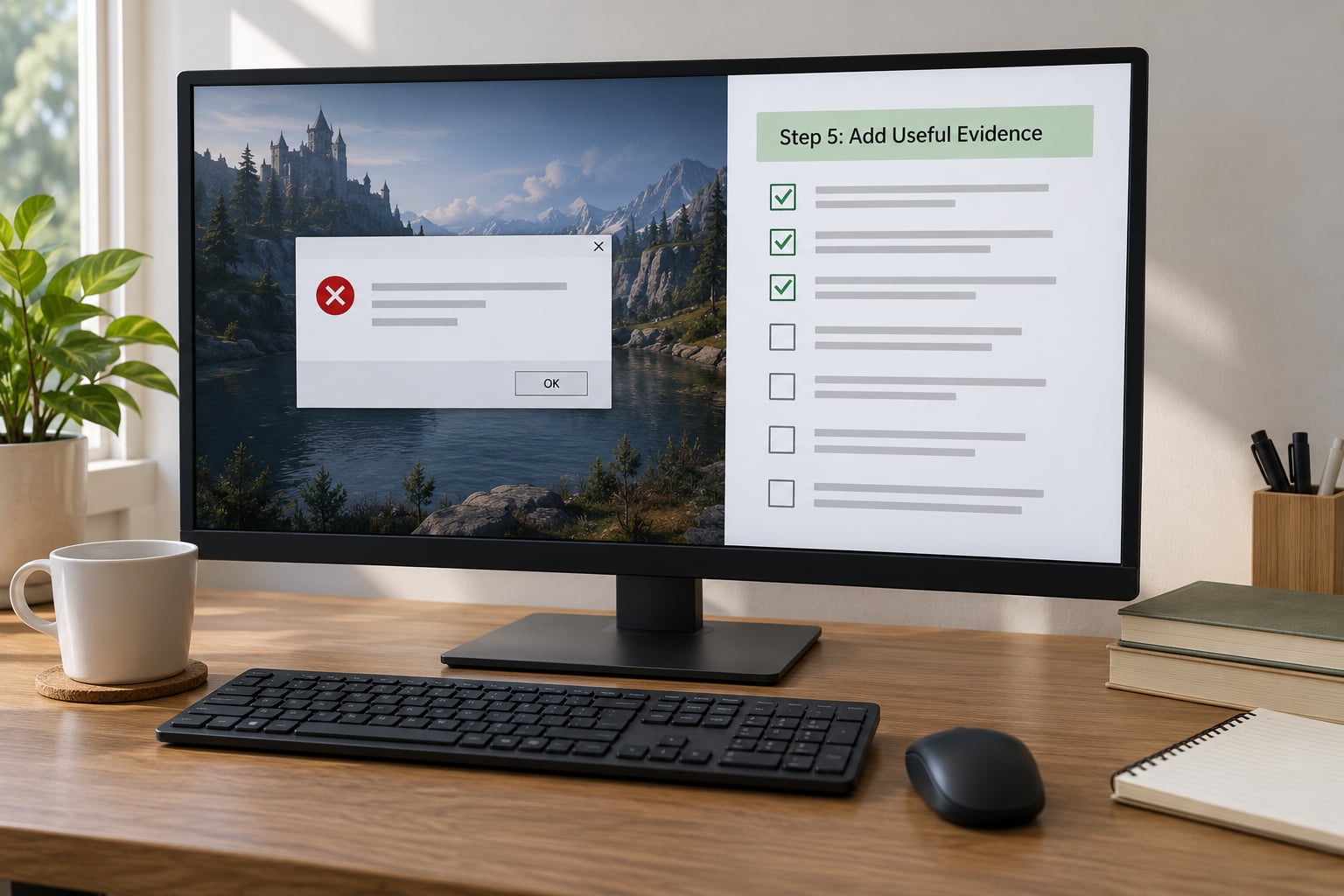
Evidence is what turns a guess into a diagnosis. Keep it legible and relevant, because badly presented logs get skipped faster than missing ones.
For screenshots, capture the entire error dialog with the text readable at normal zoom. Do not crop to the middle of a word. If the message scrolls, take two shots, one of the top and one of the bottom.
For logs, paste the relevant lines inside a code block rather than attaching the whole file. A crash log can run to thousands of lines of asset paths that hide the single line that matters. Open it in a text editor, search for the error text or the mod’s name, and paste roughly thirty lines around the hit. Strip usernames, absolute paths with your Windows username in them, and anything resembling a serial number or license key before posting.
For a short screen recording, clip only the seconds before the failure. Long gameplay uploads bury the useful part and nobody watches them.
Redact before you post, not after. Your game folder path often contains your Windows username, your save folder may reveal your in-game character names, and a Discord overlay can show your account. Take ten seconds to blur them.
Step 6: Ask One Precise Question and Follow Up
End your post with the specific thing you need decided: whether a dependency is missing, whether the load order should change, or whether the mod is simply incompatible with your build. “Is this mod supposed to work on 1.6.1?” is a question with an answer. “Please help me fix this” is not.
When someone replies, answer the question they asked. Report results as tests, not opinions: “installed version 2.1.0, the crash still happens” or “reordered so the framework loads last, working now.” Volunteers give you their time once; they are less likely to spend it twice on a thread that never confirms whether the advice landed.
If the fix works, edit your original post to mark it solved and say what fixed it in one line. Someone with your exact bug is reading the archive right now, and your edit answers their post for free.
If nobody replies, escalate in order instead of reposting the same text everywhere. Wait a full day, then search the archive with your exact error string. Post in the game’s dedicated subforum rather than the general one. Try the mod creator’s own support channel, since that author can look at the mod source. Only then repost, and say what you already tried and where.
Reposting the identical question across four communities at once is the fastest way to get ignored everywhere. Helpers recognise the text, and the reputation that carries over is not flattering.
Common Mistakes: Why Mod Help Requests Get Ignored
Almost every unanswered thread fails on one of a handful of patterns. These are the most common ones, with the correction for each.
A vague title that hides the problem
The mistake: “My mod does not work” tells a reader nothing about whether they can help, so they keep scrolling.
The fix: Put the symptom, the mod name and the version in the title. That alone changes how many people open the thread.
No game version anywhere in the post
The mistake: Describing the game by name but never stating the patch or build. A mod written for one build often silently does nothing on another.
The fix: Paste the exact version string from your launcher or main menu. If a game updated recently and the problem started then, say so in the first paragraph.
Uploading the entire log
The mistake: Attaching a 40,000-line crash log and expecting someone to read it. They will not, and the post reads as lazy rather than thorough.
The fix: Search the log for the error text and paste about thirty lines around it in a code block. Mention that you trimmed it.
Blaming antivirus or Windows without evidence
The mistake: “My antivirus ate my mod files” as the opening line of a post, with nothing to back it up.
The fix: Check the quarantine list first, and post the result either way. A confirmed quarantine is a fact. An assumption reads as an excuse, and it can send the thread in the wrong direction entirely.
Asking to be contacted privately or requesting files that were never licensed
The mistake: Asking people to message you instead of posting publicly, or asking a helper to supply cracked files or a bypass for a version check. The first reads as evasion; the second gets the thread closed on sight.
The fix: Post in the open. Keep your request to diagnosing an issue you already have installed, and be explicit that you are looking for help with your own copy.
Ignoring the archive
The mistake: Starting a thread for a problem that has been solved dozens of times in the same subforum.
The fix: Search by your exact error text. If a thread helped, reply there and say so. If nothing fits, note in your post what you searched, which reassures readers that you did the work.
Not testing the fixes you were given
The mistake: Someone offers a fix, you try it, it fails, and you never come back to say so. Or it works and the thread goes quiet without confirmation.
The fix: Report the outcome either way. Untested advice gets retested by everyone, and a fix that never got confirmed stays a rumour for years.
Frequently Asked Questions
Should I post my entire crash log or debug log?
No. Search the log for the error text or the mod name, then paste about thirty lines around that point in a code block. A full log can run to tens of thousands of asset paths and buries the one line that matters. Say in your post that you trimmed it so readers know you edited for length, not to hide anything.
What screenshot or video evidence is most useful for a modding problem?
A full, uncropped shot of the error dialog with every line readable at normal zoom. If the message scrolls, take one shot of the top and one of the bottom. For behaviour that involves no error message, a ten to fifteen second clip showing the actions that trigger the problem beats a long gameplay recording.
How do I ask a mod creator for help without sounding demanding?
Send it through the creator’s own support channel, quote the mod version, the game version, and what you observed, and keep to one question. Creators answering support mail are usually doing it around paid work, so a short specific request gets a reply where a long one asking for an urgent fix does not.
What should I do if a forum fixes the same problem but nobody confirms it?
Go back to the thread and add a short reply with the fix that worked, the mod versions involved, and the game build. Forums are archives first and conversations second. An unconfirmed fix stays a rumour that every new player has to rediscover, and confirming one costs you thirty seconds.
When should I move a mod-help post to a different community?
Move it when the first community cannot see your problem, not simply because it stayed quiet. Console and Android questions belong in those communities, mod-specific bugs belong with the creator, and base game bugs belong with the publisher. When you repost, change the title and add what you already tried, and say where the original post was.
Conclusion: Start With a Help-Ready Request
Start with the expected result and the actual result, name the exact setup, list the mods in load order, paste the error text as it appeared, show that you tested in vanilla and tried the standard fixes, then ask one precise question. That is the whole difference between a thread that gets a diagnosis and one that gets scrolled past.
Most of the work happens before you post, not in the replies. Twenty minutes gathering evidence usually saves several days of waiting.