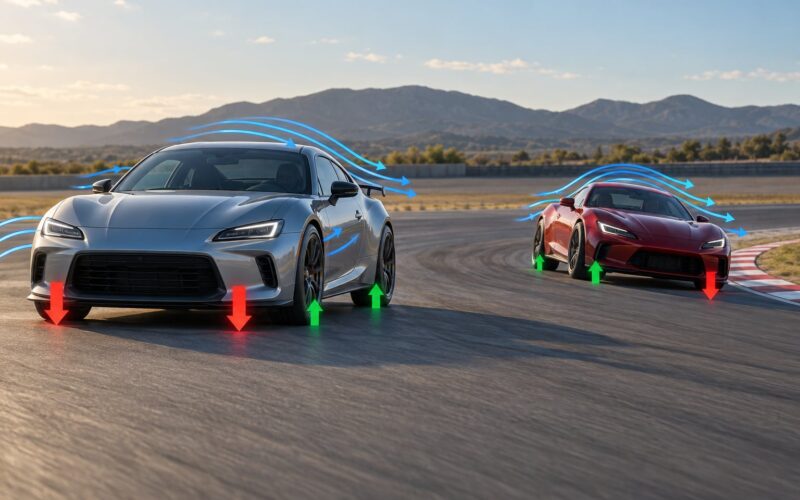
A GTA V car feels heavy when it resists acceleration, leans into corners, settles slowly after a turn and makes the wheel take real effort to turn. Getting there means editing the right handling fields, not just the mass number. Here is the method that works, updated for 2026.
Before anything else, one clarification that trips up almost everybody. The mass value in handling.meta does not change how the car drives. It controls how hard the car shoves pedestrians, props and other vehicles. Acceleration, grip and body movement come from entirely separate fields, which is why adding a thousand kilograms of mass to a mod car and feeling nothing but a slightly better crash is so common.
The practical route runs through a handful of values, a repeatable test loop, and a couple of scripts if you want weight in the hands rather than just in the chassis. Pick the smallest change that produces the feeling you want, then test it before the next one.
Table of Contents
- 1What You Need
- 2Step-by-Step
- 31. Adjust the Vehicle’s Mass and Inertia
- 42. Tune Suspension and Body Roll
- 53. Increase Tire Grip and Contact Feel
- 64. Reduce Responsiveness and Add Controlled Weight
- 75. Match the Audio, Camera and Visual Feedback
- 86. Test in a Controlled Set of Conditions
- 9Common Mistakes
- 10Frequently Asked Questions
- 11Does increasing the mass value make a GTA V car drive heavier?
- 12How do I stop my car having unrealistic braking after tuning?
- 13Which tools do I need to make a mod car feel heavier?
- 14How do I know if my mod car is too heavy?
- 15Why do my edited values or script settings have no effect?
What You Need
Every route below needs a working copy of the original game files. People skip this and then spend an evening restoring files by hand.
- OpenIV 2.6 with the ASI loader for editing
handling.metainsideupdate.rpf > common > data. This is the base layer of any handling change. - ScriptHookVDotNet 3 if you plan to use a driving script for throttle ramp and steering effort. ScriptHookV alone is enough for most ASI loading, but the .NET build is what those scripts require.
- A text or XML editor that keeps formatting. A plain find-and-replace in a file with thousands of lines is how people end up with a corrupt meta.
- The add-on vehicle folder for any custom car, so you can find its own handling file instead of editing the global one.
- A backup of the original files plus a clear restore route through OpenIV before you start.
Know which game version you are running before you download anything. Several popular handling mods were last updated years ago and quietly stopped applying after later game builds.
Step-by-Step
These six steps are ordered so each one builds on the last. If you want to know how to make a car mod feel heavier without wasting a weekend, do them in sequence and change one group of values at a time.
| Method | What it changes | Tools needed | Difficulty | How to revert |
|---|---|---|---|---|
| Edit handling.meta values | Suspension, traction, drag, gear ratios | OpenIV, text editor | Medium | Restore the backup in OpenIV |
| Install a handling overhaul mod | Every vehicle at once | OpenIV, ASI loader, ScriptHookV | Low to install, high to tune | Replace with vanilla handling.meta |
| Install a driving script | Throttle ramp, steering effort | ScriptHookVDotNet 3 | Low | Delete the DLL from the scripts folder |
| Stack all three | Physics and input together | All of the above | Medium | Remove in reverse order |
1. Adjust the Vehicle’s Mass and Inertia
Raise mass a little for consistency, then move on to the fields that actually shape the drive. Increasing mass alone changes collision push and nothing else.
Within a vehicle’s handling entry, the useful ones sit next to each other. The table below is the working set for most setups, with the direction that moves the car toward weight.
| Value | Direction | What you feel |
|---|---|---|
| Mass | Small increase only | Harder shoves into peds and props, nothing else |
| Suspension force | Lower | Longer, slower body movement over bumps |
| Anti-roll front and rear | Lower | Visible lean in corners instead of a flat car |
| Traction loss | Higher | Wheels that slip earlier, more effort to hold a line |
| fDriveBiasFront | Slight adjustment | How the car settles when you lift off or brake |
| fInitialDragCoeff | Lower | Slower to wind up to speed, then steadier |
Change mass by no more than ten percent between test drives. Because mass feeds collision response rather than drive feel, a large jump mostly buys you a car that launches people further and feels identical from behind the wheel.
How do you know it worked? Load a car on a flat surface, accelerate hard and watch how the nose lifts and settles. If the settle is slow and the car resists being thrown around, your inertia work is landing.
2. Tune Suspension and Body Roll
Soften the suspension and lower the anti-roll values, and the same car starts to look like it is carrying something.
Hard suspension is the single biggest reason modded cars feel like they are on rails. The body stops moving almost instantly, so every input arrives with no visible transition between one state and the next. Weight is largely that visible transition.
Drop the suspension force a notch at a time, then reduce anti-roll front and rear separately. Reducing the rear more than the front gives a car that settles at the back after a turn, which reads as weight even at low speed.
Keep the change modest. Suspension that is too soft lets the car wallow, and a wallowing car feels heavy but broken, which is worse than the stiff version. If the body is still moving several seconds after a bump, you have gone too far.
3. Increase Tire Grip and Contact Feel
More grip makes the car feel planted, but very high grip is exactly what makes GTA V cars feel light and twitchy by default. The answer is controlled grip, not maximum grip.
Raise the friction-related values in stages and check that the car still rotates on a damp surface. The useful target is a car that takes a set amount of effort to break traction and settles when you get back on the throttle.
One warning that carries over from forum discussion more than any other: do not max traction across the board. Cars stop sliding, corners become scalpel-straight, and drift clips lose the weight transfer that made them interesting in the first place.
Test sign: a car at the right grip level still rotates through a long corner and settles cleanly. A car with too much grip rails through the same corner and returns to neutral almost instantly.
4. Reduce Responsiveness and Add Controlled Weight
This is where most players get the result they actually wanted. Slow the throttle ramp and add real steering effort, and the car starts to feel like it has mass through your hands even if the chassis values are untouched.
Install a driving script through ScriptHookVDotNet 3 that ramps throttle in rather than applying it instantly, then find the low-speed steering setting and raise the effort. Script-based setups let you tune these without touching a single handling file, which is why they are the fastest way to get a heavier feel.
Players pair these scripts with a handling overhaul and report the combination as the strongest realistic driving setup, with drifting noticeably more controllable. It also gives you an easy undo: delete the DLL from the scripts folder and the game returns to its defaults.
Keep braking in check here. Braking force is the easiest value to overdo, and too much of it makes a heavy-feeling car stop like it hit a wall. Add a small amount and test the pedal on a straight before trusting it.
File names and fields shift between GTA V builds and between add-on packs, so check what your specific vehicle actually exposes before assuming a value exists.
5. Match the Audio, Camera and Visual Feedback
A car that only sounds different still feels light. The heaviest-looking setup in the game usually matches what you hear and see to what the physics are doing.
Suspension noise on bumps and a more audible tyre scrub on corner exit do more for perceived weight than any single physics value, because they tell you the car is working. Soft impact sounds on landing from a jump reinforce the same read.
Keep the camera behaviour consistent too. A camera that lags slightly behind the car during hard cornering makes the movement feel more massive than a locked view of the same cornering. The goal is that nothing in the presentation contradicts the physics.
Jump the car a few times after this step. If the landing sound matches the compression you see, the setup is coherent. If it does not, the mismatch is what players describe as the car feeling fake.
6. Test in a Controlled Set of Conditions
Run the same loop every time you change something, and keep a note of what moved. Without a fixed route, every drive feels different and you end up tuning blind.
Use this order: flat-road acceleration, emergency braking from speed, a long constant-radius corner, a slope, a moderate collision, then two identical jumps off the same ramp. Change one group of values between runs and compare against your backup car rather than against memory.
Check that the ground is the same each time. Sand, wet road and dry asphalt send the same car in three completely different directions, and a change you thought worked may only work on one of them.
Framerate matters more than most guides admit. The same setup can feel noticeably different on a machine running 25 to 30 frames against one running well above 60, because physics updates and input handling are tied to frames. Test at a consistent frame rate before you decide a value is wrong.
Which GTA has the most realistic physics? GTA IV is still the answer most people give, and it is the reason GTA IV style handling mods exist at all. GTA V’s problem is not low mass, it is low top speeds paired with very high traction, which produces twitchy, on-rails cornering.
That is also why a global handling overhaul is worth installing even if you only care about your own add-on car. It changes the baseline, and your own per-car values then have a sane starting point to work from.
Common Mistakes
Almost every frustrating result in this topic traces back to one of a short list of mistakes, and all of them are fixable.
- Editing mass and expecting a different driving feel. Mass controls how hard the car pushes peds, props and other vehicles. Fix: leave mass close to default and spend your effort on suspension, traction and steering instead.
- Raising mass without touching inertia. A big mass jump with unchanged inertia makes a car that is heavy in theory and snappy in practice. Fix: make small, paired changes and test between them.
- Maxing grip everywhere. Cars stop sliding and corners go flat. Fix: raise friction in stages and confirm the car still rotates.
- Changing six values at once. You will never learn which one did the work. Fix: one group per test drive, written down.
- Ignoring audio and camera. Physics that contradict the presentation read as fake. Fix: bump suspension and tyre audio, then retest the jump.
- Only testing on dry asphalt. Grip changes behave completely differently on sand and wet road. Fix: run the same corner on three surfaces.
- Installing a global file and losing the original. A replaced
handling.metais the most common reason unrelated vehicles, aircraft and boats break or the game crashes on launch. Fix: keep a copy of the untouched file and know where it goes. - Editing a config that the game never reads. Older scripts stop applying after a game build update, and values then have no effect at all. Fix: check the script’s last update date against your build before tuning anything.
Two habits cover most of the list. Back up before every session, and revert fully to the default when a change goes wrong instead of stacking another edit on top of it.
For add-on cars, also check whether the vehicle has its own handling file. A global handling mod changes everything except cars that ship with their own tuned values, which is why some mod cars seem to ignore your entire setup.
Frequently Asked Questions
Does increasing the mass value make a GTA V car drive heavier?
No. Mass in GTA V controls how hard a vehicle pushes pedestrians, props and other cars, not how it accelerates, corners or brakes. To make a car feel heavier in the driving, change suspension force, anti-roll, traction loss, throttle ramp and steering effort instead, and keep any mass increase small.
How do I stop my car having unrealistic braking after tuning?
Braking force is the easiest value to overdo, and too much of it makes a heavy-feeling car stop like it hit a wall. Add it in small increments and test the pedal on a straight from a steady speed before you try a corner. If the nose dives hard and the car feels unstable under light braking, back the value down and retest.
Which tools do I need to make a mod car feel heavier?
For handling changes, OpenIV 2.6 with the ASI loader plus a text or XML editor is enough, since handling.meta lives in update.rpf under common and data. For throttle ramp and steering effort, you need ScriptHookVDotNet 3 and a driving script. In every case, keep a backup of the original files and a clear restore route before you start editing.
How do I know if my mod car is too heavy?
A car that is too heavy wavers through corners, takes several seconds to settle after a bump, and understeers away from the steering input when you push hard. Body movement that has not finished before your next input is the clearest sign. Back the suspension and anti-roll values off slightly and test the same loop again.
Why do my edited values or script settings have no effect?
Usually the script or handling mod has not been updated for your current game build, so the game ignores it entirely. A config file sitting in the scripts folder being edited is not proof that it is being read. Check the last update date of the mod against your build, confirm the dependencies are installed, and test after a full game restart rather than a quick reload.
Start with the smallest change that produces a visible difference. Drop the suspension force one notch, then run your test loop. If the car is still too light in the hands, add throttle ramp and steering effort through a script, which takes minutes and reverts just as fast.
Whatever you change, keep a log. Most people who tune handling successfully are not the ones who found a magic number, they are the ones who changed one thing at a time and wrote down what happened.